An AI cover letter works when the model only does the typing. You supply the job ad and your own stories, it drafts, and then you cut every line a stranger could have written. Skip that last step and you get the letter hiring managers have learned to skim past.
The stakes are real in 2026. A TopResume survey of 600 U.S. hiring managers (commissioned by the resume company) found 19.6% would reject a candidate over a fully AI-generated resume or cover letter. That number is small. The other side of it is bigger: 52% said AI is acceptable for proofreading or drafting support. Most employers tolerate the tool. What they punish is the sameness.
Below you'll find a four-pass workflow, three prompts to paste, a short list of lines to cut, and a scorer for grading your own draft.
What employers say about AI in applications
The clearest published guidance comes from a company that sells the technology. Anthropic's guidance for candidates asks applicants to write a first draft themselves, then use Claude to refine it. Using AI to create experiences you haven't had is listed as not allowed, and so is using it in live interviews or in assessments that don't permit it. Its encouraged example is a candidate who writes "I led our team's migration to a new platform" and then asks the model to help quantify the impact.
That wasn't always the position. In 2025, Fortune reported that Anthropic's job postings told applicants not to use AI assistants during the application process. Later that year, Fortune reported the reversal: resumes, cover letters and application answers can now be refined with AI, while most assessments and live interviews stay AI-free. One employer's rules prove nothing about yours, but the direction is useful. Draft first, then refine.
Other surveys add a caveat, because they measure perception. Robert Walters, a recruiter, reported in a UK poll that 73% of hiring managers claim they can spot AI-made CVs and cover letters, pointing to impersonal language and perfect formatting. That's a claim, and the report gives no method for checking it. TopResume's own test is less flattering to the managers: when asked to pick out AI-written resumes, 33.5% did. A CMI survey of 1,000 UK managers found 52% suspect applicants of using AI, and three in four weren't receptive to interviewing candidates who rely on it without tailoring the result to the role.
Tailoring is the whole point. Treat these numbers as a reason to edit, not as proof of detection.
The four-pass workflow
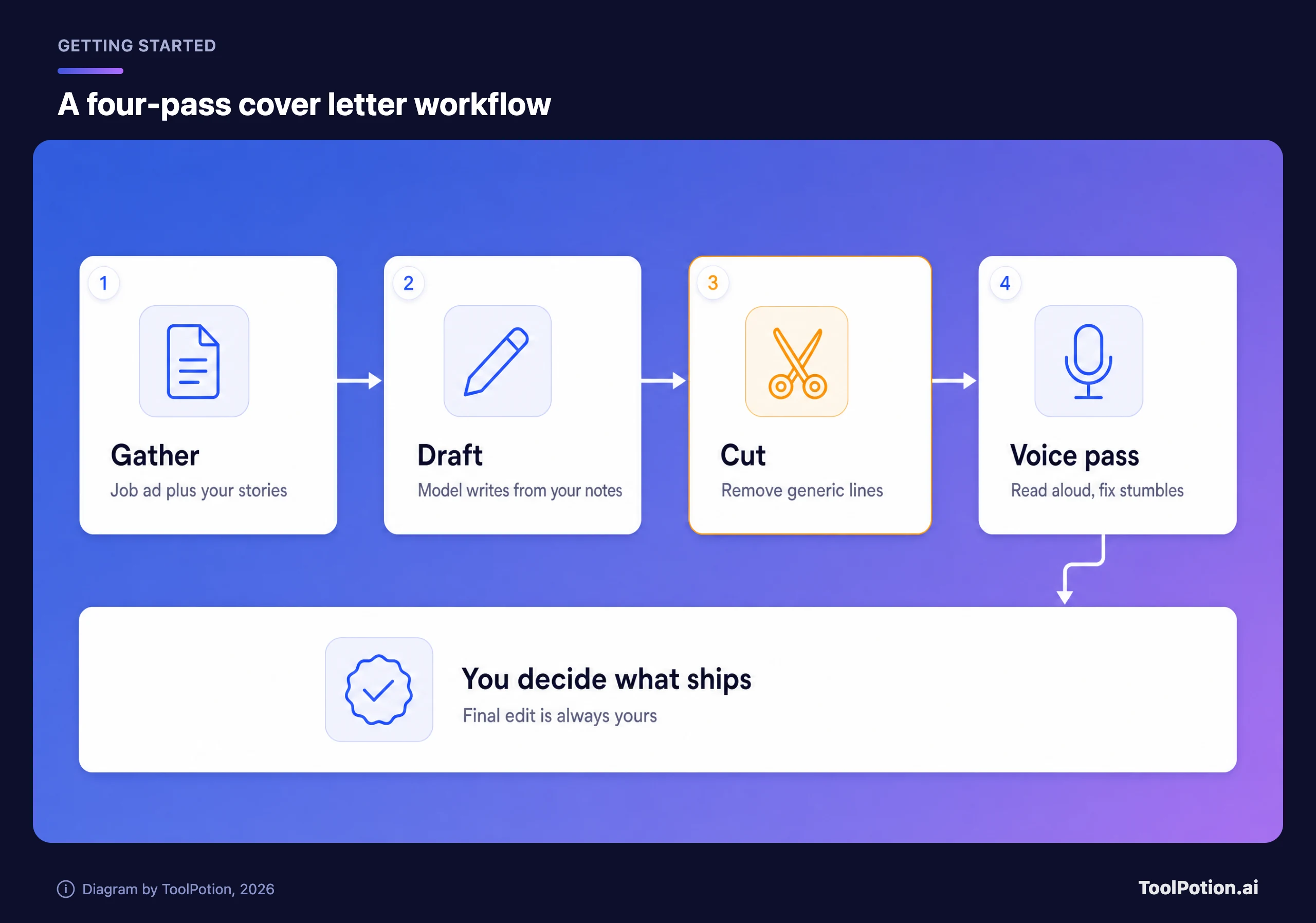
Each pass has one job. Don't skip ahead, because the order matters more than the model you pick.
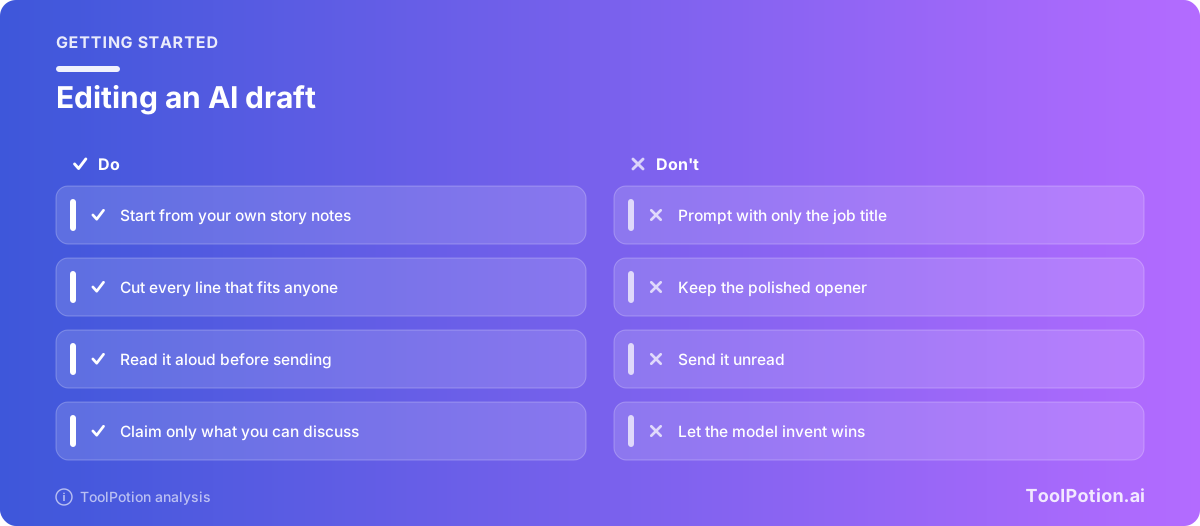
- Gather. Paste the full job ad, then write three or four rough notes about work you've actually done. Bullets are fine. Include numbers, names of projects, and what went wrong.
- Draft. Ask the model for a short letter built only from those notes. Tell it to use nothing you didn't provide.
- Cut. Delete every sentence that could appear in anyone's letter. This pass usually removes a third of the draft.
- Voice pass. Read it aloud. Wherever you stumble or wouldn't say it that way, rewrite the line in your own words.
The notes are what make the letter yours. A model given only a job title will guess at your career, and guesses read as filler.
What a good set of notes looks like
Most weak letters come from weak input, so spend your effort here. A useful note has a situation, an action and a result, in your own rough words. Something like: "Support queue was 400 tickets behind. I wrote macros for the five most common questions and trained two new hires on them. Backlog gone in three weeks." That's ugly, and it's perfect. The model can smooth the grammar, but it can't supply the 400 or the three weeks.
Write four of these. Choose stories that match what the ad asks for most often, which is usually in the first few bullet points of the requirements. If the posting stresses stakeholder communication, bring the story where you handled a difficult stakeholder, not the one you're proudest of.
Then check the draft against the notes. Any claim about you that isn't in your notes is something the model made up. Delete it or replace it with the truth. A vague claim is a weak sentence, and an invented one can end an interview.
Three prompts worth copying
Use the first one to turn your raw notes into a draft. Replace the bracketed parts.
Here is a job ad: [paste ad]. Here are my notes about work I've done: [paste notes].
Write a cover letter under 250 words. Use only facts from my notes. Do not invent
achievements, numbers or skills. Pick the two notes that best match the ad. Plain
language, first person, no clichés about passion or excitement.
The second prompt does the cutting. Models are better critics of generic prose than authors of specific prose.
Here is my draft: [paste draft]. List every sentence that would fit any applicant
for any job. Quote each one and say what specific detail from my notes could
replace it. Don't rewrite anything yet.
The third keeps your voice. Paste a real email or message you wrote, not a LinkedIn post.
Here is how I write when I'm not trying to impress anyone: [paste 150 words].
Note my sentence length, how I open and which words I never use. Then tell me
which lines in my draft don't sound like me.
Anthropic's own sample prompt follows the same logic. It asks the model to compare a resume and a job description, then identify which experiences to highlight. The model sorts. You decide.
Tells to cut before you send
What follows is editing advice, not a detector. These are the lines that make any letter forgettable, and career coaches were cutting them long before chatbots.
- Openers like "I am excited to apply for the position of" and closers that thank the reader for their time and consideration.
- Stacked adjectives such as passionate, dynamic and results-driven, with nothing attached to prove them.
- Every paragraph the same length, and every sentence starting with "I" or with a transition.
- Claims with no number, no project name and no outcome.
- A tidy summary paragraph that restates the letter you just read.
One test beats the list. Swap the company name for a competitor's. If the letter still works, it isn't about this job.
Score your own draft
Tick what's true of your letter. The scorer rewards specifics over polish, which is the right bias.
Tools that can help
A general assistant like ChatGPT or Claude handles the workflow above, and you control every input. Dedicated generators such as Cover Letter Copilot and Cover Letter AI are built around the first draft. Grammarly is better suited to the final proofread than the first draft. For the resume itself, Resume Worded gives feedback you can use before you write a word of the letter.
To compare more options, browse the ToolRank board for cover letter tools or the AI resume builders board. Our roundup of AI tools for job seekers goes wider, and ChatGPT alternatives helps if you're choosing a model.
If you're new to using AI for the search itself, Google's course page describes Accelerate Your Job Search with AI as teaching you to uncover transferable skills, build a professional pitch and create a resume (Grow with Google). Jobright covers the search side.
Frequently asked questions
Is it okay to use AI for a cover letter?
Mostly yes. In the TopResume survey, 52% of hiring managers said AI for proofreading or drafting support is acceptable, though 25% said cover letters should stay AI-free. Check the posting for an AI policy, and never let a model invent experience.
Should I tell the employer I used AI?
Follow the posting. Anthropic's guidance says it expects transparency from candidates, and some employers ask directly. If nobody asks, you're responsible for every claim in the letter, which is why the notes must come from you.
Can AI detectors catch an AI cover letter?
Don't rely on them in either direction. Managers' confidence in spotting AI is self-reported, and in TopResume's test only 33.5% picked out the AI-written resumes. Edit for specificity and you won't need to guess.
How long should an AI-assisted cover letter be?
Under 250 words is a good target. A short letter with two real stories beats a long one with six generic paragraphs.