Description
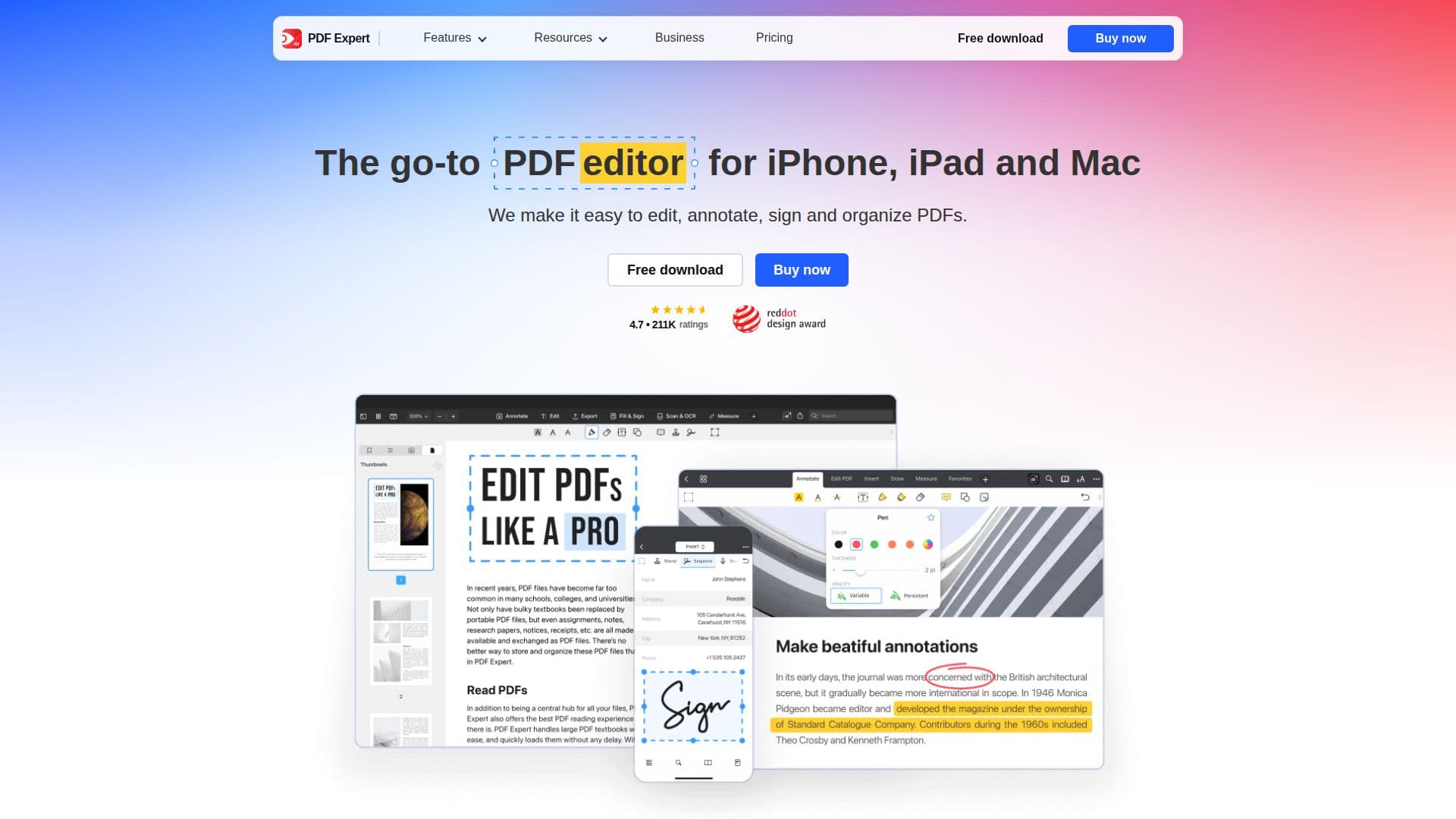
PDF Expert is a comprehensive PDF editor and reader designed for Mac, iPhone, and iPad users. Developed by Readdle, it provides a seamless experience for editing, annotating, and organizing PDF documents. With its intuitive interface, users can effortlessly modify text, images, and links within PDFs, making it a powerful tool for both personal and professional use.
The application supports advanced features such as OCR for text recognition in scanned documents, AI-powered enhancements to improve the quality of old PDFs, and fast conversion of PDFs to popular formats like Word, Excel, PowerPoint, and JPG. Users can also fill out forms, sign documents electronically, and manage pages by rearranging, merging, or splitting them.
PDF Expert is optimized for Apple devices, leveraging the unique capabilities of iPhone, iPad, and Mac to provide a delightful reading experience with fluid scrolling and various reading modes. It also offers a robust annotation toolkit, allowing users to add notes, highlights, stamps, and audio notes to their documents.
The pricing structure includes a premium plan with continuous updates and priority support, ensuring users have access to the latest features. PDF Expert is ideal for educators, students, and professionals in construction and management, providing a versatile solution for handling complex PDF tasks.
Overall, PDF Expert stands out as a reliable and easy-to-use PDF solution, offering extensive functionality to enhance productivity and streamline document management across Apple devices.
PDF Expert's Core Features
Advanced PDF editing capabilities
OCR text recognition
AI-powered PDF enhancements
Fast PDF conversion to multiple formats
Electronic signature support
Comprehensive annotation tools
Page management features
Optimized for Apple devices
Cloud syncing across devices
Priority support
How to use PDF Expert?
Download: Get PDF Expert from the App Store
Install: Set up on your device
Edit: Modify text, images, and links
Annotate: Add notes and highlights
Convert: Change PDFs to other formats
Sign: Use electronic signatures
Organize: Manage and merge pages
Sync: Access files across devices
PDF Expert's Use Cases
- Document editing
- Form filling
- Electronic signing
- PDF conversion
- Annotation
- Page management
- Cloud syncing
- Reading mode