Description
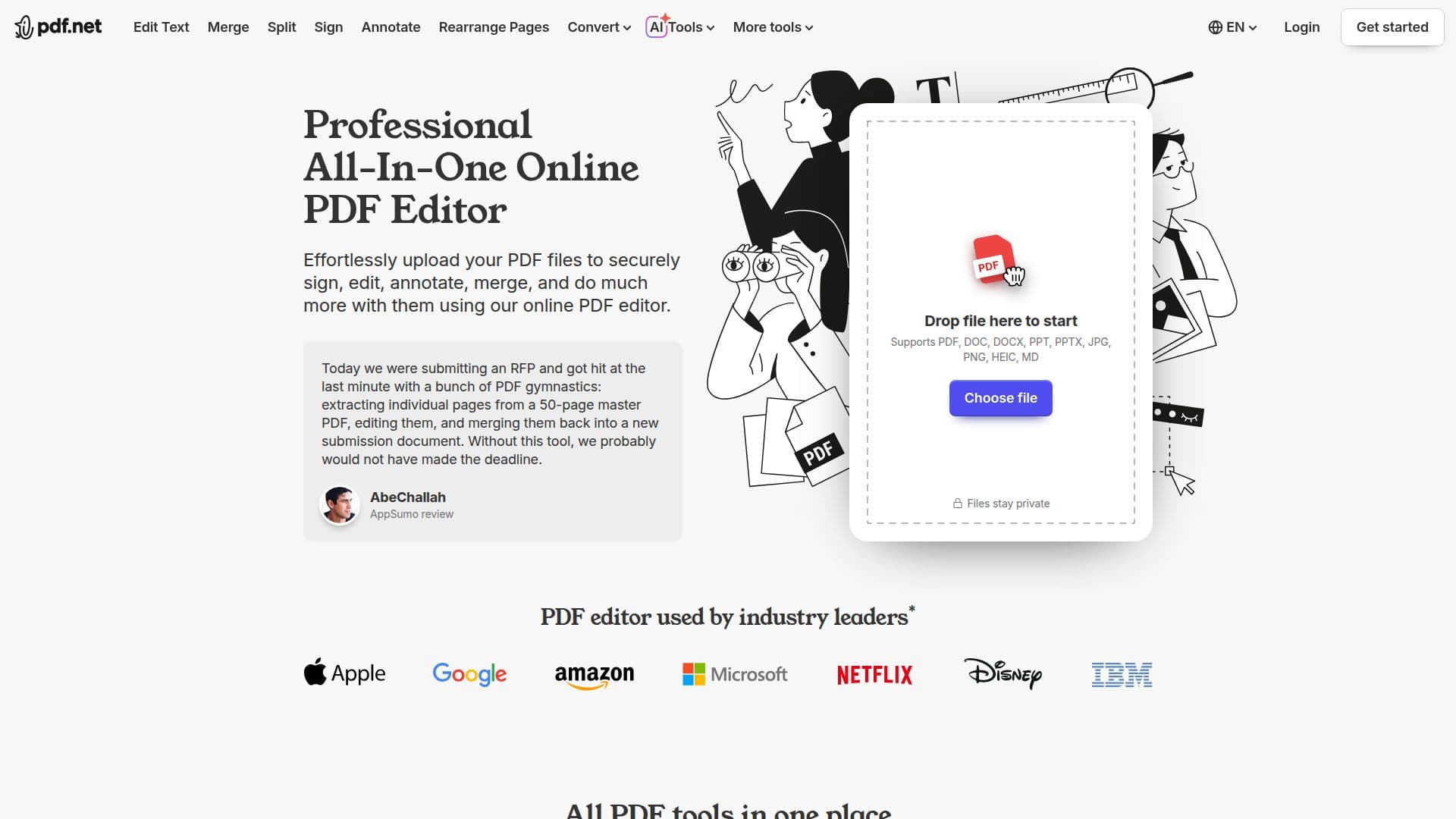
pdf.net is a professional, all-in-one online PDF editor that brings everyday document tasks into one place. Users can upload PDF files to sign, edit text, annotate, add images, merge, split, compress, convert, rearrange pages, and protect documents without switching between multiple applications or installing software.
Read More
Beyond classic PDF tools, pdf.net offers a wide range of conversions, including PDF to and from Word, Excel, PowerPoint, JPG, PNG, Markdown, CSV, and even bank statements to Excel. It also provides organization features such as page reordering, page numbers, Bates numbering, page extraction, rotation, and PDF comparison, and it maintains formatting and layout across platforms including PC, Mac, smartphone, and tablet.
The platform layers in AI-enabled workflows, letting users chat with PDFs to ask questions, summarize, and translate documents, turn non-editable PDFs into fillable forms, draft documents from a prompt, and connect pdf.net to their preferred AI through an MCP server. A secure vault stores files privately by default, and team folders let colleagues collaborate with view or edit permissions.
pdf.net emphasizes security with end-to-end HTTPS/TLS encryption in transit and AES-256 encryption at rest, and states it does not sell documents or train models on them without permission. Core features can be used without an account, while registering unlocks additional capabilities. The company reports 3.7 million+ registered users and 12.5 million+ documents processed across 150+ countries.
- CategoryAI Document & PDF Tools
- Pricing ModelFreemium
- DeploymentCloud
- PlatformsWeb, Android, iOS
pdf.net's Core Features
Edit PDF text, annotate, and add images or signatures
Merge, split, compress, rearrange, and extract pages
Convert between PDF and Word, Excel, PowerPoint, JPG, PNG, Markdown, and CSV
Protect and unlock PDFs, add page numbers and Bates numbering
Chat with PDF to ask questions, summarize, and translate
AI-fillable forms and document generation from a prompt
Secure vault and team folders with view or edit permissions
AES-256 encryption at rest and HTTPS/TLS in transit
How to use pdf.net?
Upload your PDF: Add your PDF or supported file to the online editor.
Edit or transform: Sign, edit text, annotate, merge, convert, or reorganize pages as needed.
Use AI tools: Chat with the document to summarize, translate, or ask questions.
Download the result: Save the updated or converted file with its layout preserved.
pdf.net's Use Cases
- Editing and signing
- File conversion
- Document assembly
- Chat with documents
- Team collaboration