Description
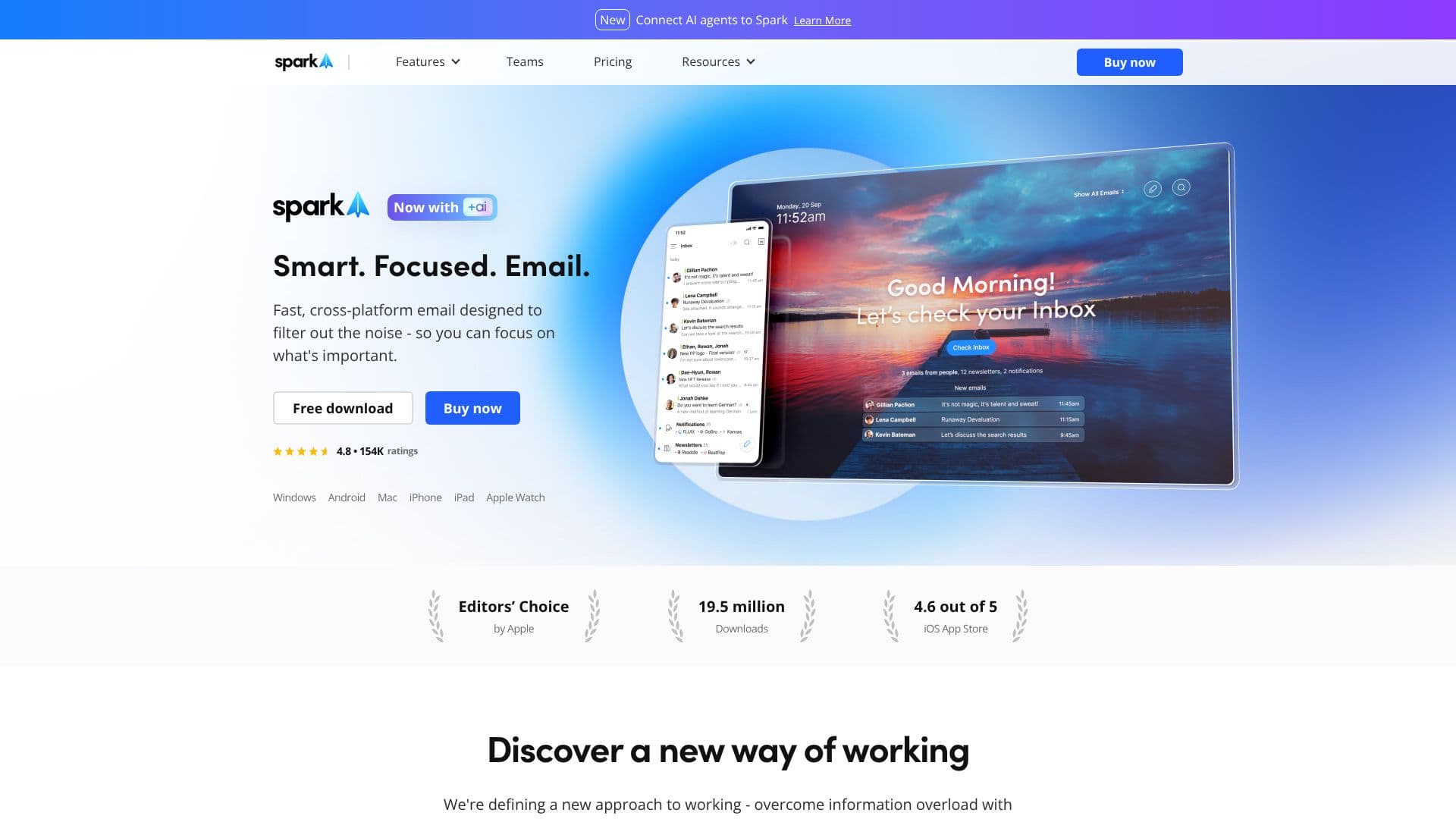
Spark Mail is a smart, focused email application built to help users regain control of their inboxes. It addresses information overload by providing tools to filter out noise and concentrate on what truly matters. The platform is designed for fast, cross-platform use, available on Windows, Android, Mac, iPhone, iPad, and Apple Watch.
Read More
At its core, Spark Mail emphasizes productivity and focus. Key features like Priority and Pin functions allow users to highlight important contacts, while Group by Sender streamlines inbox organization. The Done Marker and Set Aside features aid in time management, complemented by Send Later and Reminders to keep tasks on track. The Home Screen and Smart Inbox are central to nurturing focus, with automated Newsletter and Notification inboxes to quickly manage and filter unwanted content.
Spark Mail also integrates advanced AI capabilities. The AI-powered email writing assistant helps users craft perfect emails faster. A new Assistant feature can find, summarize, and take action on inbox content with simple prompts. Furthermore, seamless email translation breaks down language barriers, and a Summary feature provides instant insights from emails and threads.
For teams, Spark Mail offers collaboration tools. Users can compose, delegate, and manage emails directly with colleagues, turning email into a collaborative space with private comments and attachments. Team management features include delegating ownership, tracking progress, and setting deadlines. The application guarantees security and data privacy, with data used solely for product optimization and secured through Google Cloud services.
The platform supports various email accounts, including IMAP, iCloud, Exchange, Outlook, Yahoo!, and Google, syncing seamlessly across all devices. Spark Mail aims to help users master their inboxes, build better habits, and discover true productivity by providing the tools needed to achieve their goals with a distraction-free workflow.
- CategoryAI Email Assistants
- Pricing ModelFreemium
- DeploymentCloud
- PlatformsWindows, Android, Mac, iPhone, iPad, Apple Watch
Spark Mail's Core Features
AI-powered email writing assistant
Email summarization
Seamless email translation
Priority and Pin functions for important contacts
Group by Sender for inbox organization
Done Marker and Set Aside for time management
Send Later and Reminders
Home Screen and Smart Inbox for focus
Automated Newsletter and Notification inboxes
Inbox collaboration tools for teams
Delegate ownership and track progress
Secure and private email with Google Cloud encryption
Cross-platform syncing across devices
Support for IMAP, iCloud, Exchange, Outlook, Yahoo!, and Google accounts
How to use Spark Mail?
Configure: Connect your email accounts (IMAP, iCloud, Exchange, Outlook, Yahoo!, Google).
Organize: Utilize Priority, Pin, and Group by Sender to manage important contacts and emails.
Focus: Employ the Home Screen, Smart Inbox, and automated inboxes to filter distractions.
Write: Use the AI assistant to draft emails faster and more effectively.
Collaborate: Leverage team features for composing, delegating, and tracking emails with colleagues.
Manage: Utilize Set Aside, Done Marker, Send Later, and Reminders for efficient task management.
Summarize: Employ the AI Assistant to get quick insights and summaries from emails.
Spark Mail's Use Cases
- Inbox Management
- AI Email Writing
- Team Collaboration
- Focus Enhancement
- Time Management
- Cross-Platform Sync
- Information Synthesis