ToolPotion
AI Advisor
Submit a Tool (Free)

Guidy

AI AppsAI Personal AssistantsCustomer Success & Onboarding#35Freemium · Windows, macOS, Chrome Extension

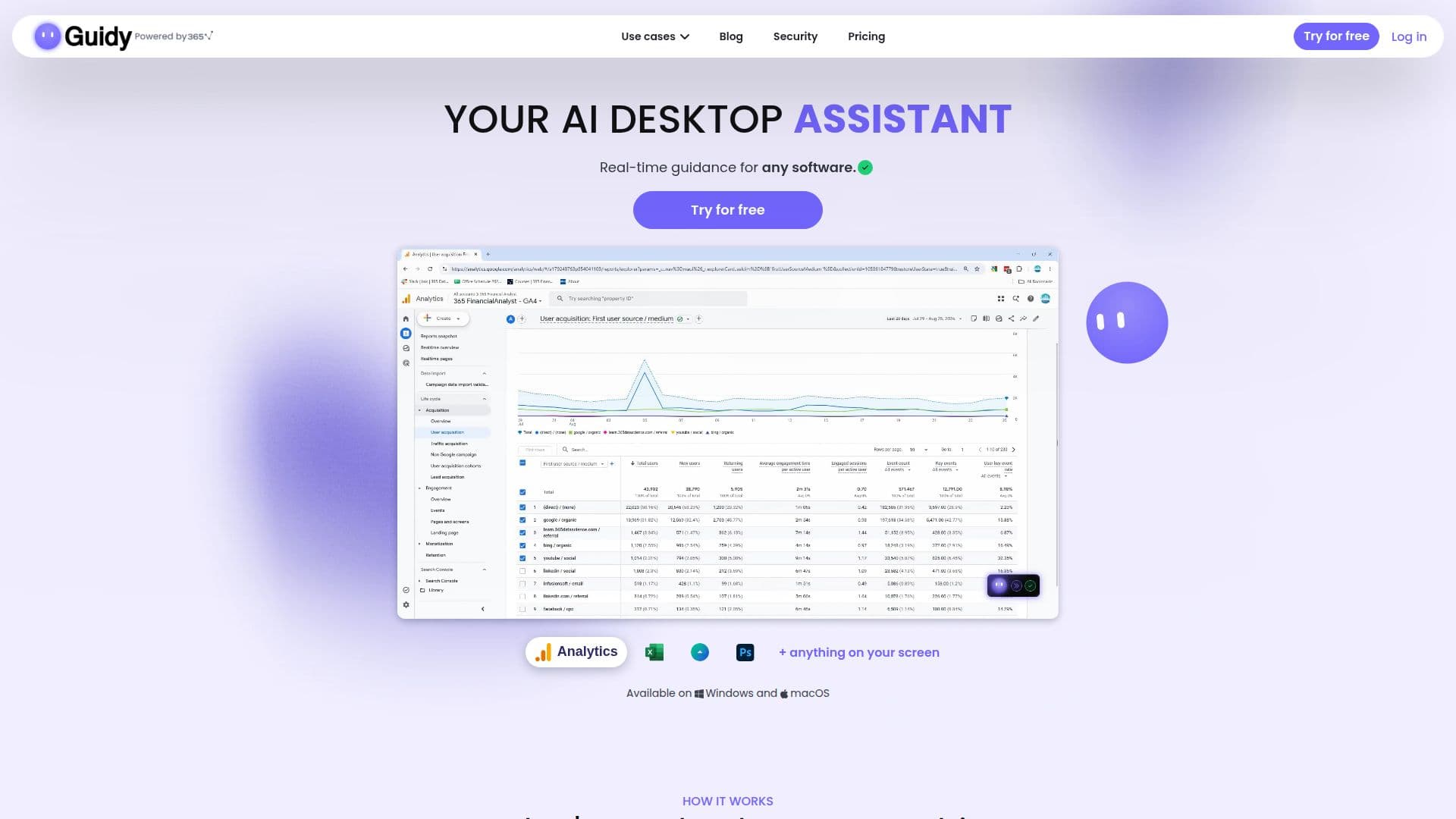
Guidy is an AI desktop assistant for Windows and macOS that provides real-time, step-by-step guidance across any software or website. It reads your screen to understand context and offers precise instructions, pointing directly to elements you need to interact with. This tool helps users navigate unfamiliar interfaces, complete complex tasks, and learn new applications efficiently without needing to switch tabs or search for tutorials.

Visit Website
Share
Guidy screenshot
Guidy screenshot

Guidy is an innovative AI desktop assistant designed to provide real-time, step-by-step guidance across any software or website on both Windows and macOS. It functions by reading your screen to understand the current context, allowing it to offer precise, on-screen instructions exactly when you need them. This eliminates the need for users to describe their problem to a chatbot, take screenshots, or sift through lengthy tutorials.

Read More

The assistant is built to adapt as you go, pointing at specific elements on your screen and circling areas for navigation. Users remain in full control, as Guidy never performs actions without explicit instruction. It integrates seamlessly into daily workflows, helping with a wide range of tasks from administrative duties and data analysis to email management and document formatting. For instance, it can guide users through setting up an out-of-office reply in Outlook, creating a VLOOKUP formula in Google Sheets, or building a custom dashboard in Google Analytics.

Guidy differentiates itself from traditional AI chatbots by offering visual, contextual assistance directly on your active screen. This means it can help with specific interface changes, unfamiliar tools, or complex processes in applications like Excel, Microsoft Word, Google Analytics, Zoom, and even internal company software. Testimonials highlight its utility for data scientists navigating various IDEs, marketing founders learning new website development tasks, and data engineers managing updated admin tools.

Security and privacy are core tenets of Guidy's design. It does not store, log, or retain any screen content, ensuring every session ends completely clean. User screen activity is never used to train AI models, and all data passed between Guidy and its servers is fully encrypted end-to-end. The assistant only reads your screen when actively opened and asked for help, giving users complete control over its activity. Guidy offers a free tier with 250 daily credits and an unlimited plan for a monthly subscription, making it accessible for individuals seeking to enhance their productivity and learn while they work.

  • CategoryAI Personal Assistants
  • Pricing ModelFreemium
  • DeploymentCloud
  • PlatformsWindows, macOS, Chrome Extension

  • Real-time, step-by-step guidance on screen

  • Works across any software, website, or application

  • Reads your screen to understand context

  • Points directly to elements for interaction

  • Adapts guidance as you progress through tasks

  • Users maintain full control; no actions taken without input

  • Chat interface for voice and text commands

  • Available for Windows and macOS

  • Chrome extension for browser-specific tasks

  • Assists with administrative tasks

  • Helps with Excel formulas and data analysis

  • Guides through Google Analytics reports and goal setup

  • Assists with Microsoft Word formatting and mail merge

  • Supports Google Sheets formulas and conditional formatting

  • Provides explanations for on-screen warnings or messages

  1. Download Guidy: Install the application on your Windows or Mac device, or add the Chrome extension.

  2. Sign In: Complete a one-time sign-in process to activate the assistant.

  3. Ask a Question: Open Guidy and ask what you need in plain words, either by voice or text, directly on your screen.

  4. Follow On-Screen Guidance: Guidy will read your screen and provide step-by-step instructions, pointing to where you need to click or what to do.

  5. Complete Tasks: Follow the visual cues to finish your task efficiently and learn the process for future reference.

  • Navigating New Software
  • Completing Administrative Tasks
  • Learning Software Features
  • Troubleshooting On-Screen Issues
  • Optimizing Marketing Campaigns
  • Managing Email Workflows
  • Creating Documents and Reports
  • Data Analysis in Spreadsheets
  • Setting Up Google Analytics Goals
  • Updating Online Profiles

Guidy Reviews

Loading...

Popular AI Tools Like Guidy

Jarvis AI Assistant is a free desktop application for macOS, Windows, and Linux that acts as a screen-aware AI layer. It integrates with over 30 popular apps, remembers context…

AI Personal Assistants

Ranked #54 in Productivity

View Tool

Free desktop application for macOS, Windows, and Linux that acts as a screen-aware AI layer. It integrates with over 30 popular apps, remembers context…Jarvis AI Assistant is a free desktop application for macOS, Windows, and Linux that acts as a screen-aware AI layer. It integrates with over 30 popular apps, remembers context…

AI Personal Assistants
Ranked #54 in Productivity

MacGaiver is an AI-powered assistant for macOS that provides contextual help within any application. Activate it with a keyboard shortcut to ask questions via voice or text and…

AI Personal Assistants
View Tool

AI-powered assistant for macOS that provides contextual help within any application. Activate it with a keyboard shortcut to ask questions via voice or text and…MacGaiver is an AI-powered assistant for macOS that provides contextual help within any application. Activate it with a keyboard shortcut to ask questions via voice or text and…

AI Personal Assistants
See the Top 250 AI Apps

Pip

AI Apps

Pip is an AI assistant for macOS that helps users navigate their computer by pointing out exactly where to click. It offers guidance in various applications, making tasks easier…

AI Personal Assistants

Ranked #163 in Productivity

View Tool

AI Apps

AI assistant for macOS that helps users navigate their computer by pointing out exactly where to click. It offers guidance in various applications, making tasks easier…Pip is an AI assistant for macOS that helps users navigate their computer by pointing out exactly where to click. It offers guidance in various applications, making tasks easier…

AI Personal Assistants
Ranked #163 in Productivity

MacCopilot

AI Apps

MacCopilot is a native AI assistant for macOS that allows users to interact with AI models like GPT-4o, ClaudeAI, and Gemini directly about their screen content. Select any area…

AI Personal Assistants
View Tool

AI Apps

Native AI assistant for macOS that allows users to interact with AI models like GPT-4o, ClaudeAI, and Gemini directly about their screen content. Select any area…MacCopilot is a native AI assistant for macOS that allows users to interact with AI models like GPT-4o, ClaudeAI, and Gemini directly about their screen content. Select any area…

AI Personal Assistants
See the Top 250 AI Apps

Brah

AI Apps

Brah is an AI voice assistant for Mac that interacts directly with your screen. Ask questions aloud, and it can point to buttons, illustrate complex concepts with live 3D or…

AI Personal Assistants
View Tool

AI Apps

AI voice assistant for Mac that interacts directly with your screen. Ask questions aloud, and it can point to buttons, illustrate complex concepts with live 3D or…Brah is an AI voice assistant for Mac that interacts directly with your screen. Ask questions aloud, and it can point to buttons, illustrate complex concepts with live 3D or…

AI Personal Assistants
See the Top 250 AI Apps

DeskClaw

AI Apps

DeskClaw is a desktop app for Windows and Mac that lets non-technical users run the open-source OpenClaw AI agent with no terminal or config, to manage email, automate tasks, and…

AI Personal Assistants
View Tool

AI Apps

Desktop app for Windows and Mac that lets non-technical users run the open-source OpenClaw AI agent with no terminal or config, to manage email, automate tasks, and…DeskClaw is a desktop app for Windows and Mac that lets non-technical users run the open-source OpenClaw AI agent with no terminal or config, to manage email, automate tasks, and…

AI Personal Assistants
See the Top 250 AI Apps

EnConvo is an always-on AI companion for macOS that is context-aware of your screen and apps. It offers over 100 built-in tools, supports local model privacy, and enables custom…

AI Personal Assistants

Ranked #167 in AI Personal Assistants

View Tool

Always-on AI companion for macOS that is context-aware of your screen and apps. It offers over 100 built-in tools, supports local model privacy, and enables custom…EnConvo is an always-on AI companion for macOS that is context-aware of your screen and apps. It offers over 100 built-in tools, supports local model privacy, and enables custom…

AI Personal Assistants
Ranked #167 in AI Personal Assistants

Haye is a private macOS AI assistant that integrates top-tier models like GPT-5, Claude Sonnet 4.5, DeepSeek R1, and Gemini 2.5 Pro. It allows seamless interaction with text,…

AI Personal Assistants

Ranked #182 in AI Personal Assistants

View Tool

Private macOS AI assistant that integrates top-tier models like GPT-5, Claude Sonnet 4.5, DeepSeek R1, and Gemini 2.5 Pro. It allows seamless interaction with text,…Haye is a private macOS AI assistant that integrates top-tier models like GPT-5, Claude Sonnet 4.5, DeepSeek R1, and Gemini 2.5 Pro. It allows seamless interaction with text,…

AI Personal Assistants
Ranked #182 in AI Personal Assistants
1 of 8