Description
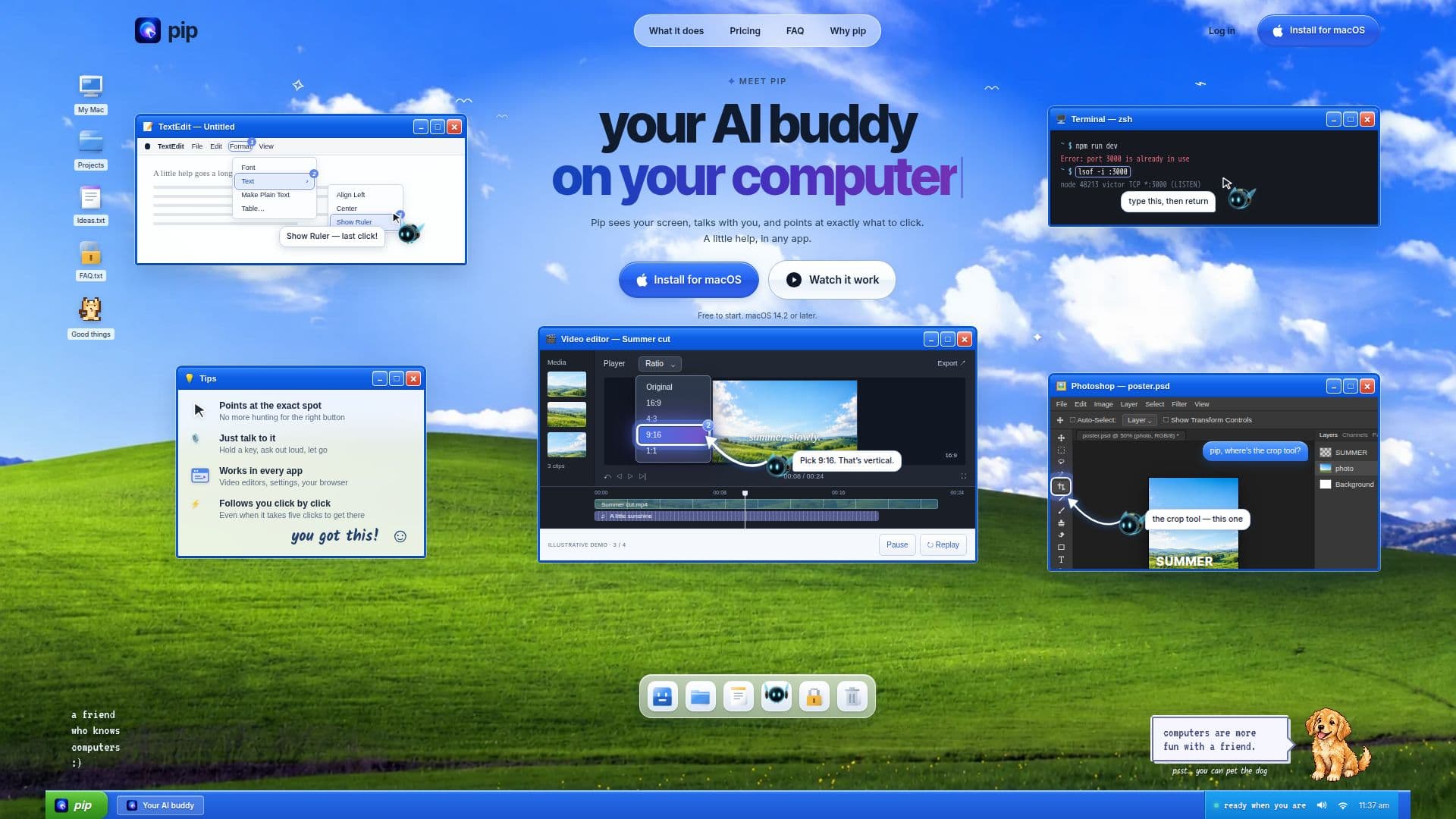
Pip is an AI assistant designed specifically for macOS users, offering a unique way to interact with your computer. It acts as a digital companion that sees your screen and provides step-by-step guidance on where to click, making it easier to navigate complex software and perform tasks efficiently. Whether you're working with video editors, design tools, or spreadsheets, Pip can help you find the right controls without the hassle of searching through menus.
Read More
The tool is particularly useful for users who want to learn new applications hands-on. By asking questions in plain language, users can receive real-time assistance as Pip circles the relevant areas on the screen. This feature is beneficial for both beginners and professionals looking to enhance their productivity.
Pip offers three pricing plans: a free tier with 30 questions per month, a Pro plan at $15 per month for 300 questions, and a Max plan at $69.99 per month for 1,000 questions. Each plan includes features like natural voice interaction and voice typing in the terminal for advanced coding tasks.
Privacy is a key concern, and Pip ensures that your data remains secure. It only accesses your screen when you ask for help, and no screenshots are stored. The tool also requires user confirmation for actions like sending messages or deleting items, ensuring you remain in control.
Overall, Pip is designed for anyone who wants to make their computing experience more intuitive and less time-consuming. Its ability to integrate seamlessly with any macOS application makes it a versatile tool for a wide range of users.
- CategoryAI Personal Assistants
- Pricing ModelFreemium
- DeploymentLocal
- PlatformsmacOS
Pip's Core Features
Screen guidance
Voice interaction
Supports macOS 14.2 or later
Free tier available
Pro and Max plans
Voice typing in terminal
Privacy-focused
Real-time assistance
How to use Pip?
Install: Download and install Pip on your Mac
Activate: Use the hotkey to activate Pip
Ask: Pose questions or request guidance
Interact: Follow Pip's on-screen pointers
Pip's Use Cases
- Software Navigation
- Learning New Tools
- Terminal Assistance
- Privacy-Conscious Users
- Productivity Enhancement