
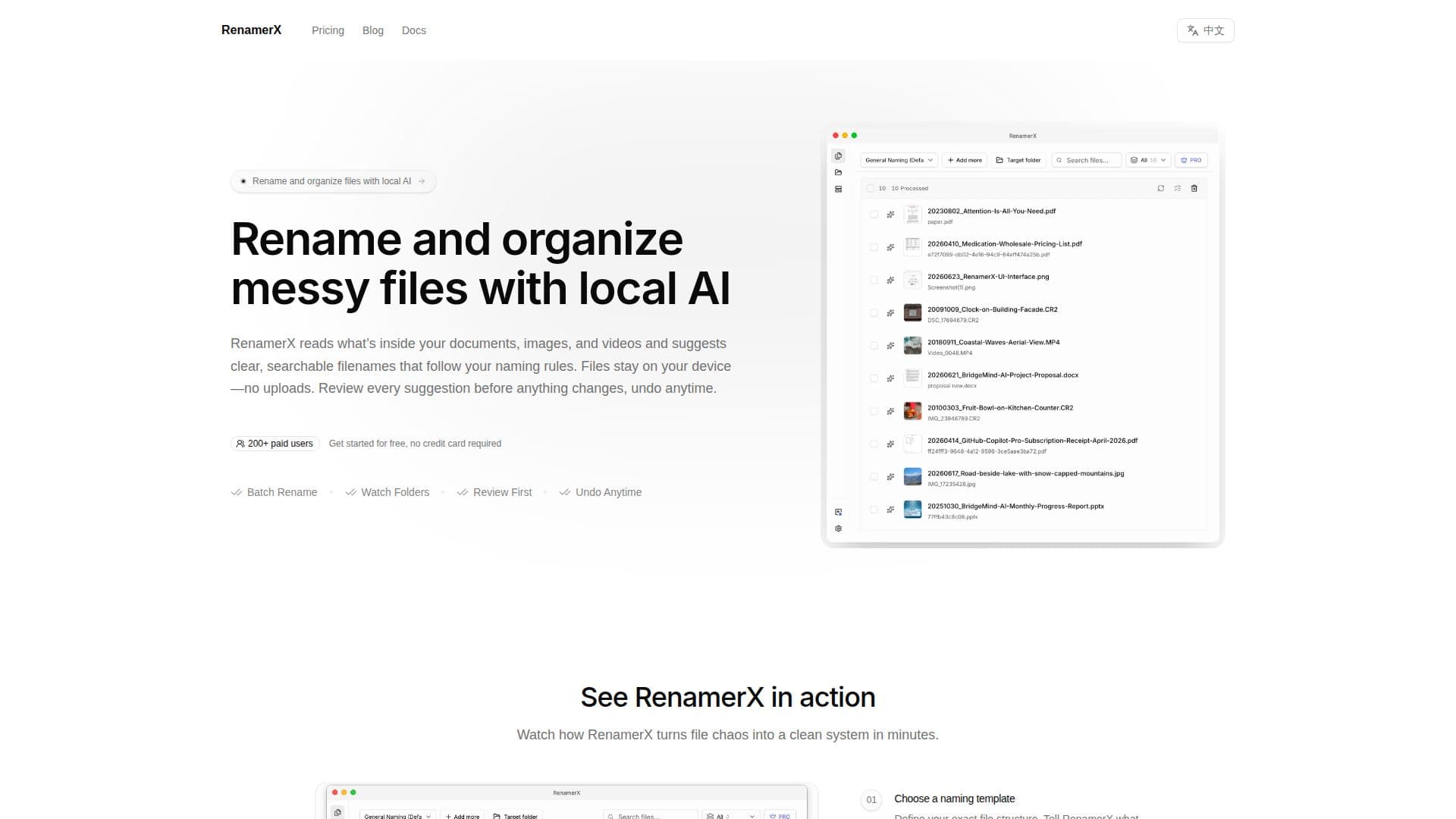
Description
RenamerX is a local-first AI file renamer and organizer designed for individuals and teams who frequently deal with disorganized folders, vague filenames, and repetitive cleanup tasks. It caters to consultants, researchers, photographers, finance teams, operations-heavy small businesses, and anyone seeking clearer file names and cleaner folder structures without manual effort.
Read More
The application renames files automatically by reading their content locally, extracting relevant fields, and generating suggested names. This means it can utilize actual document text, image metadata (like EXIF), and supported media details to create filenames that accurately describe the file's true nature. Users can define their own naming conventions through templates, specifying details such as date, client, company, subject, amount, or project, which RenamerX then populates consistently across batches.
Beyond renaming, RenamerX can also organize files into clearer folder structures based on user-defined rules. This functionality is useful for one-time cleanup projects or for ongoing automation with "Watch Folders," which monitor incoming files and process them after they settle, preventing premature renames during downloads or copies. The local-first design ensures privacy, as file content is processed on the user's device and not uploaded to cloud services, making it suitable for sensitive documents like invoices or client work.
RenamerX supports a wide array of file types, including 62 document, image, and video extensions. This includes popular image formats (JPG, PNG, WebP, GIF, BMP, TIFF, AVIF, HEIC, HEIF, and 14 RAW formats), PDF, common Office and text formats, and 17 video formats (MP4, MOV, MKV, AVI, WebM). It can extract text from PDFs and documents, read image metadata, and inspect supported videos. For scanned documents, results depend on scan quality and available text or visual context.
The workflow emphasizes user control with a "Review First" approach, sending suggestions to a queue for inspection and approval before any changes are applied to disk. An "Auto Apply" option is available for lower-risk, predictable workflows. A core feature is the ability to undo changes, allowing users to revert renames or moves if they don't fit the desired organization. RenamerX supports macOS and Windows, offering a free plan with 50 AI credits per month and a Pro version available via a one-time purchase for unlimited credits and advanced features like Watch Folders and Auto Apply. It uses a built-in local AI model but also allows advanced users to connect external providers like Ollama, LM Studio, OpenAI, or Google Gemini.
- CategoryProductivity
- Pricing ModelFreemium
- DeploymentLocal
- PlatformsmacOS, Windows
RenamerX's Core Features
Local-first AI file renaming
Automatic file organization into folders
Customizable naming templates
Extracts data from document text, image metadata, and video details
Review and edit filename suggestions before applying
Batch renaming for multiple files
Undo applied renames and moves
Watch Folders for ongoing automation
Supports 62 document, image, and video extensions
Processes files on your device for privacy
Debounces file events to prevent premature renames
Free plan with monthly AI credits
One-time purchase for Pro version with unlimited credits
Supports macOS and Windows
Connects with Ollama, LM Studio, OpenAI, Gemini, or custom providers
How to use RenamerX?
Install App: Download and install RenamerX on your macOS or Windows device.
Choose AI Provider: Select the built-in local AI or connect an external service like Ollama, LM Studio, OpenAI, or Gemini.
Define Naming Template: Create a template to specify your desired filename structure and the details to extract (e.g., date, client, subject).
Add Files/Folders: Import a batch of messy files or folders into RenamerX.
Review Suggestions: Inspect the AI-generated filename suggestions and make any necessary edits.
Apply Changes: Apply the approved renames and optional folder organization in bulk.
Undo Changes: Revert any applied renames or moves if they don't meet your expectations.
RenamerX's Use Cases
- Document Organization
- Photo Management
- Video File Cleanup
- Research File Structuring
- Client Project Management
- Financial Record Keeping
- Automated Folder Monitoring
- Digital Asset Management