Description
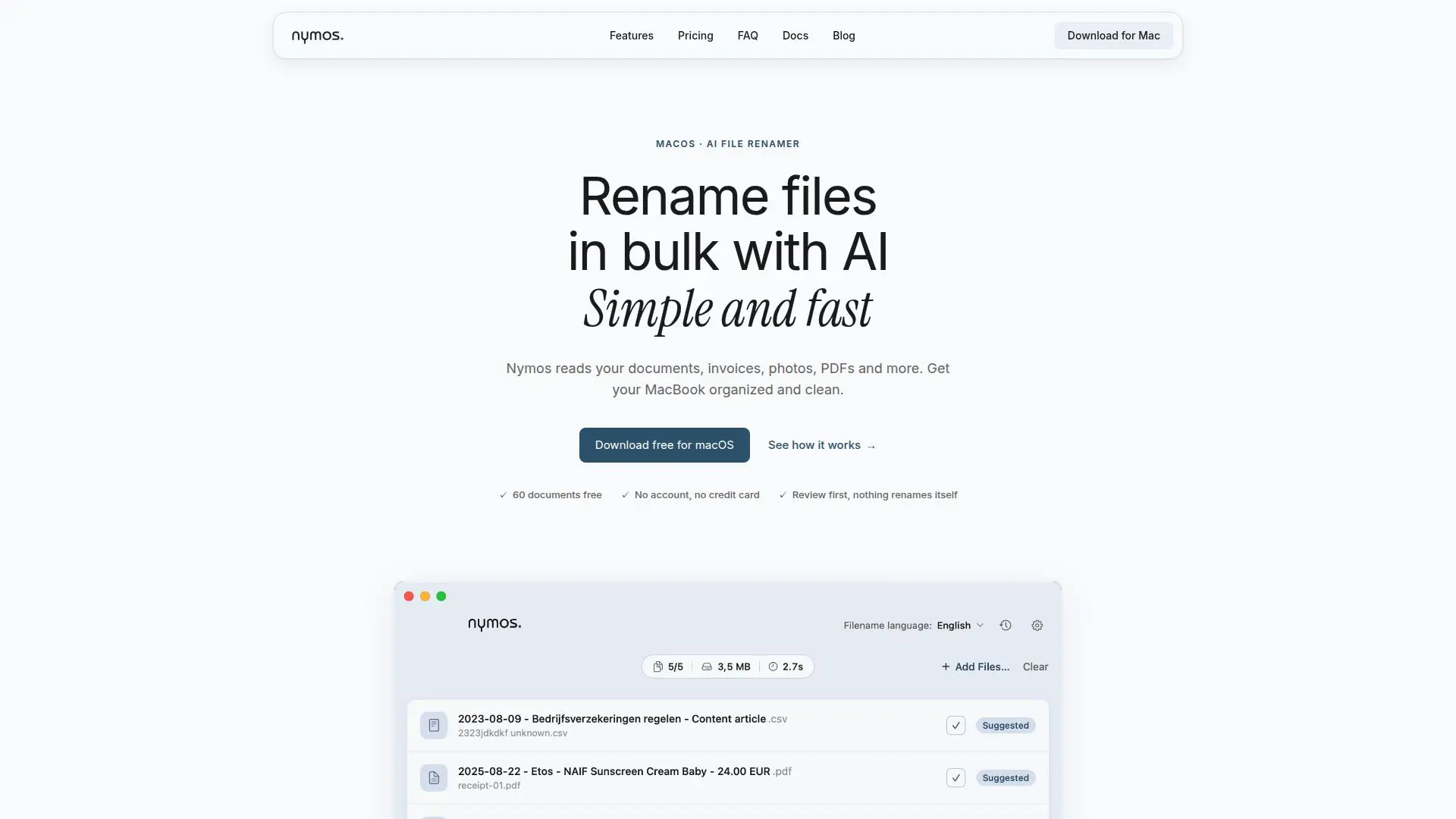
Nymos is a powerful AI-driven application designed for macOS 14 and newer, aimed at simplifying file management by renaming files in bulk. It reads the actual content of documents, invoices, photos, and PDFs, using built-in OCR for scanned files, to suggest clear and consistent filenames. Users have full control over the renaming process, as Nymos never renames files automatically; every suggestion requires user approval. This ensures that files are organized without altering the existing folder structure.
Read More
The app supports 57 file types, including PDFs, Word, Excel, PowerPoint, and more. It offers built-in templates for invoices, receipts, documents, and contracts, or users can create custom templates with a live preview feature. Nymos also includes a watch folder feature that automatically analyzes new files and suggests names, waiting for user review before any changes are made.
Nymos provides two pricing models: a managed subscription at $9 per month, which includes all features and updates, and a self-managed one-time purchase for $79, allowing users to connect their own AI provider accounts. Both options offer a free trial for up to 60 documents without requiring an account or credit card.
Privacy is a key focus for Nymos. The app processes document content directly on the user's Mac, ensuring no permanent storage or logging occurs. For subscription users, processing is GDPR compliant and occurs within the European Union. Nymos does not use document content for AI model training, maintaining user privacy and data security.
- CategoryProductivity
- Pricing ModelFreemium
- DeploymentLocal
- PlatformsmacOS
nymos's Core Features
Bulk file renaming with AI
Supports 57 file types
Built-in OCR for scanned documents
User approval required for renaming
Customizable templates
Watch folder for automatic suggestions
Undo and rename history
GDPR compliant processing
How to use nymos?
Install: Download and install Nymos on macOS 14 or newer
Add files: Drag and drop files into the app
Review suggestions: Check AI-generated filename suggestions
Approve: Approve or edit suggestions before renaming
nymos's Use Cases
- Document Organization
- Invoice Management
- Photo Sorting
- Contract Filing
- Multilingual File Naming