
ToolPotion
AI Advisor
Submit a Tool (Free)

The Drive AI

AI AppsAI Document & PDF Tools#126Freemium · Web, iOS, Android, macOS

The Drive AI is an AI-powered document management system that automatically organizes, searches, and creates files using plain English. It integrates with your existing sources, understands file content, and offers secure sharing, saving users significant time daily. Available on web, iOS, and Android.

Visit Website
Share
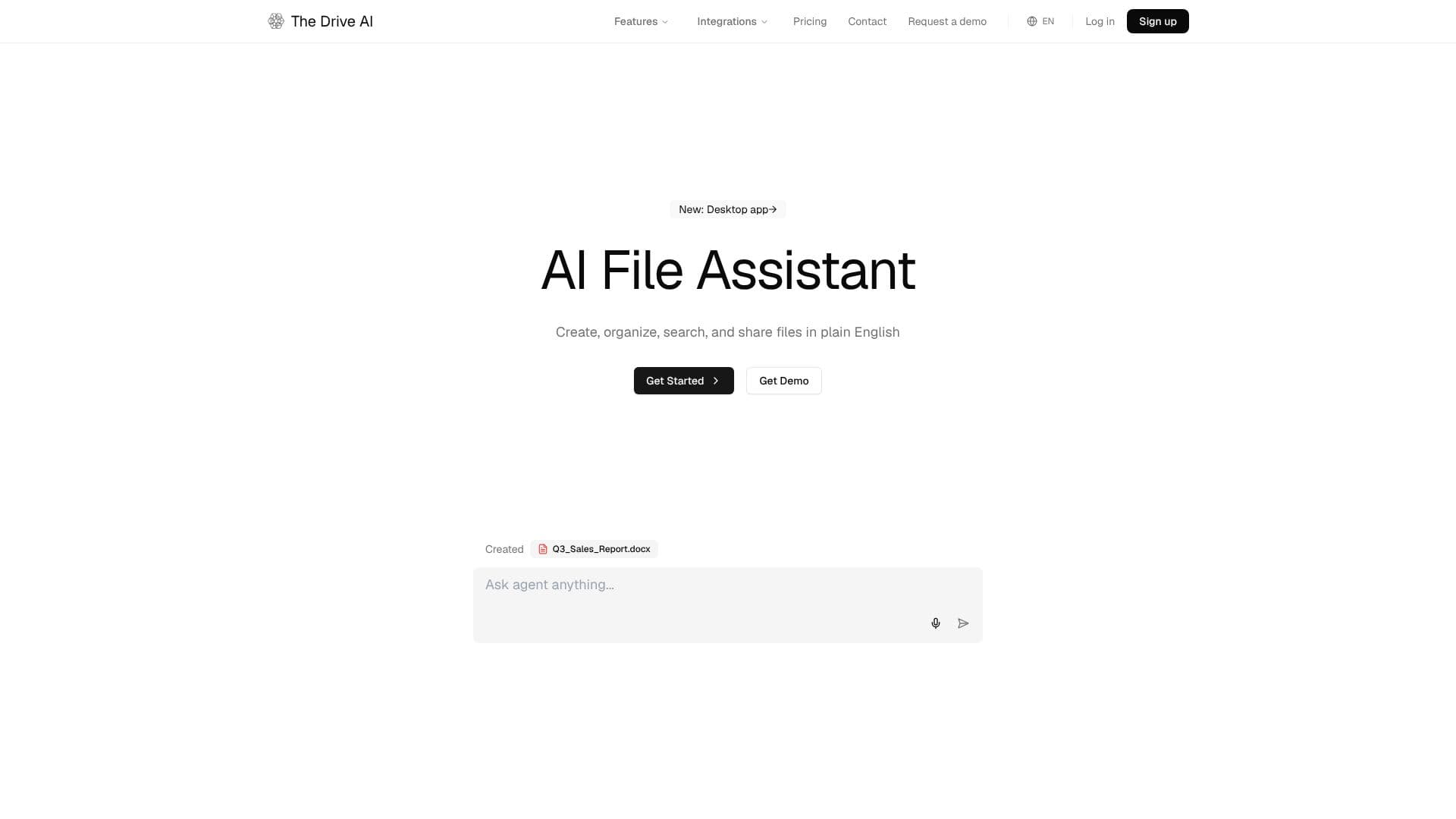
The Drive AI screenshot

The Drive AI revolutionizes file management by leveraging artificial intelligence to automate organization, search, and creation processes. Users can connect email accounts, upload files, or drag and drop documents into their workspace, where the AI instantly understands, renames, and organizes them based on content, not just filenames. This intelligent system learns user patterns over time, improving its organization and renaming accuracy.

Read More

The platform's AI File Assistant allows users to perform any file operation using plain English commands. This includes creating documents in various formats like PDFs and Word docs, sharing files with controlled access, and restructuring entire file systems. The AI can also manipulate PDFs, such as merging, splitting, and filling forms, directly from user prompts. Furthermore, it offers tools to scan documents using a phone camera and fetch files from the web, all integrated within the workspace.

Search capabilities are a core strength, with answers grounded directly in the user's files, ensuring accuracy and transparency. The AI cites exact file sources and clearly indicates when information is not found, prompting a web search only when necessary. It supports searching within a wide range of file types, including scanned documents, images, audio, and video, thanks to built-in OCR and transcription.

For teams, The Drive AI provides a collaborative workspace that acts as a superior alternative to traditional shared drives. It offers granular file and folder permissions, workspace-level access control, and robust version history for file recovery. Features like File Request and E-Sign facilitate secure external collaboration and legally binding document signing without requiring recipients to create accounts.

Integration with email services like Gmail and Outlook automates the organization of attachments, routing them to the correct folders and renaming them according to predefined rules. Cloud storage services such as Google Drive, OneDrive, and Dropbox, as well as messaging apps like Slack and Microsoft Teams, are also supported for seamless import and export of files, all managed by the AI.

Security is paramount, with enterprise-grade measures including AES-256 encryption, TLS 1.3, real-time malware detection, and a commitment to never using user data for AI training. The platform is built for document-heavy industries like Real Estate, Law Firms, Accounting, Property Management, Human Resources, and Students, helping them save hours daily by streamlining file management workflows.

  • CategoryAI Document & PDF Tools
  • Pricing ModelFreemium
  • DeploymentCloud
  • PlatformsWeb, iOS, Android, macOS

  • AI-powered automatic file organization and renaming

  • Natural language interface for file operations

  • Content-based search across all document types

  • AI agent for document creation and transformation

  • Secure file sharing with granular permissions

  • Email attachment organization and integration

  • Scan-to-PDF functionality via mobile app

  • Web content fetching and saving

  • Answers grounded in user's documents with source citation

  • Team collaboration workspace with access control

  • File request and electronic signature capabilities

  • Integration with cloud storage and messaging apps

  • Enterprise-grade security with encryption and malware scanning

  1. Connect sources: Link email, upload files, or drag and drop into your workspace.

  2. Instruct the agent: Use plain English to create, organize, search, or share files.

  3. Review execution: The AI performs tasks, cites sources, and seeks confirmation for external actions.

  4. Collaborate: Invite team members, set permissions, and work within the shared workspace.

  5. Integrate tools: Connect cloud storage and messaging apps for seamless file flow.

  • Automated File Organization
  • Content-Based Search
  • AI Document Creation
  • Team Collaboration
  • Secure External Sharing
  • Email Attachment Management
  • PDF Manipulation
  • Legal Document Review
  • Accounting & Finance

The Drive AI Reviews

Loading...

Popular AI Tools Like The Drive AI

Filently

AI Apps

Filently is an AI document-filing tool for Google Drive that reads new documents, renames them to your conventions, and files them into the right folders automatically, with zero…

AI Document & PDF Tools

Ranked #123 in AI Document & PDF Tools

View Tool

AI Apps

AI document-filing tool for Google Drive that reads new documents, renames them to your conventions, and files them into the right folders automatically, with zero…Filently is an AI document-filing tool for Google Drive that reads new documents, renames them to your conventions, and files them into the right folders automatically, with zero…

AI Document & PDF Tools
Ranked #123 in AI Document & PDF Tools

AI Drive

AI Apps

AI Drive is a secure AI document workspace that lets professionals chat with, search, summarize, and extract data from large document collections. It is built for legal,…

AI Document & PDF ToolsEducation & E-learning

Ranked #26 for Chatting with PDF documents

View Tool

AI Apps

Secure AI document workspace that lets professionals chat with, search, summarize, and extract data from large document collections. It is built for legal,…AI Drive is a secure AI document workspace that lets professionals chat with, search, summarize, and extract data from large document collections. It is built for legal,…

AI Document & PDF ToolsEducation & E-learning
Ranked #26 for Chatting with PDF documents

FileZen is an AI-powered tool designed to simplify file management by automatically classifying and renaming text files and images based on their content. It offers both local and…

AI Document & PDF Tools
View Tool

AI-powered tool designed to simplify file management by automatically classifying and renaming text files and images based on their content. It offers both local and…FileZen is an AI-powered tool designed to simplify file management by automatically classifying and renaming text files and images based on their content. It offers both local and…

AI Document & PDF Tools
See the Top 250 AI Apps

FilePower AI is an intelligent document assistant designed for PDFs, PPTs, and Docs. It offers advanced chat capabilities to answer questions, summarize content, and translate…

AI Document & PDF Tools

Ranked #82 for Chatting with PDF documents

View Tool

Intelligent document assistant designed for PDFs, PPTs, and Docs. It offers advanced chat capabilities to answer questions, summarize content, and translate…FilePower AI is an intelligent document assistant designed for PDFs, PPTs, and Docs. It offers advanced chat capabilities to answer questions, summarize content, and translate…

AI Document & PDF Tools
Ranked #82 for Chatting with PDF documents

Renamer.ai

AI Apps

Renamer.ai is an AI file renamer that reads document and image content with OCR and vision to generate descriptive, searchable names, with Magic Folders automation for hands-off…

Productivity

Ranked #59 in Productivity

View Tool

AI Apps

AI file renamer that reads document and image content with OCR and vision to generate descriptive, searchable names, with Magic Folders automation for hands-off…Renamer.ai is an AI file renamer that reads document and image content with OCR and vision to generate descriptive, searchable names, with Magic Folders automation for hands-off…

Productivity
Ranked #59 in Productivity

UPDF is an AI-integrated PDF editor, converter, annotator, and reader. It offers intelligent AI agents to automate complex workflows, summarize documents, translate text across…

AI Document & PDF ToolsEducation & E-learning

Ranked #10 for Chatting with PDF documents

View Tool

AI-integrated PDF editor, converter, annotator, and reader. It offers intelligent AI agents to automate complex workflows, summarize documents, translate text across…UPDF is an AI-integrated PDF editor, converter, annotator, and reader. It offers intelligent AI agents to automate complex workflows, summarize documents, translate text across…

FeaturedAI Document & PDF ToolsEducation & E-learning
Ranked #10 for Chatting with PDF documents

ChatDOC

AI Apps

ChatDOC allows you to interact with PDF documents using AI. Upload your files to ask questions, get summaries, and extract key information instantly. It supports various file…

AI Document & PDF Tools

Ranked #24 for Chatting with PDF documents

View Tool

AI Apps

Allows you to interact with PDF documents using AI. Upload your files to ask questions, get summaries, and extract key information instantly. It supports various file…ChatDOC allows you to interact with PDF documents using AI. Upload your files to ask questions, get summaries, and extract key information instantly. It supports various file…

FeaturedAI Document & PDF Tools
Ranked #24 for Chatting with PDF documents

File AI

AI Apps

File AI is an AI-powered document analysis tool that allows users to upload and query any file type instantly. It automates data extraction, streamlines workflows, and provides…

AI Document & PDF Tools
View Tool

AI Apps

AI-powered document analysis tool that allows users to upload and query any file type instantly. It automates data extraction, streamlines workflows, and provides…File AI is an AI-powered document analysis tool that allows users to upload and query any file type instantly. It automates data extraction, streamlines workflows, and provides…

AI Document & PDF Tools
See the Top 250 AI Apps
1 of 8