Description
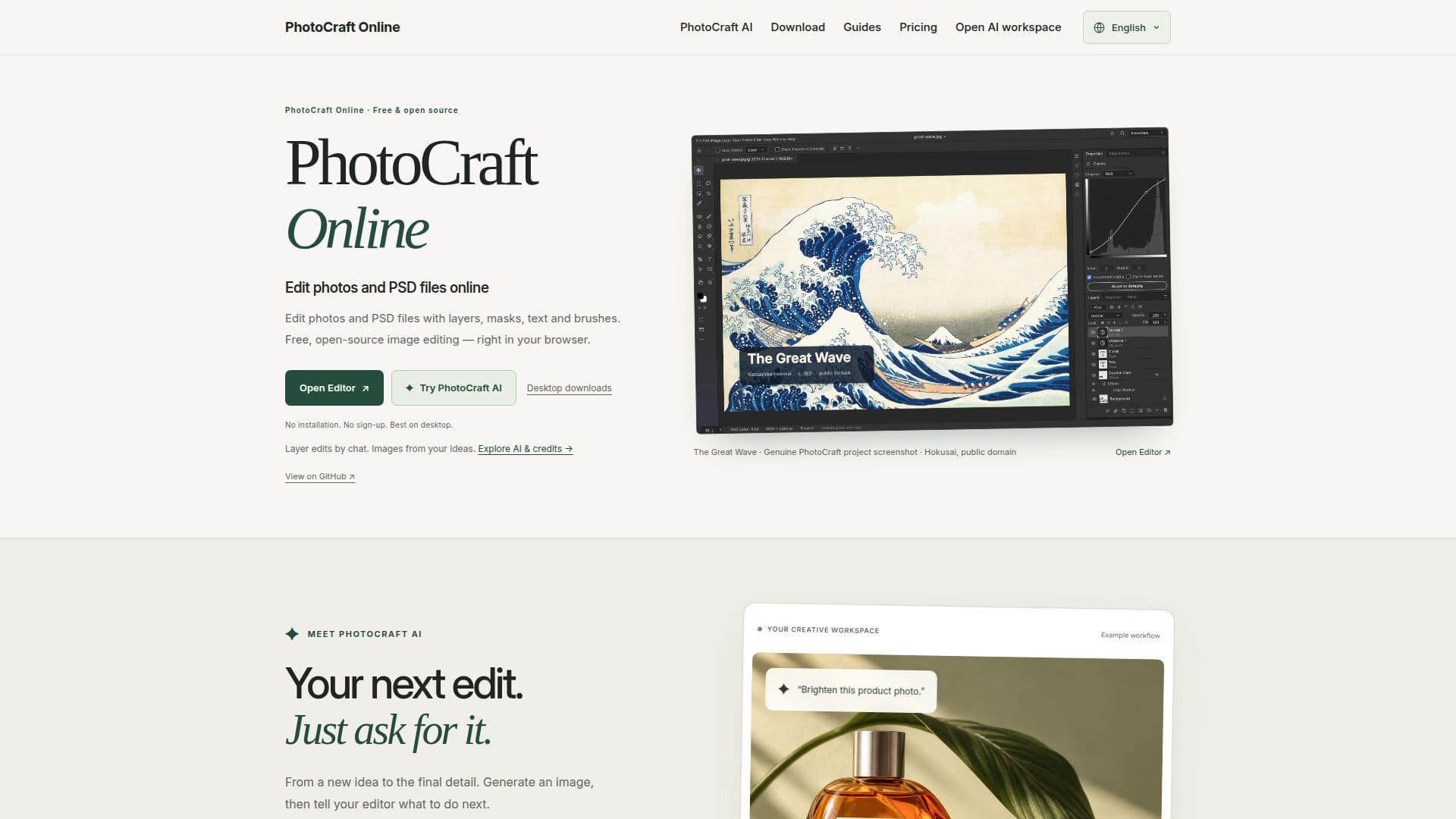
PhotoCraft AI offers a comprehensive image editing experience, blending traditional manual tools with advanced AI capabilities. The platform provides a free online photo and PSD editor, accessible directly in the browser without installation or sign-up. This editor features a familiar Photoshop-style layout, complete with menus, a canvas, a toolbar, and a Layers panel, making it intuitive for users accustomed to professional image manipulation software.
Read More
Users can perform a wide range of manual edits, including working with layers, masks, text, and brushes. It supports opening and saving PSD files, allowing for complex compositions with editable text and adjustment layers for refining light and color. These manual editing features are entirely free to use and run on the user's device, ensuring privacy as files are not uploaded to a server unless an AI feature is explicitly used.
The distinctive feature of PhotoCraft AI is its conversational AI Agent. This Agent allows users to interact with their open document through natural language commands, such as "Brighten a photo," "Update the headline," or "Organize these layers." The Agent translates these requests into editor actions, making complex edits more accessible and efficient. Supported edits remain editable, providing flexibility for further refinement.
Beyond conversational editing, PhotoCraft AI integrates image generation capabilities. Users can create images from prompts or reference images using various models like Nano Banana (2.1, Pro), Seedream (5.0 Flash, 5.0 Pro), and GPT Image (2.5 Flare, 2.5 Sunburst). These generated images can then be seamlessly inserted into the PhotoCraft workspace for further manual or AI-assisted refinement. The platform offers different credit packs for AI features, starting at $1.99, with no subscription required and credits that never expire. This freemium model ensures that manual editing remains free, while AI functionalities are available through one-time credit purchases, catering to both casual users and professionals.
- CategoryAI Photo Editors
- Pricing ModelFreemium
- DeploymentCloud, Self-hosted
- PlatformsWeb, Windows, macOS, Linux
PhotoCraft AI's Core Features
Free online photo and PSD editor
Conversational AI Agent for editing
Image generation with Nano Banana, Seedream, GPT Image
Layer management with masks and text
Color and adjustment tools (Curves, Levels, Vibrance)
Support for PSD files with editable layers and text
Brushes, selections, and shapes
No installation or sign-up required for manual editing
Open-source desktop editor available for Windows, Mac, Linux
One-time prepaid credit packs for AI features
Credits do not expire
Manual editing runs on device for privacy
Familiar Photoshop-style interface
Editable adjustments and text layers
How to use PhotoCraft AI?
Open a file: Choose File → Open in the editor and select a photo or PSD from your device.
Edit manually: Use familiar tools like layers, masks, text, and adjustments to refine your image.
Engage AI Agent: Ask the conversational AI Agent to perform supported edits on your open document.
Generate images: Use Nano Banana, Seedream, or GPT Image models to create new visuals from prompts or references.
Refine with AI: Insert generated images into your canvas and use the Agent for further adjustments.
Save and export: Save your editable document or export the finished image to your device.
PhotoCraft AI's Use Cases
- Photo Retouching
- Layered Composition
- PSD File Editing
- Image Generation
- Text and Element Management
- Creative Exploration
- Quick Adjustments