
Description
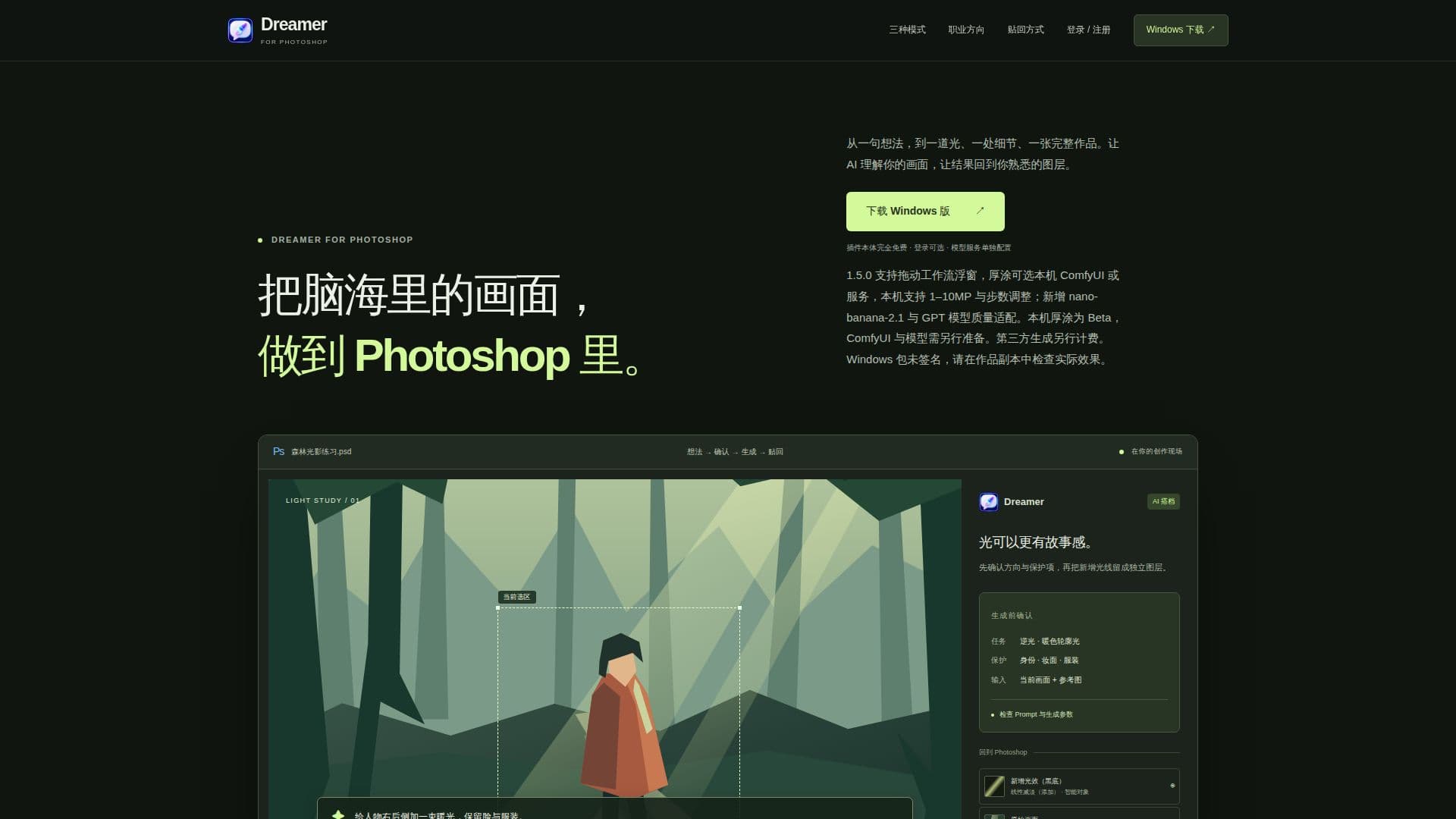
Dreamer is a Photoshop plugin designed to bring AI capabilities into creative workflows. It allows users to transform ideas into visual elements directly within Photoshop. The plugin offers three modes: Minimal, Agent, and Preset, each catering to different creative needs. Minimal mode allows users to select areas for direct modification with simple prompts, while Agent mode involves deeper collaboration with AI to refine ideas. Preset mode provides a starting point with predefined settings.
Read More
Dreamer supports various AI models, including Nano Banana and GPT Image series, for image generation and enhancement. Users can choose models based on their specific needs, such as image quality and processing speed. The plugin is designed to keep creations editable, allowing users to integrate AI-generated elements seamlessly into their existing Photoshop layers.
The plugin is entirely free to use, with optional login for future skill distribution and community features. It supports local workflows without requiring an account. Dreamer is currently available for Windows, with a macOS version in development. The plugin is suitable for professionals in fields like photography, illustration, and design, offering tools to enhance productivity and creativity.
Dreamer emphasizes user control, allowing for precise adjustments and refinements. It supports various creative disciplines, including anime photography, landscape photography, and architectural design, with specific skills and configurations tailored to each field. The plugin is in active development, with some features still in beta, such as the selection toolbar and automatic generation workflows.
- CategoryAI Photo Editors
- Pricing ModelFree
- DeploymentRuns locally
- PlatformsWindows
Dreamer's Core Features
Photoshop integration
Three creative modes
AI model selection
Editable layer integration
Free to use
Optional login
Windows support
Beta features
How to use Dreamer?
Download: Place Dreamer folder in Photoshop's Plug-ins directory
Restart: Open Photoshop and launch the plugin
Configure: Set up Chat/GRS Key for services
Use: Start creating with AI-enhanced workflows
Dreamer's Use Cases
- Photography Enhancement
- Illustration Creation
- Design Prototyping
- Architectural Visualization
- E-commerce Visuals