Description
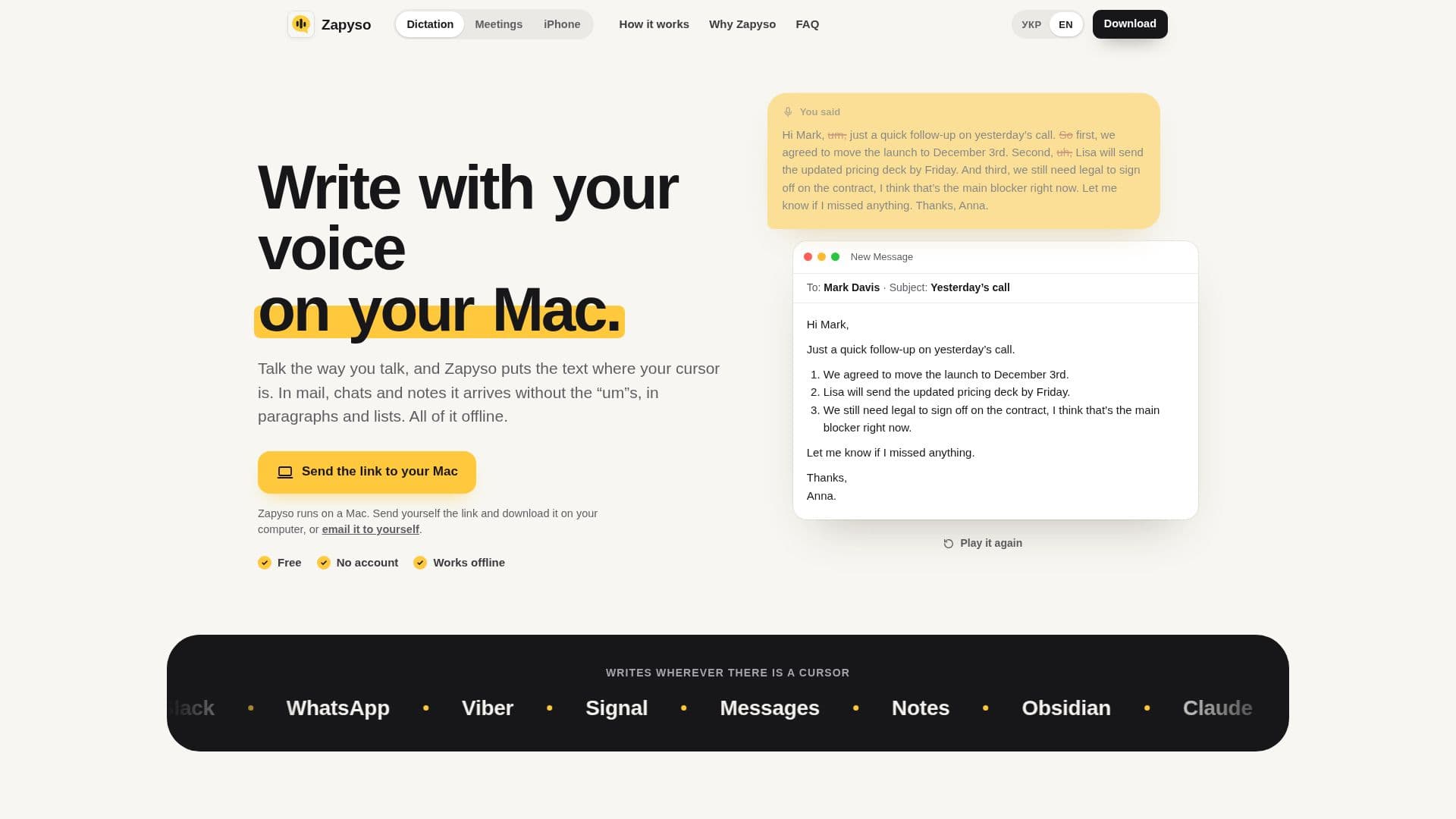
Zapyso is a versatile application that transforms how users interact with their Mac and iPhone through voice. It offers robust dictation capabilities, allowing users to speak naturally and have their words appear in any application on their Mac. A key feature is its intelligent text layout, which automatically formats dictated text into paragraphs and lists for emails, messengers, and notes, removing filler words like "um" and self-corrections to produce clean, professional communication.
Read More
Beyond dictation, Zapyso excels in meeting management. For Mac users, it records calls from platforms like Zoom, Google Meet, Teams, and Telegram directly on the device, without requiring a bot to join the meeting. It separates speaker tracks and generates transcripts and summaries that include decisions, next steps with due dates, and open questions. iPhone users benefit from similar meeting recording and transcription features, supporting English and Ukrainian (even mixed) and generating summaries with highlights and action items.
A core advantage of Zapyso is its commitment to privacy and offline functionality. All speech recognition, transcription, and summarization processes occur on the user's device (Mac or iPhone), ensuring that voice data never leaves the local machine and is not sent to any cloud servers. After an initial one-time download of language models (4-6 GB for Mac, 4.2 GB for iPhone), the application works entirely offline, even in Airplane Mode, making it ideal for secure and private use in any environment.
Zapyso is currently offered as a free beta for Mac, with no subscriptions, word limits, or account requirements. The iPhone version is also free. It supports 25 European languages for recognition, with English and Ukrainian offering advanced text layout. The application is compatible with Macs featuring Apple silicon (M1 or later) and macOS 15 or later, with 16 GB of memory recommended for advanced layout features. For iPhone, it requires iOS 18 or later, with iPhone 15 Pro or newer recommended for summaries.
- CategoryAI Meeting Assistants
- Pricing ModelFree
- DeploymentCloud
- PlatformsmacOS, iOS
Zapyso's Core Features
Dictation into any Mac application by holding the right ⌘ key
Automatic text layout for emails, chats, and notes (paragraphs, lists, removes filler words)
Records Zoom, Google Meet, Teams, and Telegram calls on Mac without a bot
Separates speaker tracks for recorded calls (your voice and other side)
Generates meeting transcripts and summaries with decisions, next steps, and open questions
On-device speech recognition for 25 European languages, including English and Ukrainian (even mixed)
Works completely offline after initial model download
No account, no ads, no subscriptions, no in-app purchases
Dictate prompts directly into AI apps like Claude, ChatGPT, and Cursor
Journal of dictated phrases kept locally on Mac with customizable retention
Import existing audio recordings on iPhone
Recording continues with screen locked on iPhone
Tasks tab collects next steps from all meetings on iPhone
Search and Markdown export for meeting notes on Mac
How to use Zapyso?
Download Zapyso: Install the application on your Mac or iPhone.
Enable Dictation: On Mac, open Zapyso Settings → Dictation and grant microphone and Accessibility permissions.
Download Models: Allow the app to download language models (4-6 GB for Mac, 4.2 GB for iPhone) over Wi-Fi for offline functionality.
Start Dictating: Hold the right ⌘ (or right ⌥) key on your Mac and speak; the text will appear where your cursor is.
Record Meetings (Mac): Zapyso will notice calls in supported apps and offer to record them, generating transcripts and summaries.
Record Meetings (iPhone): Tap to record meetings; transcripts and summaries will be generated on-device.
Review and Edit: Check transcripts and summaries for accuracy; edit text directly or use the time markers to review audio.
Zapyso's Use Cases
- Efficient Email Composition
- Streamlined Chat Messaging
- Meeting Note Taking
- AI Prompt Generation
- Document Creation
- Multilingual Communication
- Secure Offline Work
- Developer Communication