ToolPotion
AI Advisor
Submit a Tool (Free)

Enzo

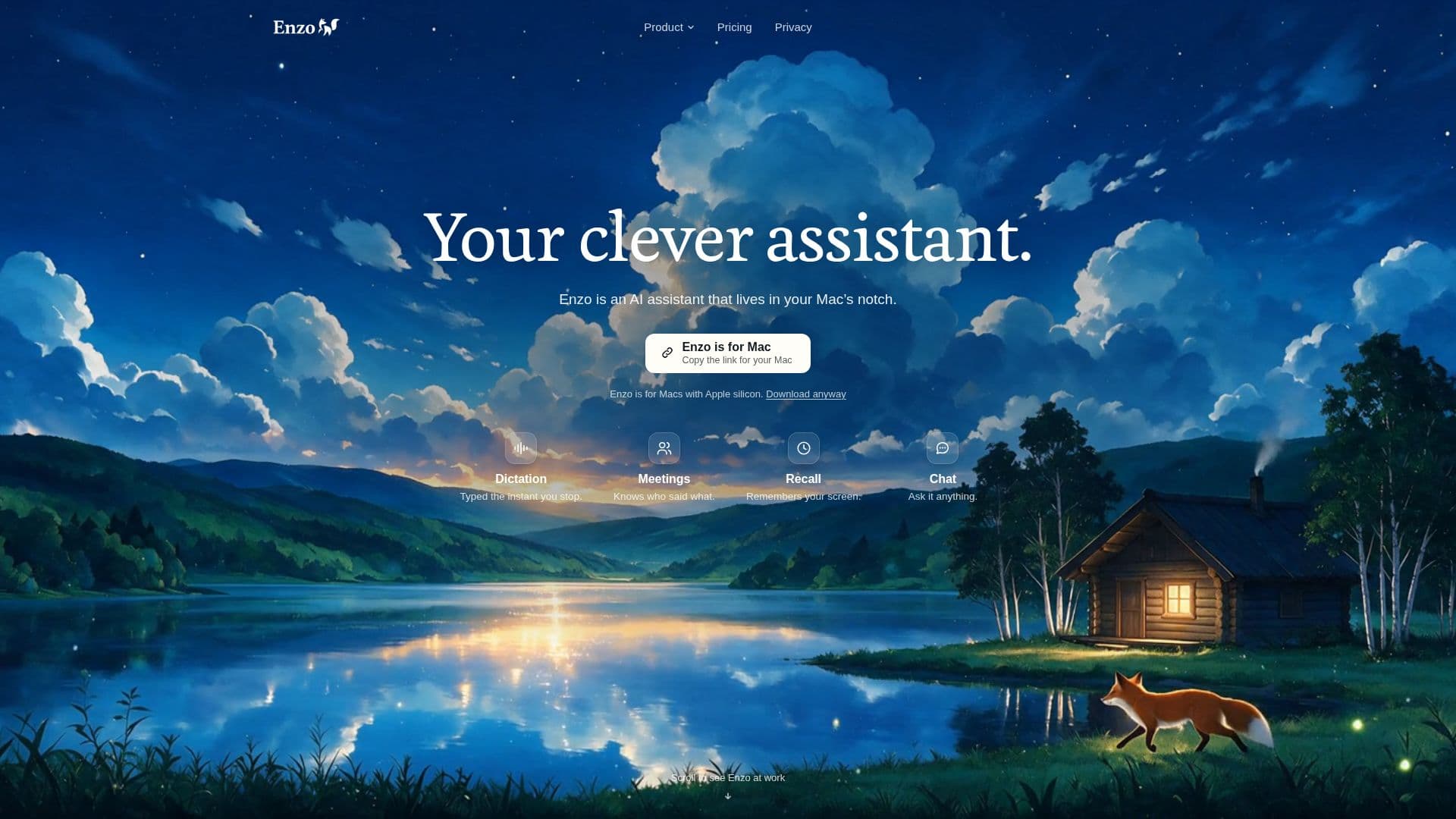
Enzo is a clever AI assistant designed for Mac users, offering fast voice dictation directly into any application. It captures meeting audio locally, provides speaker-separated transcripts, and generates notes and drafts from your work. Enzo prioritizes privacy by keeping recordings and history on your Mac, with a free tier available for essential features.

Visit Website
Share
Enzo screenshot
Enzo screenshot

Enzo is an AI assistant specifically built for Mac, enhancing productivity through advanced voice dictation, meeting transcription, and intelligent recall features. It integrates seamlessly into your workflow, allowing users to dictate text directly into any Mac application at high speed. The dictation process is remarkably fast, with typical words appearing as text about a tenth of a second after speaking, and longer dictations ready in mere seconds.

Read More

A core capability of Enzo is its local meeting capture. Unlike many other tools, Enzo records meetings directly from your Mac's audio, eliminating the need for a bot to join your calls. This ensures compatibility with popular platforms like Zoom, Meet, Teams, and FaceTime, while maintaining privacy as audio never leaves your device. Transcripts are speaker-separated, and the system can save speaker profiles for better recognition.

Enzo also features an opt-in encrypted Recall function that remembers what you worked on. This includes applications, window and document titles, and readable text on your screen, all stored encrypted on your Mac. Users have full control, with options to pause Recall, exclude specific apps or sites, and delete stored information at any time. By default, Recall data is deleted after 30 days.

For deeper insights, Enzo can generate answers, meeting notes, and drafts using your own work as context. This cloud AI feature is carefully designed for privacy; only the necessary context, chosen on your Mac, is sent to an AI provider, and questions/answers are not retained by Enzo's service. The tool also tracks important items from your mail and calendar, such as packages, bills, and appointments, using on-device rules and AI to identify replies you owe.

Enzo offers a flexible pricing model, starting with a robust free tier that includes 5,000 dictated words and 50 meeting minutes per week, along with notes, briefs, and answers from recent history. Paid plans, Plus and Pro, offer increased usage limits and advanced features like higher Chat effort levels and answers drawn from all your history. Crucially, all plans ensure that your recordings, transcripts, and Recall data remain on your Mac, emphasizing a strong commitment to user privacy.

  • CategoryAI Meeting Assistants
  • Pricing ModelFreemium
  • DeploymentLocal
  • PlatformsmacOS

  • Fast voice dictation in any Mac app

  • Local meeting capture without a bot

  • Speaker-separated transcripts

  • Saved speaker profiles

  • Opt-in encrypted Recall with controls

  • Answers, meeting notes, and drafts from your work

  • Cloud AI for enhanced features

  • Tracks items from mail and calendar

  • Live transcript and Chat during recording

  • Offline dictation, recording, and transcription

  • Privacy-focused: history stays on your Mac

  • Supports Apple Silicon Macs (M1 or newer)

  • Dictation in 25 European languages

  • Draft replies that open in your mail app

  • Customizable recording key

  1. Install Enzo: Download and install the Enzo application on your Apple Silicon Mac (M1 or newer) running macOS 15 or later.

  2. Set up Account: Create a free Enzo account using Apple, Google, or email to sign in and manage your plan.

  3. Configure Permissions: Grant necessary macOS permissions, such as Full Disk Access for Apple Mail and Messages, and Screen Recording for Recall.

  4. Start Dictation: Press your chosen recording key (default Right ⌥), speak, and press it again to have text appear at your cursor in any Mac app.

  5. Record Meetings: Enzo automatically records meetings from your Mac's audio; it will ask if someone joins to create a speaker-separated transcript.

  6. Activate Recall: Turn on Recall in settings to encrypt and store app, window, document titles, and screen text on your Mac for later reference.

  7. Connect Apps: Link Apple Mail and Calendar to enable Enzo to track packages, bills, appointments, and draft replies.

  8. Utilize AI Features: Ask Chat questions about your recordings, meetings, and work, or generate notes and follow-ups after meetings.

  • Meeting Transcription
  • Voice Dictation
  • Personal Knowledge Management
  • Automated Note-Taking
  • Email Management
  • Content Creation
  • Productivity Tracking
  • Research and Information Retrieval

Enzo Reviews

Loading...

Popular AI Tools Like Enzo

Cluinn

AI Apps

Cluinn is a Mac application offering AI dictation and a comprehensive meeting assistant. It transcribes speech to text in any Mac app, cleans up dictation, and provides real-time…

AI Meeting Assistants

Ranked #200 in AI Transcription Tools

View Tool

AI Apps

Mac application offering AI dictation and a comprehensive meeting assistant. It transcribes speech to text in any Mac app, cleans up dictation, and provides real-time…Cluinn is a Mac application offering AI dictation and a comprehensive meeting assistant. It transcribes speech to text in any Mac app, cleans up dictation, and provides real-time…

AI Meeting Assistants
Ranked #200 in AI Transcription Tools

Meeting Mind is a Mac-based tool that records and transcribes Zoom, Teams, Google Meet, and Webex calls directly from your menu bar. It offers AI-driven summaries and insights…

AI Meeting Assistants
View Tool

Mac-based tool that records and transcribes Zoom, Teams, Google Meet, and Webex calls directly from your menu bar. It offers AI-driven summaries and insights…Meeting Mind is a Mac-based tool that records and transcribes Zoom, Teams, Google Meet, and Webex calls directly from your menu bar. It offers AI-driven summaries and insights…

AI Meeting Assistants
See the Top 250 AI Apps

Parrot

AI Apps

Parrot is a free, open-source AI meeting recorder for Mac. It records calls without a bot, transcribes locally, and suggests answers from your documents mid-call. Compatible with…

AI Meeting Assistants

Ranked #188 for Taking meeting notes

View Tool

AI Apps

Free, open-source AI meeting recorder for Mac. It records calls without a bot, transcribes locally, and suggests answers from your documents mid-call. Compatible with…Parrot is a free, open-source AI meeting recorder for Mac. It records calls without a bot, transcribes locally, and suggests answers from your documents mid-call. Compatible with…

AI Meeting Assistants
Ranked #188 for Taking meeting notes

Voice dictation and meeting recording tool for Windows and Mac. It allows users to dictate text in any application and record meetings without joining as a bot,…TalkToType is a voice dictation and meeting recording tool for Windows and Mac. It allows users to dictate text in any application and record meetings without joining as a bot,…

AI Transcription Tools
See the Top 250 AI Apps

Otter.ai

AI Apps

Otter Meeting Agent is an AI-powered notetaker that provides real-time transcription, automated summaries, insights, and action items, enhancing productivity for teams and…

AI Meeting Assistants

Ranked #41 in AI Apps

View Tool

AI Apps

Otter Meeting Agent is an AI-powered notetaker that provides real-time transcription, automated summaries, insights, and action items, enhancing productivity for teams and…

FeaturedAI Meeting Assistants
Ranked #41 in AI Apps

Slipbox is a privacy-first AI meeting companion that provides real-time transcription and insights, ensuring your conversations remain secure. It offers unlimited transcriptions…

AI Meeting Assistants

Ranked #161 for Taking meeting notes

View Tool

Privacy-first AI meeting companion that provides real-time transcription and insights, ensuring your conversations remain secure. It offers unlimited transcriptions…Slipbox is a privacy-first AI meeting companion that provides real-time transcription and insights, ensuring your conversations remain secure. It offers unlimited transcriptions…

AI Meeting Assistants
Ranked #161 for Taking meeting notes

NoteOwl

AI Apps

NoteOwl offers private AI meeting notes for Mac users. It records audio directly from your Mac, transcribes speakers, and generates summaries and action items. With a one-time…

AI Meeting Assistants
View Tool

AI Apps

Offers private AI meeting notes for Mac users. It records audio directly from your Mac, transcribes speakers, and generates summaries and action items. With a one-time…NoteOwl offers private AI meeting notes for Mac users. It records audio directly from your Mac, transcribes speakers, and generates summaries and action items. With a one-time…

AI Meeting Assistants
See the Top 250 AI Apps

Private voice workspace for Mac that allows users to record calls, dictate into any app, and capture voice notes. It keeps results as searchable local Markdown,…Daisy is a private voice workspace for Mac that allows users to record calls, dictate into any app, and capture voice notes. It keeps results as searchable local Markdown,…

AI Transcription Tools
See the Top 250 AI Apps
1 of 8