Description
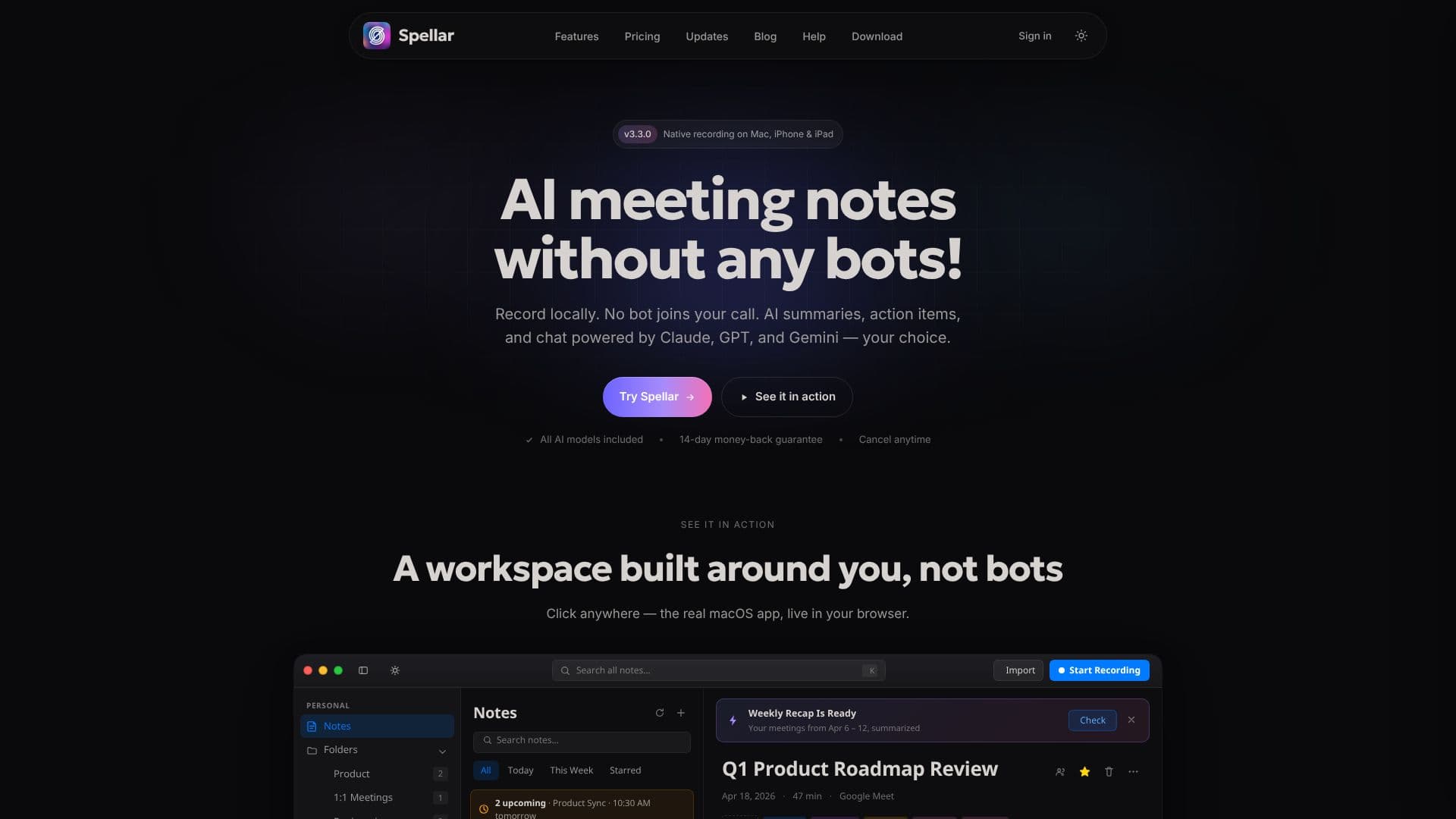
Spellar is an AI-powered meeting note taker designed to streamline your workflow without intrusive bots joining your calls. Available natively on Mac, iPhone, and iPad, as well as via web, Spellar offers a privacy-first approach to meeting documentation. It records audio locally on your device, ensuring no bot ever joins your virtual or in-person meetings.
Read More
Upon recording, Spellar leverages advanced AI models, including Claude, GPT, and Gemini, to generate concise summaries, identify key action items, and provide an AI chat interface for querying meeting content. Users have the flexibility to choose their preferred AI model for each meeting, template, or even bring their own API keys for maximum control and usage. This ensures you get the best AI brain for the specific task, whether it's nuanced writing, complex reasoning, or handling long contexts.
The platform boasts over 20 native integrations, allowing for seamless transfer of notes, action items, and decisions directly into tools like Notion, Jira, Linear, Slack, and Asana. This eliminates the need for manual copy-pasting and tab-juggling, keeping your project management and documentation tools up-to-date automatically. Spellar also offers automated weekly and monthly recaps, summarizing your meetings to keep you informed of wins, blockers, and commitments.
Spellar's workspace is built around user needs, featuring smart templates for various meeting types such as standups, 1:1s, retrospectives, sales calls, and customer interviews. Users can also create custom templates using natural language prompts. The AI chat feature allows users to ask questions across all their meetings, with cited answers linked back to the original transcript moment, providing a powerful search and recall capability.
With a commitment to privacy, Spellar allows users to control data storage and transcription options, including on-device processing or BYOK (Bring Your Own Key) for enhanced privacy. The pricing is straightforward, with all AI models included in every plan, offering a 14-day money-back guarantee and the ability to cancel anytime. Spellar is trusted by teams in over 150 countries, having generated over 1 million notes privately.
- CategoryAI Meeting Assistants
- Pricing ModelSubscription
- DeploymentCloud, Self-hosted
- PlatformsMac, iPhone, iPad, Web
Spellar's Core Features
Bot-free meeting recording on Mac, iPhone, and iPad
AI-generated summaries and action items
Choice of AI models: Claude, GPT, Gemini, Perplexity
Bring Your Own API Key (BYOK) option for AI models
Over 20 native integrations with popular productivity tools
Automated weekly and monthly meeting recaps
AI chat for querying meeting content with cited sources
Smart templates for various meeting types
Custom template creation using natural language
On-device recording and optional server-side transcription
Configurable data retention policies
Privacy-first design with user data control
Calendar integration for automatic meeting context
How to use Spellar?
Record: Start recording your meeting on Mac, iPhone, or iPad, or via web.
Choose AI: Select your preferred AI model (Claude, GPT, Gemini) for processing.
Process: Spellar automatically generates summaries, action items, and chat transcripts.
Integrate: Push notes and actions to your preferred tools like Notion, Jira, or Slack.
Chat: Ask questions across your meetings using the AI chat feature.
Review: Access automated weekly/monthly recaps for project overviews.
Spellar's Use Cases
- Meeting Summarization
- Action Item Tracking
- Knowledge Management
- Team Collaboration
- Sales Call Analysis
- Product Development
- Customer Interviews
- 1:1 Meetings