Description
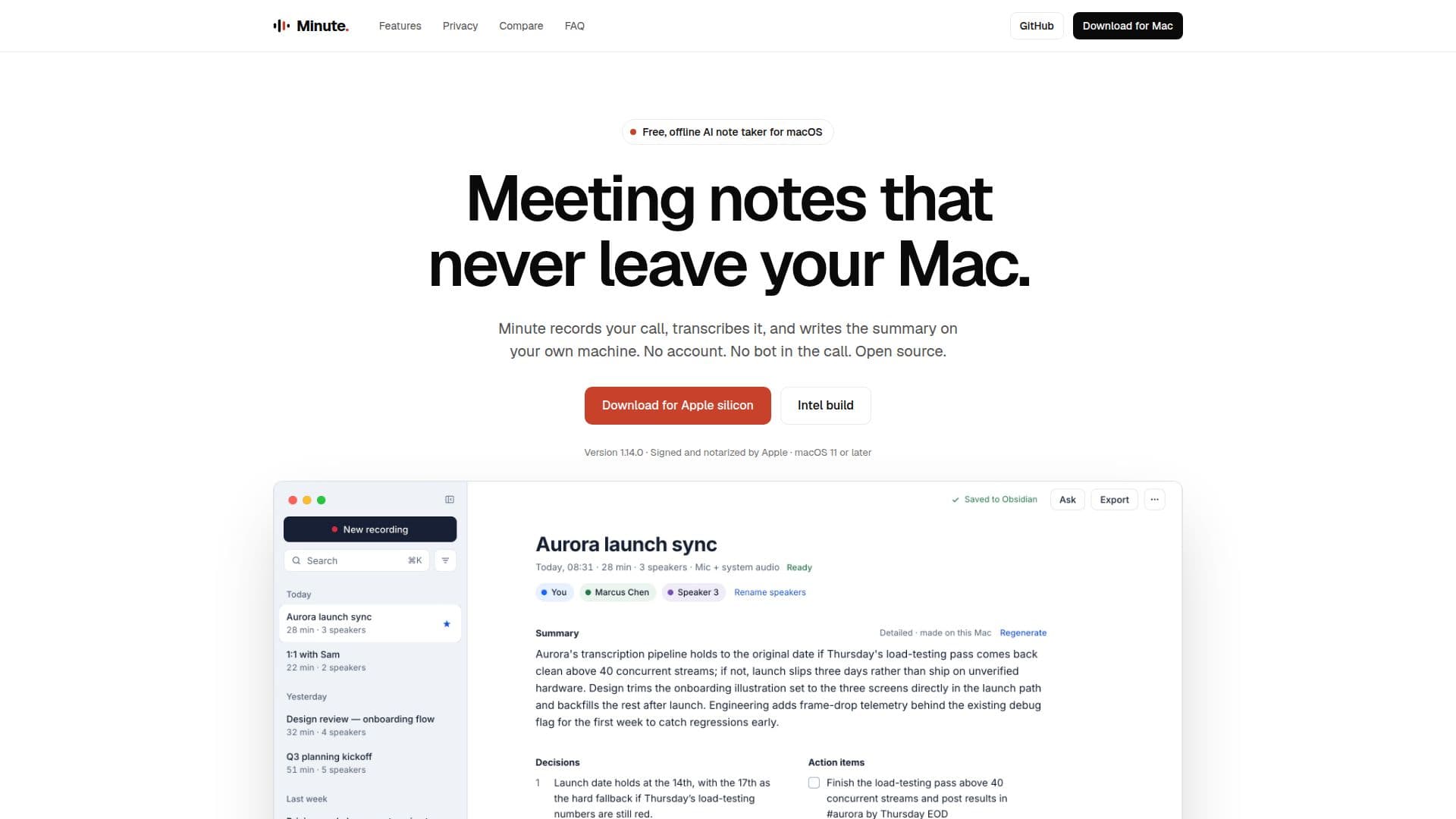
Minute is a free, open-source AI note-taking application designed specifically for macOS. It offers a secure and private way to manage meeting notes by performing all operations—recording, transcription, and summarization—directly on your Mac. This ensures that no data leaves your computer, and no external bot joins your calls, addressing common privacy concerns associated with cloud-based transcription services.
Read More
The application integrates seamlessly with widely used communication platforms such as Zoom, Microsoft Teams, Google Meet, Slack, FaceTime, Webex, and Discord. Minute intelligently detects when a meeting starts and offers to record, providing a live transcript as participants speak. Once the call concludes, it automatically generates a summary, including decisions and action items, using a local language model.
Key features include live transcription with speaker labels, the ability to remember named voices, and an interactive Q&A function that allows users to ask questions about the meeting content and jump to the exact moment the answer was spoken. Minute also supports saving summaries to Obsidian vaults or exporting notes as Markdown files, offering flexibility for organization and sharing.
Privacy is a core tenet of Minute. It records audio directly from your microphone and, on macOS 13 or later, system audio, without appearing as a participant in the call. The app operates entirely offline after an initial model download, with optional update checks that can be disabled. It explicitly states that no audio, transcripts, notes, or analytics are sent over the network.
Minute is built with Rust, whisper.cpp, and llama.cpp, running on Metal, and does not rely on Electron or Python runtimes. It supports Whisper in 99 languages and uses summary models optimized for your Mac's memory. The application requires macOS 11 or later, with specific features like system audio and enhanced meeting detection benefiting from newer macOS versions and Apple silicon for larger models. It stands out as a privacy-focused alternative to cloud-based services like Granola and Otter, offering full functionality without a subscription or account.
- CategoryAI Meeting Assistants
- Pricing ModelFree
- DeploymentOffline
- PlatformsmacOS
Minute's Core Features
Offline AI Note Taking
Meeting Recording and Transcription
AI-Generated Meeting Summaries
No Bot Joins Calls
Data Stays on Your Mac
Free and Open Source
Live Transcription with Timestamps
Speaker Labels and Voice Recognition
Action Items and Decisions Extraction
Interactive Q&A for Meetings
Meeting Detection for Popular Apps
Obsidian and Markdown Export
Multi-language Support (Whisper in 99 languages)
Optimized Models for Mac Hardware
No Account Required
How to use Minute?
Install Minute: Download and install the Minute application on your macOS device (macOS 11 or later).
Grant Permissions: Allow Screen Recording permission for system audio capture on macOS 13+; otherwise, only microphone audio will be recorded.
Start a Meeting: Open your preferred call application (Zoom, Teams, Meet, etc.); Minute will detect the meeting and offer to record.
Record and Transcribe: Allow Minute to record the call. It will provide a live transcript as participants speak.
Review Notes: After the call, Minute automatically generates a summary, decisions, and action items.
Ask Questions: Use the Q&A feature to ask questions about the meeting content and jump to relevant timestamps.
Export Notes: Save summaries to your Obsidian vault or export any note as a Markdown file.
Minute's Use Cases
- Meeting Transcription
- Meeting Summarization
- Privacy-Focused Note Taking
- Offline Productivity
- Knowledge Retrieval
- Academic Research
- Journalism and Interviews
- Content Creation