
ToolPotion
AI Advisor
Submit a Tool (Free)

Wipe AI

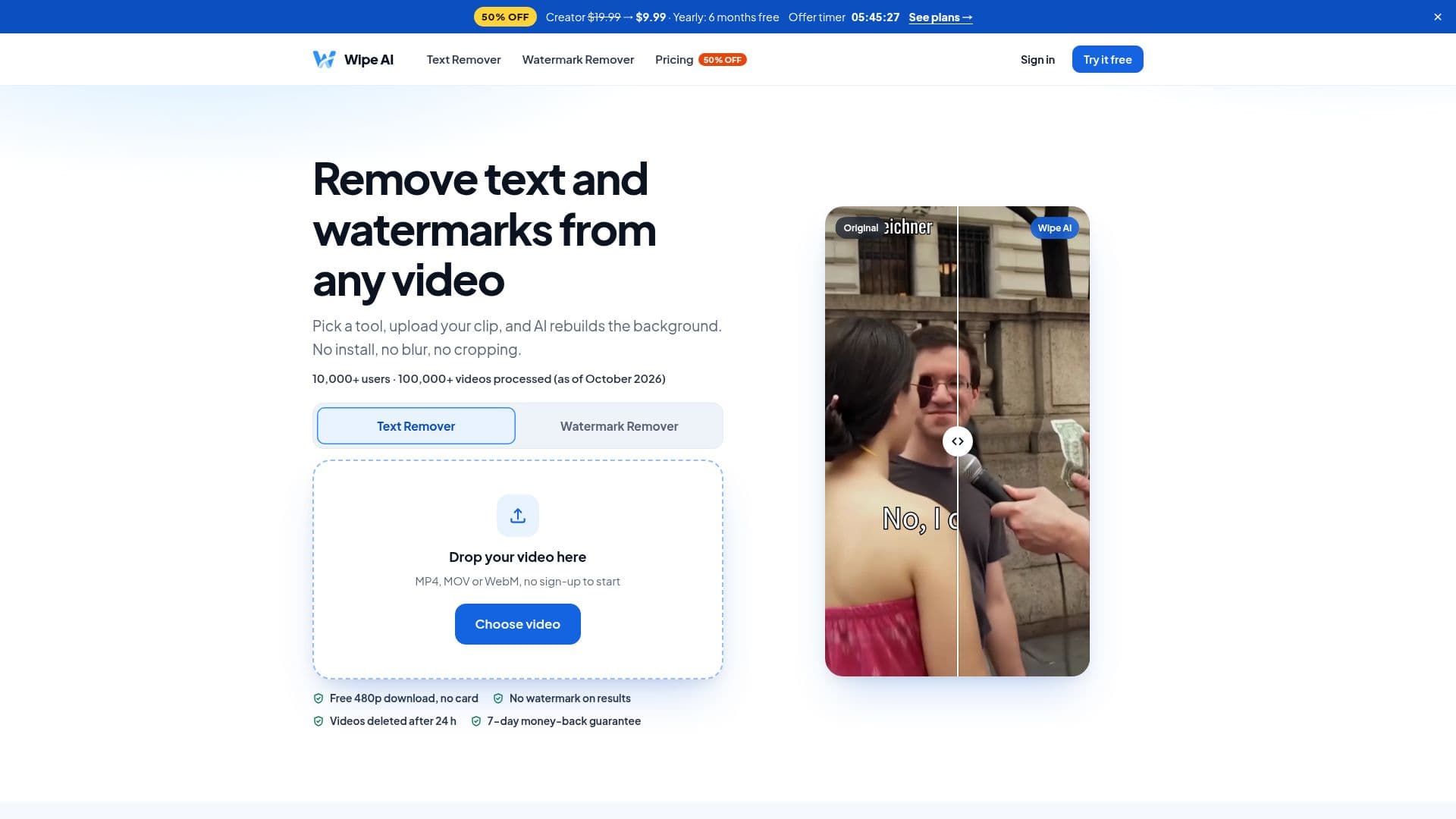
Wipe AI is a browser-based AI video inpainting tool designed to remove burned-in subtitles, captions, on-screen text, logos, and watermarks from videos. It offers two specialized tools: Text Remover for words and Watermark Remover for persistent marks. Users can preview results before payment, with free 480p downloads for the first 10 seconds of any video.

Visit Website
Share
Wipe AI screenshot
Wipe AI screenshot

Wipe AI is an online, browser-based AI tool that specializes in removing unwanted elements from videos, such as burned-in subtitles, captions, on-screen text, logos, and watermarks. The platform utilizes AI inpainting technology to reconstruct the background behind the overlay, ensuring no blurring or cropping of the original video content. This makes it ideal for repurposing videos, translating content, or updating product information without needing the original project files.

Read More

The tool offers two distinct functionalities: the Text Remover, specifically tuned to automatically detect and eliminate words like subtitles, captions, titles, and usernames; and the Watermark Remover, designed for logos, channel bugs, and other marks that remain on screen, including moving ones. Both tools support automatic detection or manual selection for precise control over the removal area and duration. Users can upload videos in common formats such as MP4, MOV, WebM, AVI, and MKV, with the output always being an H.264 MP4.

Wipe AI operates on a credit-based system, where one credit equals one second of video processing. A free tier allows users to clean the first 10 seconds of any video at 480p resolution, with the option to download the result for free. For longer videos and higher-definition exports (up to 1080p), users can purchase one-time credit packs starting from $4.99 or subscribe to monthly plans starting from $7.99. Paid credits roll over, and failed jobs do not consume credits, ensuring fair usage.

The platform emphasizes user privacy, stating that videos are processed on secure servers, never shared, and automatically deleted after 24 hours. While the AI effectively rebuilds backgrounds, results can vary depending on overlay size, motion, and background complexity. Users are encouraged to utilize the free preview feature to assess quality before committing to a paid plan. Wipe AI is particularly useful for marketing agencies, e-commerce businesses updating product videos, content creators rebranding, and individuals cleaning personal video archives.

  • CategoryAI Video Editors
  • Pricing ModelFreemium
  • DeploymentCloud
  • PlatformsWeb

  • AI Inpainting for Video Text Removal

  • AI Inpainting for Video Watermark Removal

  • Automatic Text and Caption Detection

  • Manual Selection for Specific Areas

  • Support for MP4, MOV, WebM, AVI, MKV video formats

  • Output in H.264 MP4 format

  • Free 10-second preview for every video

  • 480p free download option

  • Up to 1080p HD export on paid plans

  • Credit-based pricing (1 credit = 1 second)

  • One-time credit packs available

  • Monthly subscription plans with rolling credits

  • Secure server processing with 24-hour deletion

  • No blur or cropping applied during removal

  • Browser-based tool, no software installation

  1. Upload Video: Upload your video file to the Wipe AI platform.

  2. Choose Tool: Select either the Text Remover for words or the Watermark Remover for logos.

  3. Select Area: Use Automatic mode for AI detection or Manual mode to draw a box over the unwanted element.

  4. Process Video: Press 'Process' and sign in with Google to initiate the cleaning process.

  5. Preview Result: Review the free 10-second preview to assess the quality of the removal.

  6. Download Clean Video: Download the free 480p MP4 or upgrade for full-length videos and HD export.

  • Remove Burned-In Subtitles
  • Update Product Videos
  • Rebrand Marketing Content
  • Clean Client Footage
  • Remove TikTok/Reels Captions
  • Erase Date Stamps
  • Remove Watermarks and Logos
  • Prepare Videos for Translation

Wipe AI Reviews

Loading...

Popular AI Tools Like Wipe AI

RemoveFrom.Video is an online AI tool that removes text, captions, subtitles, watermarks, and unwanted overlays from video while rebuilding the covered area, so footage can be…

AI Video Editors

Ranked #135 in AI Video Editors

View Tool

Online AI tool that removes text, captions, subtitles, watermarks, and unwanted overlays from video while rebuilding the covered area, so footage can be…RemoveFrom.Video is an online AI tool that removes text, captions, subtitles, watermarks, and unwanted overlays from video while rebuilding the covered area, so footage can be…

AI Video Editors
Ranked #135 in AI Video Editors

AIAI.com's Video Watermark Remover uses AI inpainting to erase watermarks, logos, text, subtitles, and objects from videos while preserving quality. It supports many formats and…

AI Video Editors

Ranked #100 in AI Video Editors

View Tool

Video Watermark Remover uses AI inpainting to erase watermarks, logos, text, subtitles, and objects from videos while preserving quality. It supports many formats and…AIAI.com's Video Watermark Remover uses AI inpainting to erase watermarks, logos, text, subtitles, and objects from videos while preserving quality. It supports many formats and…

AI Video Editors
Ranked #100 in AI Video Editors

Video Text Remover AI is a browser-based tool that removes burned-in text from videos. It supports MP4, MOV, and WebM formats, allowing users to mark up to three areas for text…

AI Video Editors
View Tool

Browser-based tool that removes burned-in text from videos. It supports MP4, MOV, and WebM formats, allowing users to mark up to three areas for text…Video Text Remover AI is a browser-based tool that removes burned-in text from videos. It supports MP4, MOV, and WebM formats, allowing users to mark up to three areas for text…

AI Video Editors
See the Top 250 AI Apps

Video Text Remover is a free tool that removes text, captions, subtitles, watermarks, and logos from videos using AI background reconstruction. It ensures clean, blur-free results…

AI Video Editors

Ranked #227 in AI Video Editors

View Tool

Free tool that removes text, captions, subtitles, watermarks, and logos from videos using AI background reconstruction. It ensures clean, blur-free results…Video Text Remover is a free tool that removes text, captions, subtitles, watermarks, and logos from videos using AI background reconstruction. It ensures clean, blur-free results…

AI Video Editors
Ranked #227 in AI Video Editors

RemoveText.video allows users to remove unwanted text, subtitles, logos, and watermarks from videos online. It offers a simple interface to select and process video areas without…

AI Video Editors

Ranked #236 in AI Video Editors

View Tool

Allows users to remove unwanted text, subtitles, logos, and watermarks from videos online. It offers a simple interface to select and process video areas without…RemoveText.video allows users to remove unwanted text, subtitles, logos, and watermarks from videos online. It offers a simple interface to select and process video areas without…

AI Video Editors
Ranked #236 in AI Video Editors

Subtitle Remover is an online AI tool designed to erase burned-in subtitles, captions, and on-screen text from videos. It intelligently rebuilds the picture behind the text,…

AI Video Editors

Ranked #210 in AI Video Editors

View Tool

Online AI tool designed to erase burned-in subtitles, captions, and on-screen text from videos. It intelligently rebuilds the picture behind the text,…Subtitle Remover is an online AI tool designed to erase burned-in subtitles, captions, and on-screen text from videos. It intelligently rebuilds the picture behind the text,…

AI Video Editors
Ranked #210 in AI Video Editors

RemoveSubs

AI Apps

RemoveSubs is an online tool that uses AI to remove burned-in subtitles, captions, timestamps, and unwanted text from videos. Users can upload videos, preview the results, and…

AI Video Editors

Ranked #226 in AI Video Editors

View Tool

AI Apps

Online tool that uses AI to remove burned-in subtitles, captions, timestamps, and unwanted text from videos. Users can upload videos, preview the results, and…RemoveSubs is an online tool that uses AI to remove burned-in subtitles, captions, timestamps, and unwanted text from videos. Users can upload videos, preview the results, and…

AI Video Editors
Ranked #226 in AI Video Editors

UnWatermark's Video Watermark Remover uses AI to erase watermarks, logos, captions, and unwanted elements from videos without quality loss. Select the area, preview the first six…

AI Video Editors

Ranked #199 in AI Video Editors

View Tool

Video Watermark Remover uses AI to erase watermarks, logos, captions, and unwanted elements from videos without quality loss. Select the area, preview the first six…UnWatermark's Video Watermark Remover uses AI to erase watermarks, logos, captions, and unwanted elements from videos without quality loss. Select the area, preview the first six…

AI Video Editors
Ranked #199 in AI Video Editors
1 of 8