Description
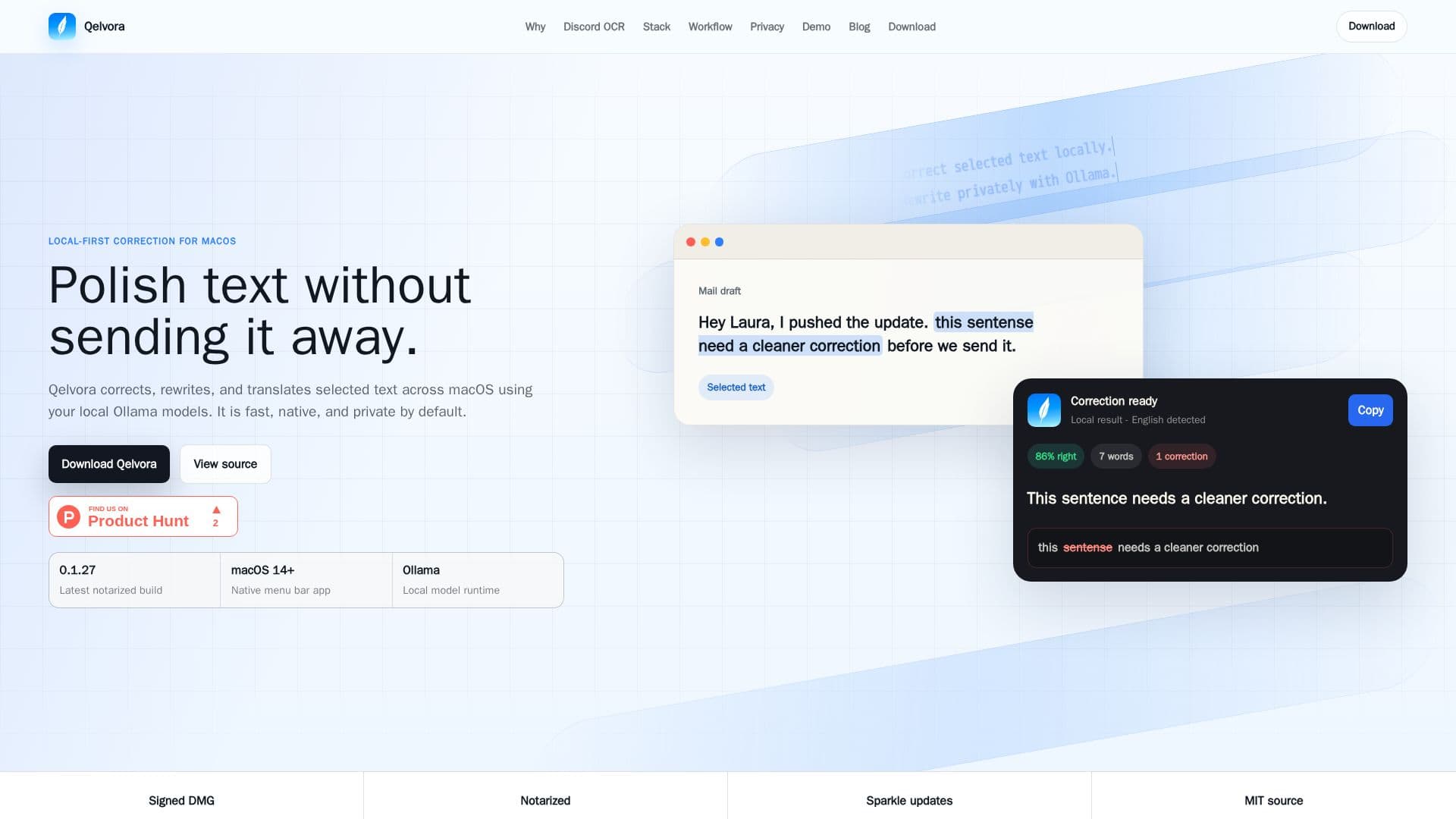
Qelvora is a dedicated macOS menu bar application designed to enhance text quality across various applications, including Discord, Slack, and Notion. It functions as a local spell checker, grammar corrector, and translator, leveraging local Ollama models and optical character recognition (OCR) to process text directly on your Mac. This local-first approach ensures that sensitive information, such as customer replies, investor updates, and internal notes, remains private and is never sent to cloud-based writing services.
Read More
The application offers two primary modes for text capture: direct selection of editable text and a rectangular screen-area selector for visible text. The latter is particularly useful in applications like Discord, where standard text selection can be awkward. Users can activate Qelvora with a global shortcut, draw a precise rectangle around the desired text, and then have it corrected or translated locally. For editable text, users can simply highlight it and choose "Correct selection" from Qelvora's menu bar or macOS Services.
Qelvora supports a wide range of local LLMs compatible with Ollama model tags, including popular families such as Gemma, Qwen, DeepSeek, Kimi, Mistral, Llama, and Phi. This flexibility allows users to configure the tool with their preferred models for tasks like improving tone, clarity, grammar, and performing short rewrites. The tool is built on a trusted local stack, making it a reliable utility for developers, founders, support teams, and privacy-conscious individuals who require fast and secure text cleanup within their existing macOS workflows.
By keeping all processing local, Qelvora addresses the need for privacy in professional communications, allowing users to polish text without compromising data security. It complements existing app language tools, providing a robust fallback for challenging text capture scenarios. The application is easy to install, requiring Ollama to be running locally, and recommends the Gemma 4 4B model for optimal performance.
- CategoryAI Writing Assistants
- Pricing ModelFree
- DeploymentLocal
- PlatformsmacOS
Qelvora's Core Features
Local spell checking and grammar correction
Text rewriting and translation with local Ollama models
Rectangular-area OCR for visible screen text
Selected-text processing for editable content
Discord-first workflow for chat and work apps
Supports various local LLM families (Gemma, Qwen, DeepSeek, Kimi, Mistral, Llama, Phi)
Native macOS menu bar application
Private by design, no cloud writing service integration
Global shortcut for screen-area selection
Integration with macOS Services for text correction
Complements existing app language tools
Notarized build for macOS 14+
Open-model friendly architecture
Built on local Ollama model runtime
How to use Qelvora?
Install Ollama: Ensure Ollama is running locally on your macOS system.
Download Qelvora: Install the official notarized macOS build of Qelvora.
Install Recommended Model: Launch Qelvora and download the recommended Gemma 4 4B model.
Choose Capture Mode: Press the global shortcut for screen-area selection or highlight editable text.
Capture Text: Draw a rectangle around visible text or send highlighted selection from the menu bar/macOS Services.
Process Locally: Local OCR reads the rectangle (or skips for highlighted text), then your Ollama model corrects, rewrites, or translates.
Use Result: Review the output and integrate the cleaned text back into your workflow.
Qelvora's Use Cases
- Correcting Customer Replies
- Refining Investor Updates
- Cleaning Internal Notes
- Polishing GitHub Issues
- Translating Discord Messages
- Grammar Checking Mail Drafts
- Improving Tone in Work Apps
- Local LLM Correction