Description
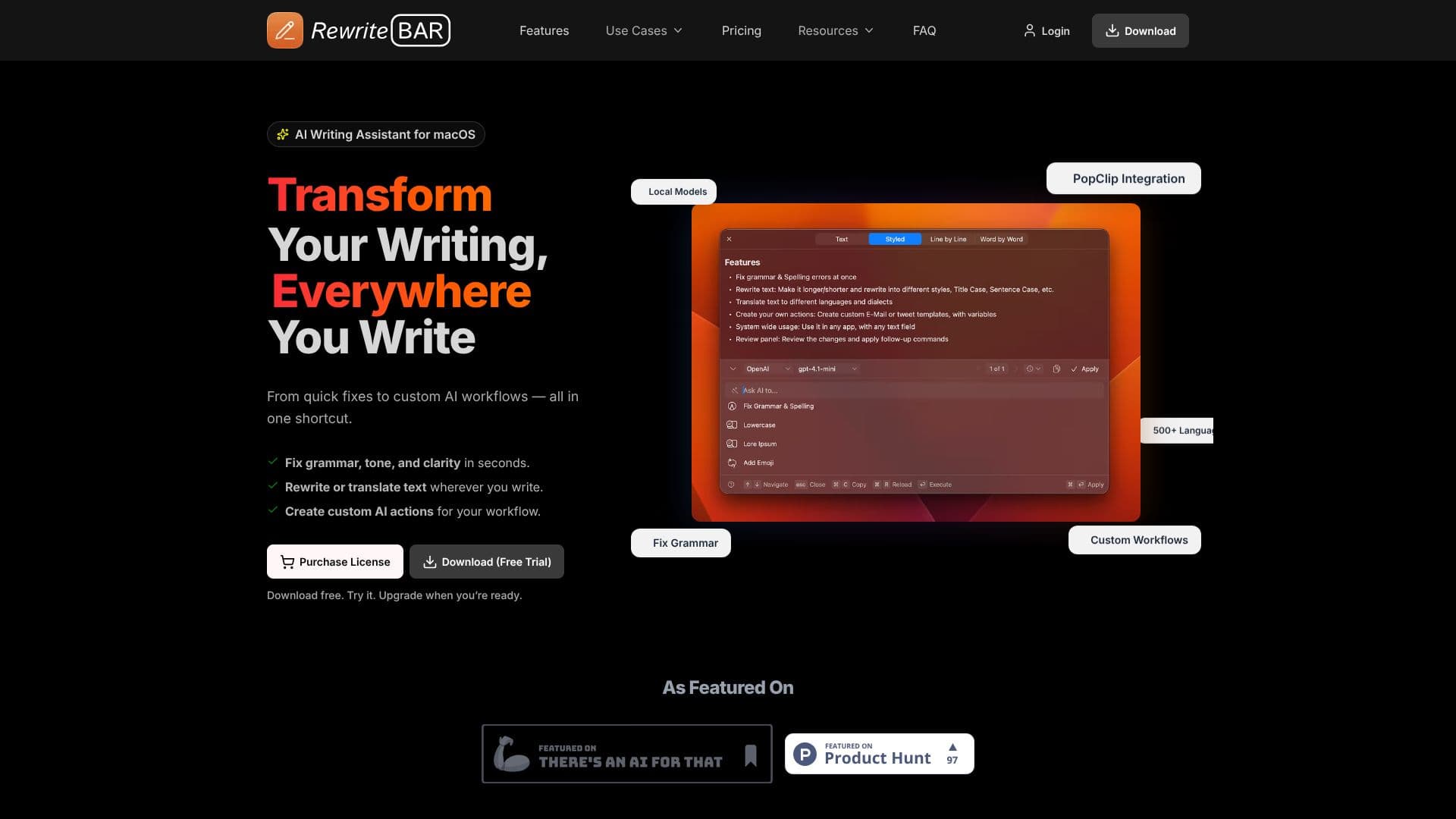
RewriteBar is a powerful AI writing assistant designed exclusively for macOS, aiming to transform your writing experience across all applications. It provides instant AI-powered actions for grammar correction, tone adjustment, clarity enhancement, and translation, all accessible via a simple keyboard shortcut. This tool integrates seamlessly into your existing workflow, allowing you to refine text without leaving your current application, whether it's a browser, document editor, or communication platform.
Read More
At its core, RewriteBar functions by capturing selected text and processing it through a chosen language model. Users can opt for cloud-based AI providers like OpenAI, Anthropic, or Google, or leverage local AI models through integrations with Ollama, LM Studio, or Apple Intelligence for enhanced privacy and offline capabilities. The application offers a clear interface where users can select from a range of predefined actions or create custom AI workflows tailored to their specific needs. This includes tasks like generating placeholder text, summarizing research, creating user story titles, or even transforming text into ASCII art.
The value proposition of RewriteBar lies in its versatility and deep integration into the macOS ecosystem. It complements existing tools like ChatGPT and Grammarly, offering a unified shortcut for a multitude of writing tasks. The ability to compare rewritten text side-by-side with the original, run multiple actions in a single flow, and utilize PopClip integration further streamlines the writing process. With a focus on speed, reliability, and privacy, RewriteBar is built for professionals and individuals who write extensively and seek to improve their efficiency and the quality of their output.
RewriteBar supports over 500 languages for translation and offers a wide array of AI models from various providers. The app is lightweight, with a small installation size, and provides a free trial for users to experience its capabilities. Licensing options include a one-time purchase for lifetime use or an annual subscription, with additional options for extra devices or RewriteBar Gateway access. The developer, an indie founder, emphasizes pragmatic design, focusing on speed, reliability, and actions that feel like native macOS tools, with a commitment to listening to user feedback and iterating rapidly.
- CategoryAI Writing Assistants
- Pricing ModelOne-time purchase / Subscription
- DeploymentDesktop App
- PlatformsmacOS
RewriteBar's Core Features
AI-powered grammar and spelling correction
Translation to over 500 languages
Customizable AI workflows and actions
PopClip integration for quick access
Support for local AI models (Ollama, Apple Intelligence)
Integration with multiple cloud AI providers (OpenAI, Anthropic, etc.)
Side-by-side comparison of rewritten text
Ability to run multiple actions in a single flow
Works in virtually any application with text input
Lifetime license option available
Free trial with limited corrections
Lightweight application size (~25 MB)
How to use RewriteBar?
Select Text: Highlight the text you want to improve in any macOS application.
Trigger RewriteBar: Use a keyboard shortcut or PopClip to open the RewriteBar window.
Choose Action: Select from available AI actions like grammar check, translation, or custom workflows.
Review Changes: Compare the original text with the AI-generated rewrite.
Apply Rewrite: Accept the changes to replace the original text with the improved version.
RewriteBar's Use Cases
- Grammar Correction
- Text Translation
- Custom Workflows
- Content Refinement
- Code Formatting
- Summarization
- Prompt Engineering
- Multilingual Communication
- Productivity Boost