Description
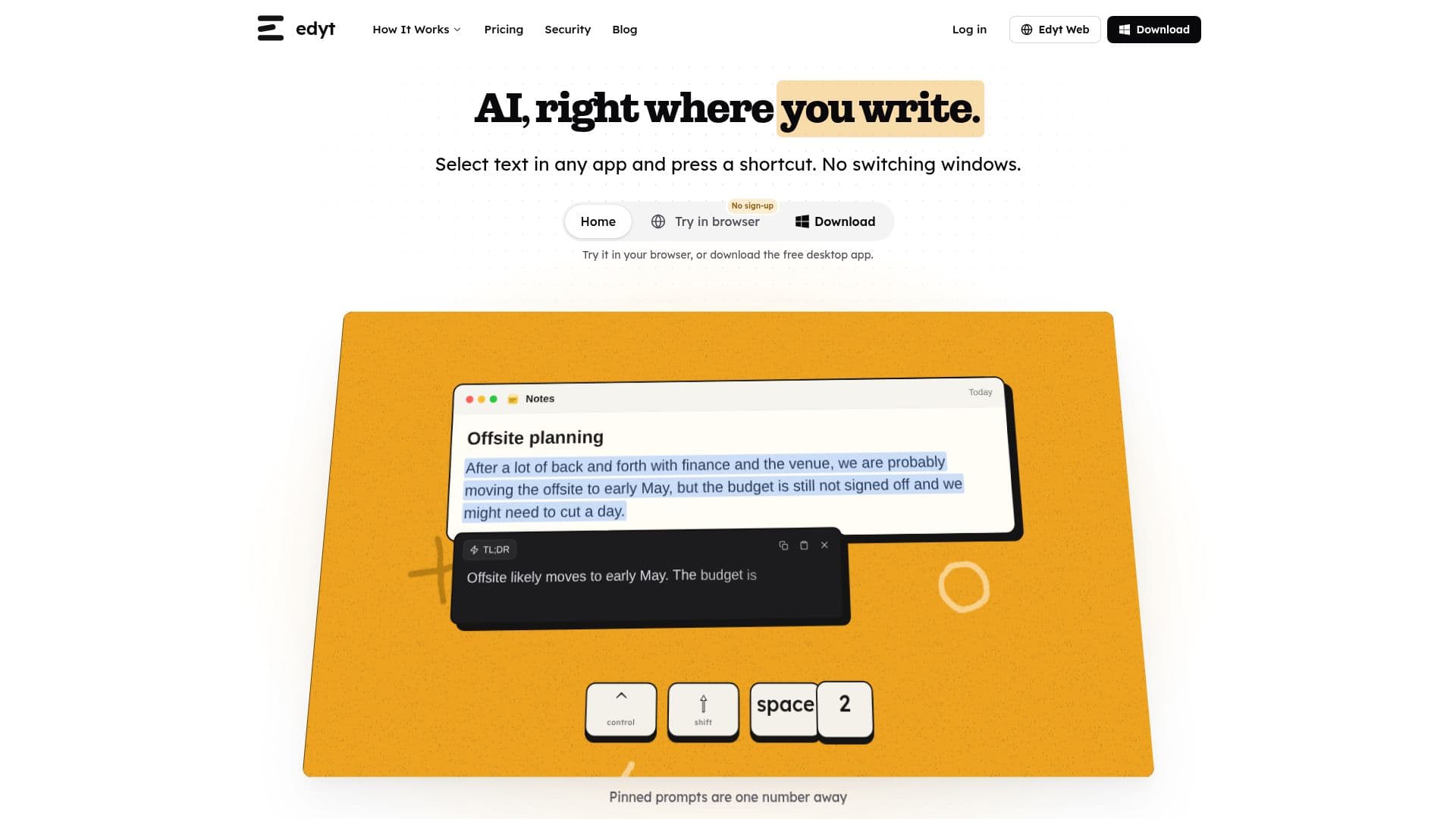
Edyt is a versatile AI text assistant designed for both Mac and Windows platforms. It seamlessly integrates with any application, allowing users to enhance their text by rewriting, explaining, translating, or running custom prompts. The tool is activated by selecting text and pressing a shortcut, making it highly efficient for users who work across multiple applications.
Read More
The application is free to download and use, with a generous allowance of daily, weekly, and monthly actions. For users who require more extensive use, Edyt offers a Pro plan that provides unlimited access to its features. This plan is billed annually and includes priority email support.
Edyt prioritizes user privacy and security. Text is processed over an encrypted connection and is not stored or used for AI training. The application requires minimal permissions, such as Accessibility on Mac for reading and writing text, and Screen Recording for reading text from images and PDFs.
The tool is particularly beneficial for professionals who need to manage text efficiently across various applications, including email clients, browsers, and chat apps. It supports macOS 12.3 or later and Windows 10 or later, ensuring compatibility with a wide range of devices.
Edyt's features include the ability to remap shortcuts, create and organize custom prompts, and read text from images and PDFs using built-in text recognition. The application is not available on the Mac App Store due to sandboxing limitations but is signed and notarized by Apple for direct download.
- CategoryAI Writing Assistants
- Pricing ModelFreemium
- DeploymentDesktop
- PlatformsMac, Windows
Edyt's Core Features
AI text rewriting
Text explanation
Text translation
Custom AI prompts
Free and Pro plans
Text recognition from images
Shortcut customization
Privacy-focused processing
How to use Edyt?
Download and install Edyt
Select text in any app
Press the shortcut to activate Edyt
Choose an action to perform on the text
Edyt's Use Cases
- Text Rewriting
- Text Explanation
- Text Translation
- Custom Prompts
- Screen Text Reading