Description
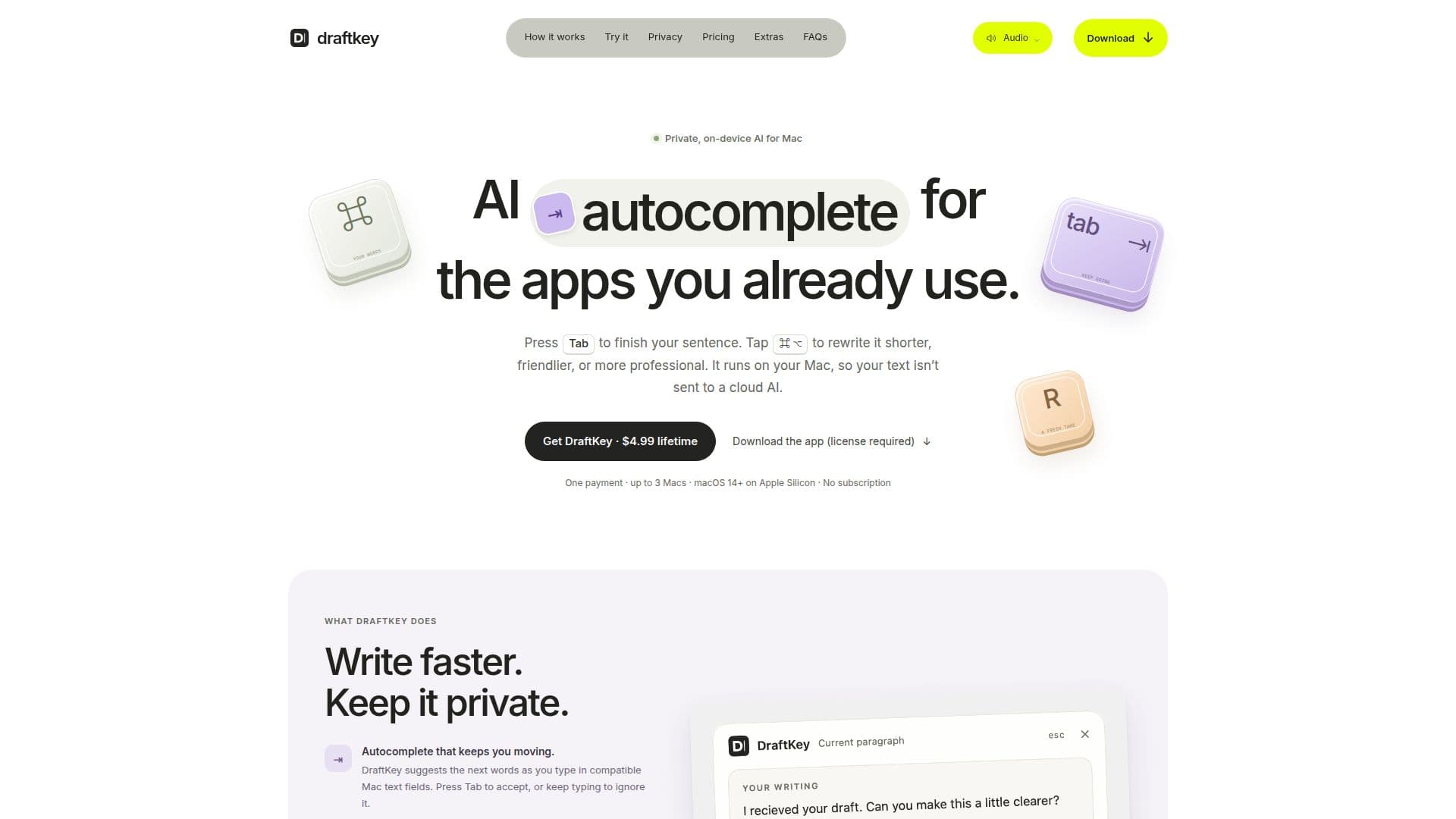
DraftKey is a native AI writing assistant designed specifically for Mac users. Developed by Aura Technologies, it provides a seamless writing experience by offering features such as automatic spelling and grammar cleanup, on-device AI autocomplete, and instruction-based rewriting tools. One of its standout features is the ability to finish sentences and rewrite text directly within your apps by simply pressing the Tab key. This ensures that your writing process remains uninterrupted and efficient.
Read More
The application is designed to run entirely on your Apple Silicon Mac, which means that your text is never sent to a cloud AI service, maintaining your privacy. DraftKey supports macOS 14 or later and requires at least 8 GB of memory. The writing model, which is approximately 1.12 GB, is downloaded separately and runs locally on your device. This ensures that autocomplete and rewriting suggestions are generated without the need for an internet connection, although an internet connection is required for the initial model download, license activation, and update checks.
DraftKey is available for a one-time payment of $4.99, with no subscription fees. This lifetime license covers up to three Macs, making it a cost-effective solution for users who want a reliable writing assistant without recurring costs. The app also includes additional features such as clipboard history and mechanical keyboard sounds, which can be used independently of the AI model.
Targeted at writers, professionals, and anyone who frequently engages in text-based tasks on their Mac, DraftKey offers a private and efficient way to enhance writing productivity. Its per-app controls allow users to choose where the writing assistance is active, ensuring compatibility with various text fields. However, it is important to note that some custom editors and secure fields may not be supported. Overall, DraftKey provides a comprehensive solution for those seeking a private, on-device AI writing assistant.
- CategoryAI Writing Assistants
- Pricing ModelOne-time payment
- DeploymentOn-device
- PlatformsmacOS 14+
DraftKey's Core Features
On-device AI autocomplete
Instruction-based rewriting tools
Automatic spelling and grammar cleanup
Mechanical keyboard sounds
Local text clipboard history
Per-app controls
One-time payment, no subscription
Supports up to 3 Macs
How to use DraftKey?
Install: Download and install DraftKey from the official site.
Setup: Follow the setup prompts and activate your license.
Configure: Choose which features to enable and set preferences.
Use: Start typing in compatible text fields to use autocomplete and rewriting tools.
DraftKey's Use Cases
- Efficient Writing
- Privacy-Conscious Users
- Professional Editing
- Grammar Correction
- Customizable Experience