Description
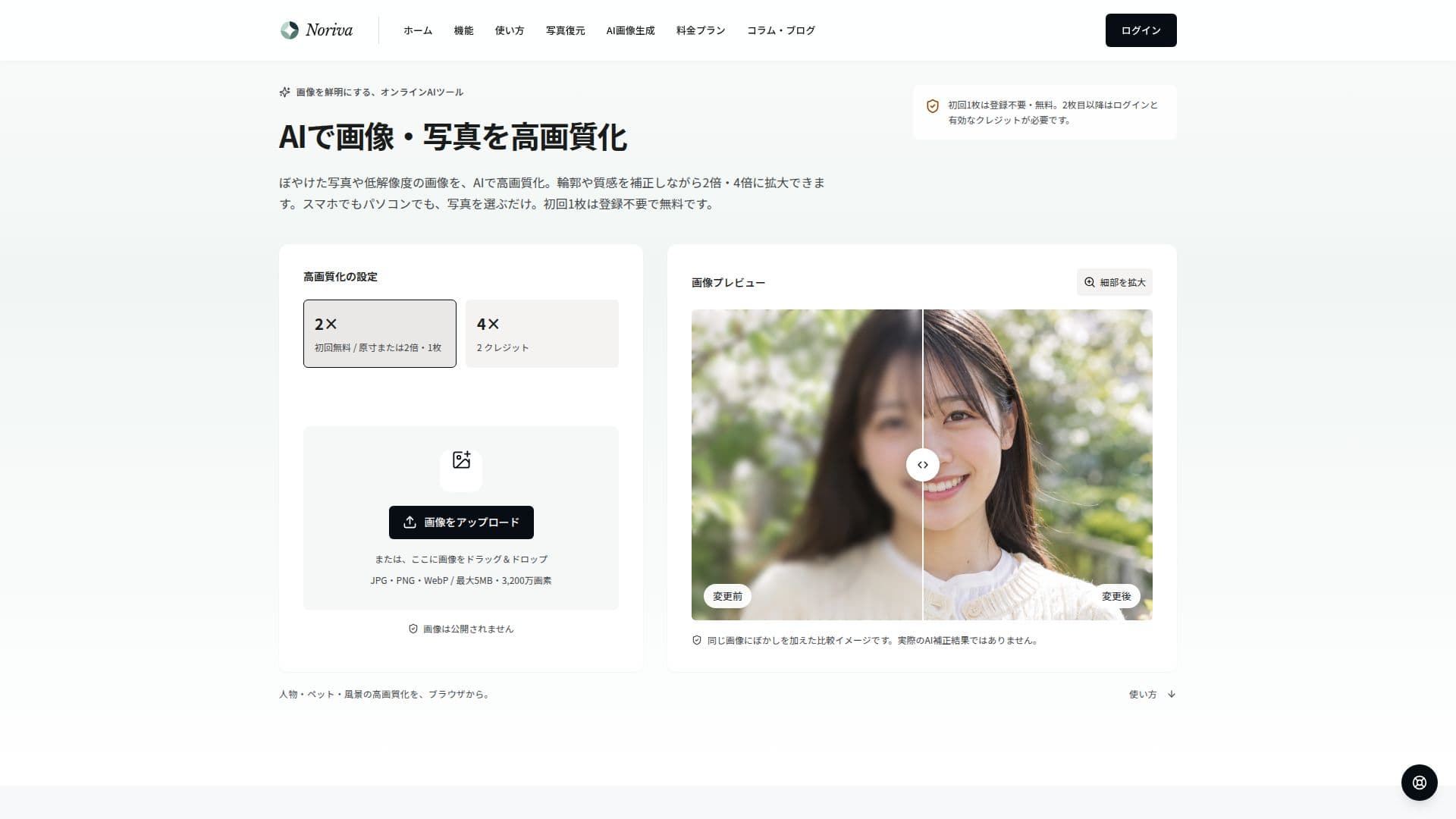
Noriva is an intuitive online AI tool that specializes in enhancing the quality of images and photos. It addresses common issues like blurriness and low resolution by intelligently correcting outlines and textures, making images clearer and more vibrant. The platform allows users to upscale their images by 2x or 4x, providing flexibility for various applications.
Read More
The process is straightforward: users simply upload their photos, and Noriva's AI technology processes them. A key feature is the ability to compare the high-quality output with the original image using a convenient slider, enabling detailed inspection of facial features, text, and other fine details. This ensures users are satisfied with the enhancement before saving.
Noriva supports popular image formats including JPG, PNG, and WebP, with an input limit of 5MB and 32 million pixels, and an output capability of up to 128 million pixels. It is accessible directly through a web browser on both smartphones and PCs, eliminating the need for app installations. The first image enhancement (at original size or 2x magnification) is offered for free without requiring registration, allowing users to experience the service firsthand.
For continued use beyond the initial free trial, users need to log in and purchase credits. Noriva operates on a credit-based system with no monthly subscriptions or automatic renewals, offering one-time purchase plans. This model provides flexibility, allowing users to buy credits as needed. Different magnification levels consume varying amounts of credits: 1 credit for original size or 2x enlargement, and 2 credits for 4x enlargement.
The tool is versatile, suitable for a range of use cases from enhancing cherished old photographs and scanned album images to preparing high-quality visuals for product listings, marketing materials, and print. While the AI estimates and corrects details, Noriva advises users to verify the accuracy of faces, text, and patterns before final use, as complete restoration is not guaranteed. Enhanced images are kept private and are not published in any public gallery, with access limited to the user for 24 hours post-processing.
- CategoryAI Image Upscalers
- Pricing ModelCredit-based
- DeploymentCloud
- PlatformsWeb Browser (PC, Smartphone)
Noriva's Core Features
AI-powered image enhancement
Upscale images by 2x or 4x
Corrects outlines and textures
Slider for before-and-after comparison
Supports JPG, PNG, WebP formats
Maximum input size 5MB / 32 million pixels
Maximum output size 128 million pixels
Browser-based access (smartphone & PC)
Free trial for first image (original or 2x)
Credit-based pricing model
No monthly subscriptions or auto-renewals
24-hour access to enhanced results
Private processing (no public gallery)
Detailed view for checking faces and text
Guides for processing status
How to use Noriva?
Select Photo: Choose one JPG, PNG, or WebP image from your smartphone or PC that you wish to enhance.
Choose Magnification: Select either 2x or 4x for high-quality enlargement. The first free trial supports original size or 2x.
Start Enhancement: Begin the AI processing. Wait for the AI to enhance your image.
Compare & Download: Review the enhanced image against the original using the slider, check details like faces and text, then download. Results are accessible for 24 hours.
Noriva's Use Cases
- Enhance Old Photos
- Product Image Enhancement
- Print Material Preparation
- Social Media & Design Assets
- Reviewing Important Details
- Low-Resolution Image Correction