Description
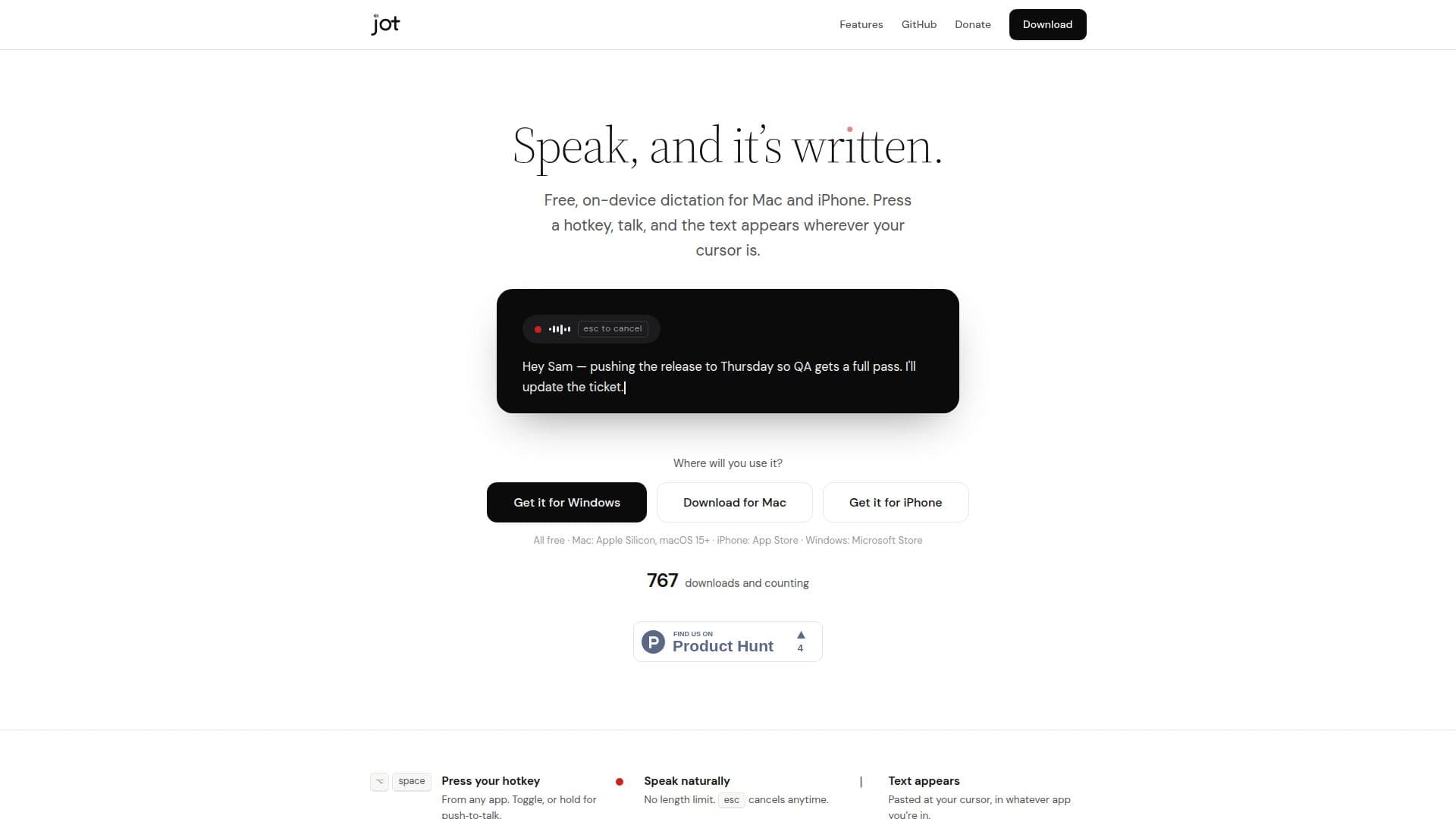
Jot offers a completely free and private dictation solution for Mac and iPhone users. Designed for simplicity and security, the application allows users to convert spoken words into text directly on their device, eliminating the need for cloud processing, user accounts, or recurring subscriptions. This on-device approach ensures that sensitive voice data never leaves the user's computer or phone, addressing privacy concerns often associated with cloud-based dictation services.
Read More
Operating with a simple hotkey activation, Jot enables users to dictate from any application. Whether toggling the dictation on or holding for a push-to-talk experience, the process is intuitive. Users can speak naturally without length limits, and the `esc` key provides an instant cancellation option. The transcribed text is then automatically pasted at the cursor in the active application, streamlining workflows and saving time.
A key differentiator for Jot is its commitment to privacy and cost-effectiveness. Unlike many leading dictation apps that charge annual fees and transmit voice data to external servers, Jot performs all transcription locally. An optional AI cleanup feature also operates entirely on-device, with any cloud-based options being strictly opt-in. The open-source nature of Jot allows users to inspect its code, further reinforcing transparency and trust. It is free for personal use, always.
Installation is quick and straightforward, taking less than a minute. On Mac, a setup wizard guides users through necessary permissions, model downloads, and a test dictation. For iPhone, Jot functions as a keyboard, which users can enable to dictate into any app. This ease of setup and use, combined with its robust on-device functionality, makes Jot a compelling choice for individuals seeking a secure, efficient, and private dictation tool.
- CategoryAI Transcription Tools
- Pricing ModelFree
- DeploymentOn-Device
- PlatformsMac, iPhone
Jot's Core Features
Free, on-device dictation for Mac and iPhone
No cloud processing, accounts, or subscriptions
Hotkey activation for dictation from any app
Toggle or push-to-talk modes available
Unlimited dictation length
Instant cancellation with the 'esc' key
Text appears directly at the cursor in the active app
Optional on-device AI cleanup for transcribed text
Source code is publicly available for transparency
Free for personal use
Quick and easy installation process
Mac setup wizard for permissions and model download
iPhone keyboard integration for dictation into any app
Supports natural speech patterns
How to use Jot?
Install Jot: Download and install the application on your Mac or iPhone.
Configure Hotkey (Mac): Follow the setup wizard to grant permissions, download the dictation model, and set your preferred hotkey.
Enable Keyboard (iPhone): Go to your iPhone settings, enable Jot as a keyboard, and grant necessary permissions.
Activate Dictation: Press your designated hotkey (Mac) or select the Jot keyboard (iPhone) from within any application.
Speak Naturally: Dictate your thoughts, notes, or messages without length restrictions.
Review Text: The transcribed text will automatically appear at your cursor in the application you are using.
Jot's Use Cases
- Quick Note Taking
- Business Communication
- Agent Interaction
- Document Creation
- Hands-Free Input
- Enhanced Privacy