ToolPotion
AI Advisor
Submit a Tool (Free)

FreeFlow Dictation

FreeFlow Dictation is an on-device voice typing application for Mac, allowing users to transcribe speech directly within any app. It offers privacy by processing all audio locally without cloud uploads or accounts. Available as a one-time purchase, it includes a 14-day free trial and supports multiple speech models and languages for efficient, secure dictation.

Visit Website
Share
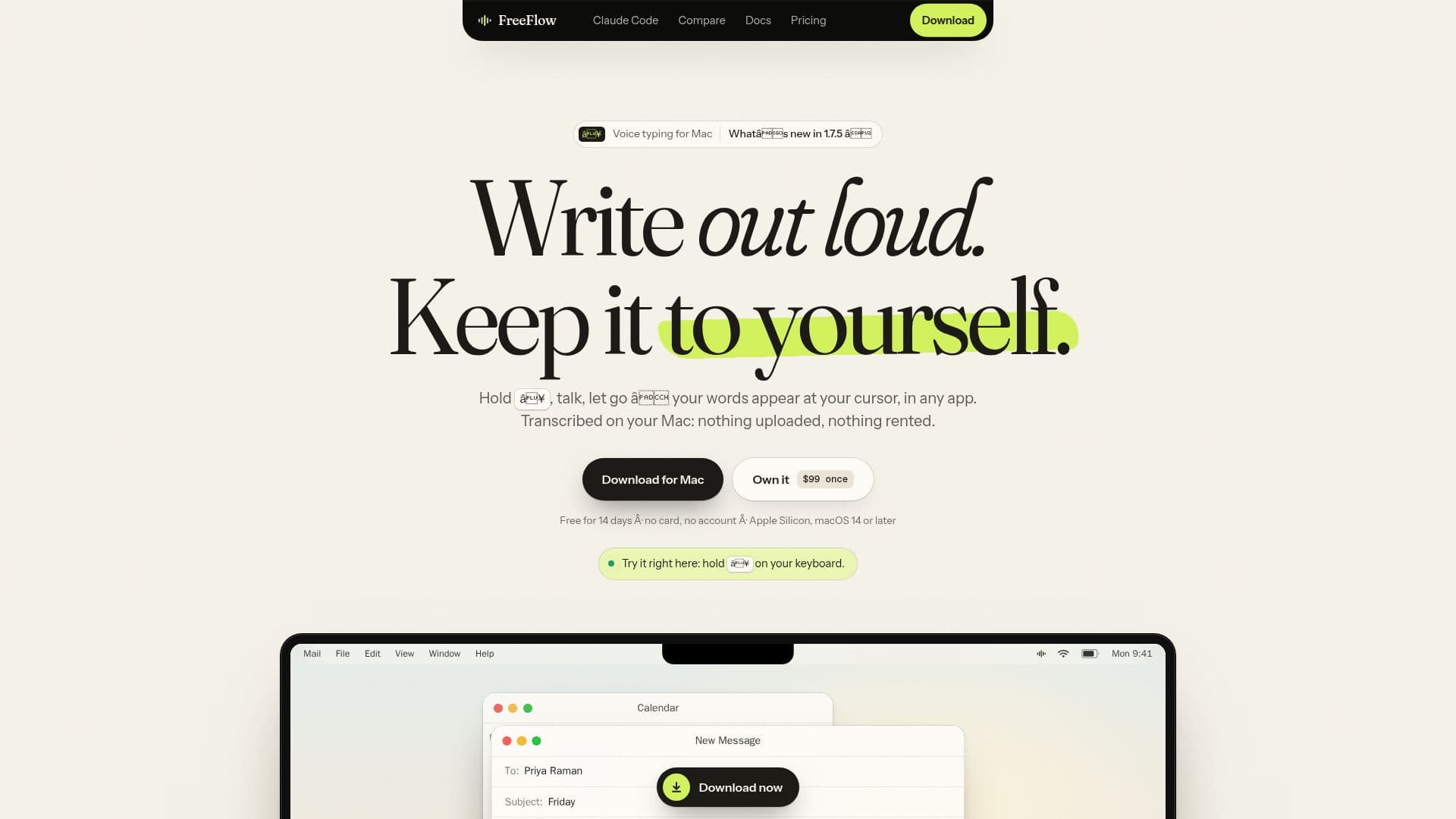
FreeFlow Dictation screenshot

FreeFlow Dictation is a macOS application designed for on-device voice typing, enabling users to transcribe spoken words directly into any Mac application. The core functionality revolves around holding a hotkey, speaking, and releasing to have the words appear at the cursor. A key differentiator is its commitment to privacy: all transcription occurs locally on the user's Mac, utilizing Apple Silicon's Neural Engine, CPU, or GPU, ensuring no audio data is ever uploaded to the cloud or associated with an account. This allows the app to function even with Wi-Fi turned off.

Read More

The application offers a robust set of features to enhance the dictation experience. Users can choose from six on-device speech models, including Parakeet V3 (covering 25 European languages) and various Whisper models, some of which can translate speech into English as it types. Cohere Transcribe is also available for macOS 15 or later, offering high accuracy. FreeFlow Dictation supports custom dictionaries, allowing users to add names, jargon, or product words for accurate spelling. It also includes a "Read aloud" feature, where selected text can be read back by a voice on the Mac.

FreeFlow Dictation is sold as a one-time purchase of $99, covering usage on up to three Macs and including all future updates without any recurring subscriptions. A full-featured 14-day free trial is available, requiring no credit card or account. This pricing model stands in contrast to many dictation apps that typically charge monthly fees. The app integrates seamlessly with various applications, including email clients, chat apps like Slack, AI chat interfaces like ChatGPT and Claude, and coding environments like VS Code and Cursor. It also offers specific integration with Claude Code, allowing users to answer prompts and permission cards by voice.

Beyond basic dictation, FreeFlow provides features like "Ducking," which lowers background audio volume while the user speaks, and "Modes," which allow users to customize settings like speech model, language, capitalization, and profanity filters for different contexts (e.g., email vs. chat). The app maintains a local history of all takes, including transcripts and audio, which are searchable and playable. It requires an Apple Silicon Mac (M1 or later) running macOS 14 or newer. The optional Apple Intelligence tidy-up feature requires macOS 26. FreeFlow Dictation prioritizes user control and privacy, making it a suitable choice for confidential work or users who prefer local data processing.

  • CategoryAI Transcription Tools
  • Pricing ModelOne-time purchase
  • DeploymentOn-device
  • PlatformsmacOS

  • On-device voice typing for Mac

  • No cloud upload or account required

  • One-time purchase for $99

  • 14-day free trial with no card or account

  • Supports up to three Macs per license

  • Includes all future updates

  • Six on-device speech models (Parakeet, Whisper, Cohere Transcribe)

  • Supports 25 European languages and English translation

  • Customizable dictionary for proper nouns and jargon

  • Read aloud selected text

  • Adjustable background audio ducking

  • Multiple dictation modes with custom settings

  • Integrates with Claude Code for voice commands

  • Works in any Mac app with a blinking cursor

  • Local history of transcripts and audio recordings

  1. Install FreeFlow: Download the DMG, drag the app to Applications, and open it.

  2. Grant Permissions: Allow Microphone access for audio input and Accessibility for pasting text into other apps.

  3. Download Speech Model: Let the app download Parakeet V3 (484 MB) or choose another model from settings.

  4. Start Dictating: Click into any text field, hold the Command (⌘) key, speak, and release to transcribe and paste.

  5. Use Toggle Mode: Press ⌘Space to start hands-free dictation, speak as long as needed, and press ⌘Space again to stop.

  6. Customize Dictionary: Add names, jargon, or product words to the dictionary for accurate spelling.

  7. Switch Modes: Change dictation settings like language, capitalization, and filters via the menu bar for different contexts.

  • General Document Creation
  • Coding and Development
  • AI Chat Interactions
  • Confidential Work
  • Multilingual Transcription
  • Hands-Free Typing
  • Accessibility Support
  • Meeting Notes

FreeFlow Dictation Reviews

Loading...

Popular AI Tools Like FreeFlow Dictation

BetterWispr is a free and open-source dictation tool for macOS. It uses local speech models to transcribe speech into text across any app. With customizable styles and meeting…

AI Transcription Tools

Ranked #230 in AI Transcription Tools

View Tool

Free and open-source dictation tool for macOS. It uses local speech models to transcribe speech into text across any app. With customizable styles and meeting…BetterWispr is a free and open-source dictation tool for macOS. It uses local speech models to transcribe speech into text across any app. With customizable styles and meeting…

AI Transcription Tools
Ranked #230 in AI Transcription Tools

Spokenly is a voice-to-text dictation app for macOS, Windows, Linux, and iOS. It offers free offline transcription using local models and supports over 100 languages. Users can…

AI Transcription Tools

Ranked #69 in AI Transcription Tools

View Tool

Voice-to-text dictation app for macOS, Windows, Linux, and iOS. It offers free offline transcription using local models and supports over 100 languages. Users can…Spokenly is a voice-to-text dictation app for macOS, Windows, Linux, and iOS. It offers free offline transcription using local models and supports over 100 languages. Users can…

AI Transcription Tools
Ranked #69 in AI Transcription Tools

VoiceInk

AI Apps

VoiceInk is a privacy-focused dictation app for macOS and iOS that uses local AI models for fast, accurate transcription. It offers offline processing, custom dictionaries, and…

AI Transcription Tools

Ranked #63 in AI Transcription Tools

View Tool

AI Apps

Privacy-focused dictation app for macOS and iOS that uses local AI models for fast, accurate transcription. It offers offline processing, custom dictionaries, and…VoiceInk is a privacy-focused dictation app for macOS and iOS that uses local AI models for fast, accurate transcription. It offers offline processing, custom dictionaries, and…

AI Transcription Tools
Ranked #63 in AI Transcription Tools

Spoke

AI Apps

Spoke is a push-to-talk dictation app for macOS that transcribes your voice into any app fully on-device. It adds a visual Flow builder to turn speech into automated, AI-powered…

AI Transcription Tools

Ranked #188 in AI Transcription Tools

View Tool

AI Apps

Push-to-talk dictation app for macOS that transcribes your voice into any app fully on-device. It adds a visual Flow builder to turn speech into automated, AI-powered…Spoke is a push-to-talk dictation app for macOS that transcribes your voice into any app fully on-device. It adds a visual Flow builder to turn speech into automated, AI-powered…

AI Transcription Tools
Ranked #188 in AI Transcription Tools

Yubi

AI Apps

Yubi is a dictation app for macOS that allows users to transcribe speech directly on their Mac without sending audio to external servers. It offers seamless integration with…

AI Transcription Tools

Ranked #124 in AI Note-Taking Apps

View Tool

AI Apps

Dictation app for macOS that allows users to transcribe speech directly on their Mac without sending audio to external servers. It offers seamless integration with…Yubi is a dictation app for macOS that allows users to transcribe speech directly on their Mac without sending audio to external servers. It offers seamless integration with…

AI Transcription Tools
Ranked #124 in AI Note-Taking Apps

Weesper Neon Flow provides 100% offline voice dictation for Mac and Windows, ensuring your voice data remains on your computer. It integrates seamlessly with popular applications…

AI Transcription Tools

Ranked #68 in Text to Speech

View Tool

Provides 100% offline voice dictation for Mac and Windows, ensuring your voice data remains on your computer. It integrates seamlessly with popular applications…Weesper Neon Flow provides 100% offline voice dictation for Mac and Windows, ensuring your voice data remains on your computer. It integrates seamlessly with popular applications…

AI Transcription Tools
Ranked #68 in Text to Speech

MacWhisper

AI Apps

MacWhisper transcribes audio, video, meetings, and system audio locally on your Mac using AI models. It offers both free and Pro options, ensuring privacy and speed for all…

AI Transcription Tools

Ranked #27 for Journalists

View Tool

AI Apps

Transcribes audio, video, meetings, and system audio locally on your Mac using AI models. It offers both free and Pro options, ensuring privacy and speed for all…MacWhisper transcribes audio, video, meetings, and system audio locally on your Mac using AI models. It offers both free and Pro options, ensuring privacy and speed for all…

AI Transcription Tools
Ranked #27 for Journalists

OpenWhispr

AI Apps

OpenWhispr is an open-source dictation software that offers fast and accurate AI speech-to-text capabilities. It supports local and cloud processing, ensuring privacy and…

AI Transcription Tools

Ranked #65 in AI Transcription Tools

View Tool

AI Apps

Open-source dictation software that offers fast and accurate AI speech-to-text capabilities. It supports local and cloud processing, ensuring privacy and…OpenWhispr is an open-source dictation software that offers fast and accurate AI speech-to-text capabilities. It supports local and cloud processing, ensuring privacy and…

AI Transcription Tools
Ranked #65 in AI Transcription Tools
1 of 8