Description
MacWhisper is a powerful transcription application designed for Mac users, enabling them to transcribe audio, video, meetings, and system audio locally. Utilizing advanced AI models like Whisper and Parakeet, MacWhisper ensures that your transcriptions are both accurate and private. With options for both free and Pro versions, it caters to a wide range of users, from casual individuals to professionals needing high-quality transcriptions.
Read More
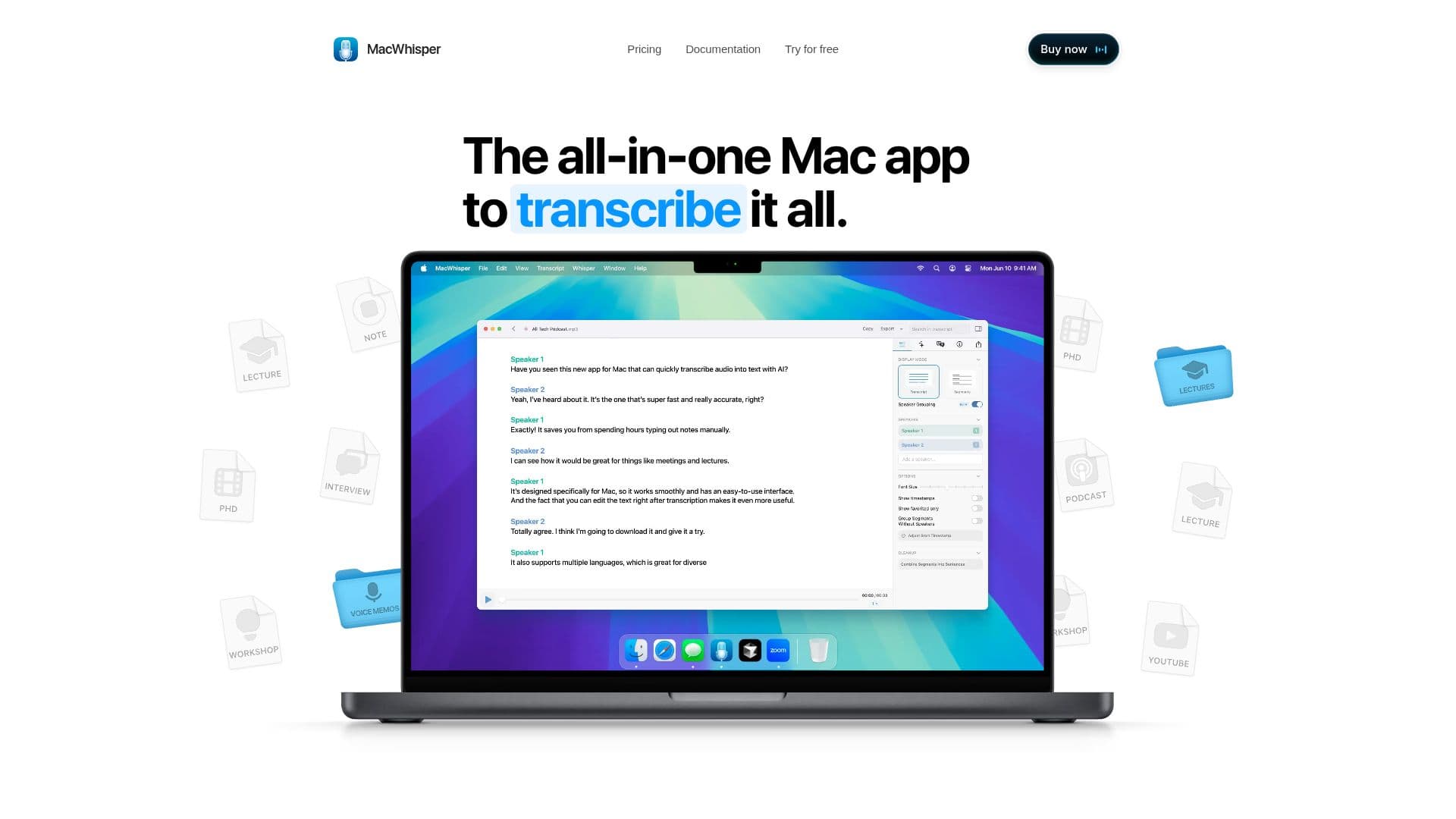
The application allows users to transcribe various types of content, including lectures, podcasts, interviews, and even online meetings without the need for bots. Users can easily drag and drop files for transcription, making the process seamless and efficient. MacWhisper also supports real-time dictation, allowing users to input text directly into any application, which is particularly useful for note-taking and messaging.
One of the standout features of MacWhisper is its ability to transcribe meetings from platforms like Zoom, Teams, Webex, Skype, and Discord in the background. This feature is complemented by speaker recognition, which automatically distinguishes and labels different speakers in recordings, enhancing the clarity and usability of the transcriptions. Additionally, the app supports over 100 languages, making it an excellent tool for multilingual transcription needs.
Privacy is a core principle of MacWhisper, as it processes all data locally on your Mac, ensuring that sensitive content never leaves your device. Users can also refine their transcripts using a built-in editor, allowing for quick corrections and formatting adjustments. For those handling large volumes of audio files, the batch transcription feature saves time by processing multiple files simultaneously.
MacWhisper also integrates with various AI services, enabling users to connect their favorite models and enhance their transcription experience. With features like automatic cleanup of filler words and the ability to export transcriptions in multiple formats, MacWhisper is designed to meet the diverse needs of its users. Whether you're a student, a professional, or someone who frequently engages with audio content, MacWhisper provides a comprehensive solution for all your transcription needs.
- CategoryAI Transcription Tools
- Pricing ModelFreemium
- DeploymentLocal
- PlatformsMac
MacWhisper's Core Features
Local transcription
Real-time dictation
Speaker recognition
Batch transcription
Supports 100+ languages
Export options: .srt, .txt, .pdf
AI service integration
Automatic filler word removal
Built-in transcript editor
Privacy-focused local processing
How to use MacWhisper?
Configure: Set up MacWhisper on your Mac.
Record: Use the app to record audio from various sources.
Transcribe: Drag and drop files for transcription or use real-time dictation.
Edit: Refine your transcripts using the built-in editor.
Export: Save your transcriptions in your desired format.
Integrate: Connect with AI services for enhanced functionality.
Batch Process: Use the batch transcription feature for multiple files.
MacWhisper's Use Cases
- Meeting Transcription
- Podcast Transcription
- Lecture Notes
- Voice Memos
- Video Subtitles