Description
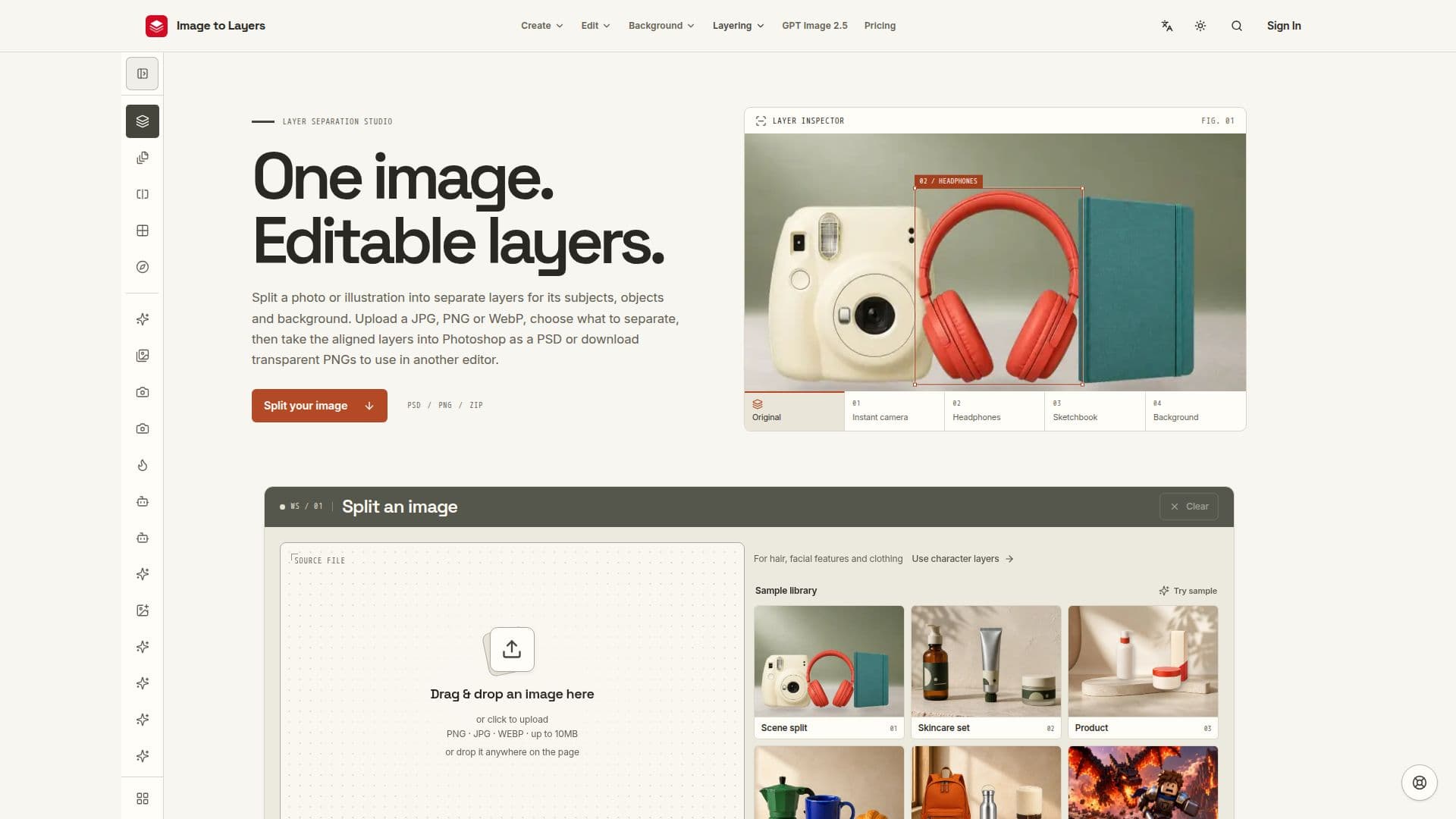
Image to Layers AI is an online platform that leverages artificial intelligence to transform single, flat images into a stack of separate, editable transparent PNG layers. This process eliminates the need for manual masking or complex software installations, making advanced image separation accessible to a wide range of users.
Read More
The tool operates in three simple steps: upload an image, define the desired layers with a prompt, and download the separated assets. Each generated layer is a true RGBA image with a real alpha channel, ensuring genuine transparency. These layers can be stacked in any image editor to recompose the original picture or used independently for various creative projects.
Users can upload JPG, PNG, or WebP images up to 10 MB. Layers are downloaded as transparent PNGs by default, with WebP also available for smaller file sizes. The platform offers different models, Flash and Pro, and output settings (1K, 1.5K, or 2K resolution), allowing users to choose between 2 to 17 layers per image. The AI guides the separation plan based on the user's target and description, with final billing adjusted according to the actual number of layers returned.
Image to Layers AI ensures user privacy, stating that all uploads and results are kept private and are not used for marketing or published in galleries. Users retain full ownership of their generated content, and commercial use is included with any paid credit pack or plan, provided the user has rights to the original image. The platform also supports exporting layers in a way that allows them to be dragged into Photoshop or other layer-supporting editors to create editable PSD documents.
Beyond its core image-to-layers functionality, the platform offers a suite of other AI-powered image editing tools, including background removal, image upscaling, photo restoration, generative fill, and various image generation models like GPT Image 2.5. This comprehensive offering makes Image to Layers AI a versatile solution for photo compositing, motion graphics, game asset creation, e-commerce visuals, and print design.
- CategoryBackground Removers
- Pricing ModelFreemium
- DeploymentCloud
- PlatformsWeb
Image to Layers AI's Core Features
Convert flat images to editable transparent PNG layers
Separate subjects, objects, and backgrounds with AI
True RGBA layers with real alpha channels
Supports JPG, PNG, WebP uploads up to 10 MB
Download layers as transparent PNG or WebP
Choose between 2 to 17 layers per image
Select output resolutions: 1K, 1.5K, 2K
Guide layer separation with text prompts
Export layers for PSD compatibility
Pay-per-layer credit system (Flash and Pro models)
Commercial-use license with paid plans
Private uploads and results, user content ownership
Online browser-based tool, no software installation
Integration with other AI image editing tools
Supports Live2D, VTuber art, manga character, and animation layer separation
How to use Image to Layers AI?
Upload Image: Upload a JPG, PNG, or WebP file up to 10 MB to the platform.
Define Layers: Choose a model (Flash or Pro), select an output resolution, and specify the target number of layers (2 to 17).
Guide AI: Provide a text description or prompt to guide the AI in separating the desired elements.
Review and Download: Inspect the generated layers, review the credit cost, and download the transparent PNG or WebP layers. Optionally, export for PSD compatibility.
Image to Layers AI's Use Cases
- Photo Compositing
- Motion & Parallax
- Stickers & Collage
- Game & App Assets
- E-commerce Visuals
- Print & DTF Design
- Live2D Character Preparation
- Canva Editable Layers
- Image to PSD Conversion
- Product Photo Editing