Description
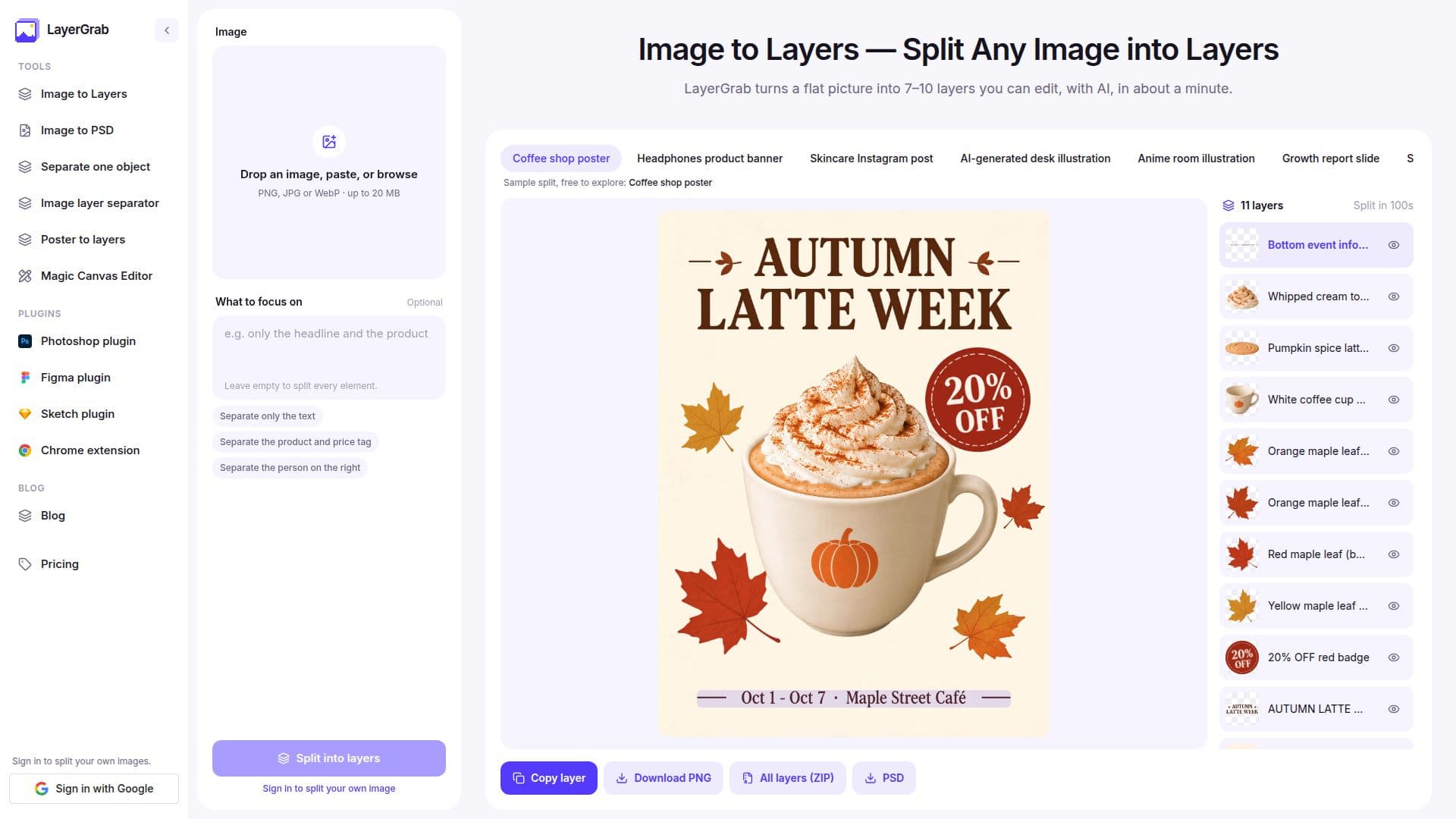
LayerGrab is an innovative tool designed to transform flat images into editable layers using advanced AI technology. This tool is particularly useful for designers, marketers, and small businesses that work with images they did not originally create, such as stock graphics, client assets, or competitor ads. By splitting an image into up to 16 separate transparent layers, LayerGrab allows users to isolate and manipulate individual elements within an image, such as text, products, and graphics.
Read More
The process is straightforward: users upload an image to LayerGrab, and within 60 to 100 seconds, the tool returns each main element as a transparent layer with the background filled in. This enables users to copy a single layer, download it as a PNG, or export the entire stack as a ZIP or a Photoshop file. LayerGrab supports integration with popular design tools like Photoshop, Figma, Sketch, and Chrome, allowing seamless workflow across platforms.
LayerGrab offers a flexible pricing model, starting at $12 per month for about 120 layers. Users can also purchase one-time credit packs starting at $20. Each layer returned by the AI costs credits, and the filled background counts as one layer. The tool provides a free trial, allowing every account one free split of its own image, with all layers downloadable as PNG, ZIP, or PSD.
While LayerGrab excels in splitting designed images such as posters, product banners, and social graphics, it may not perform as well with busy real-world photos with overlapping objects. Additionally, text layers are returned as images, not editable text, requiring users to set new text over the clean background if needed.
Overall, LayerGrab is a valuable tool for anyone needing to extract or manipulate elements from images quickly and efficiently, without the need for original layered source files.
- CategoryAI Photo Editors
- Pricing ModelSubscription
- DeploymentCloud
- PlatformsWeb, Photoshop, Figma, Sketch, Chrome
LayerGrab's Core Features
Splits images into editable layers
Exports layers as PNG, ZIP, or PSD
Integrates with Photoshop, Figma, Sketch, and Chrome
Supports up to 16 layers per image
Offers free trial with one free split
Pricing starts at $12 per month
Uses credits for each layer returned
Background is filled in behind layers
How to use LayerGrab?
Upload an image: Drop, paste, or pick a PNG, JPG, or WebP
AI does the splitting: Returns layers in 60–100 seconds
Pick a layer: Each layer has a readable English name
Grab or export: Copy a layer or export as ZIP or PSD
LayerGrab's Use Cases
- Design Editing
- Marketing Graphics
- Social Media
- AI Image Editing
- Poster Customization