Description
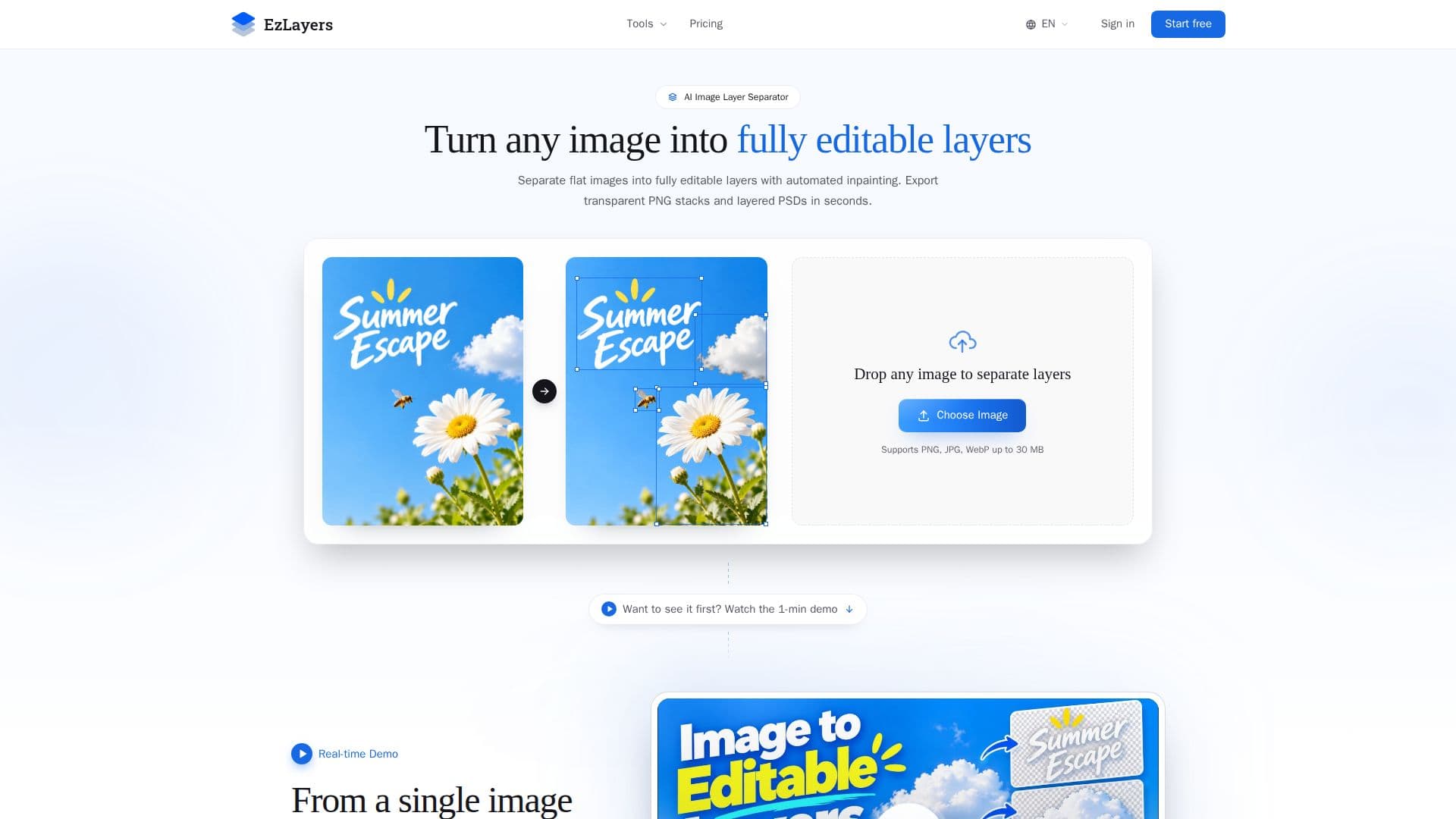
EzLayers is an innovative tool designed to transform flat images into fully editable layers. Utilizing advanced AI capabilities, it separates images into up to 16 independent layers, reconstructing occluded backgrounds and shadows to ensure each layer is fully usable. This process is facilitated by the Amodal vision engine, which inpaints hidden textures and lighting, allowing users to move, resize, or replace elements without revealing void holes.
Read More
EzLayers offers a user-friendly experience with its Web Canvas, where users can adjust layer hierarchies and re-inpaint as needed. The tool supports exporting in various formats, including transparent PNG stacks, layered PSDs, and vector SVGs, making it compatible with popular design tools like Photoshop, Illustrator, and Figma.
The platform provides a free tier with 20 credits upon signup, allowing users to perform one complete separation at the free ceiling of 4 layers without requiring a credit card. Paid plans offer enhanced features such as up to 16-layer depth, priority GPU queues, and lossless 2K output resolution.
EzLayers is ideal for graphic designers, illustrators, e-commerce and marketing teams, print shops, and content creators who require precise layer separation and background reconstruction. The tool ensures privacy and security, processing uploads in sandboxed isolation and never using them to train public AI models.
Overall, EzLayers offers a comprehensive solution for those looking to enhance their design workflow by turning flat images into editable assets, ready for professional production.
- CategoryAI Photo Editors
- Pricing ModelFreemium
- DeploymentCloud
- PlatformsWeb
EzLayers's Core Features
AI layer separation
Amodal background inpainting
Up to 16 layers per image
Transparent PNG and PSD export
Web Canvas for layer editing
Free tier with 20 credits
Privacy and security ensured
Supports Photoshop, Illustrator, Figma
How to use EzLayers?
Upload: Drop in any JPG, PNG, or WebP image
AI Separation: AI splits image into layers and inpaints background
Edit: Adjust layers in the Web Canvas
Export: Download as PNG stacks or PSDs
EzLayers's Use Cases
- Graphic Design
- E-commerce
- Print Shops
- Content Creation
- Illustration