Description
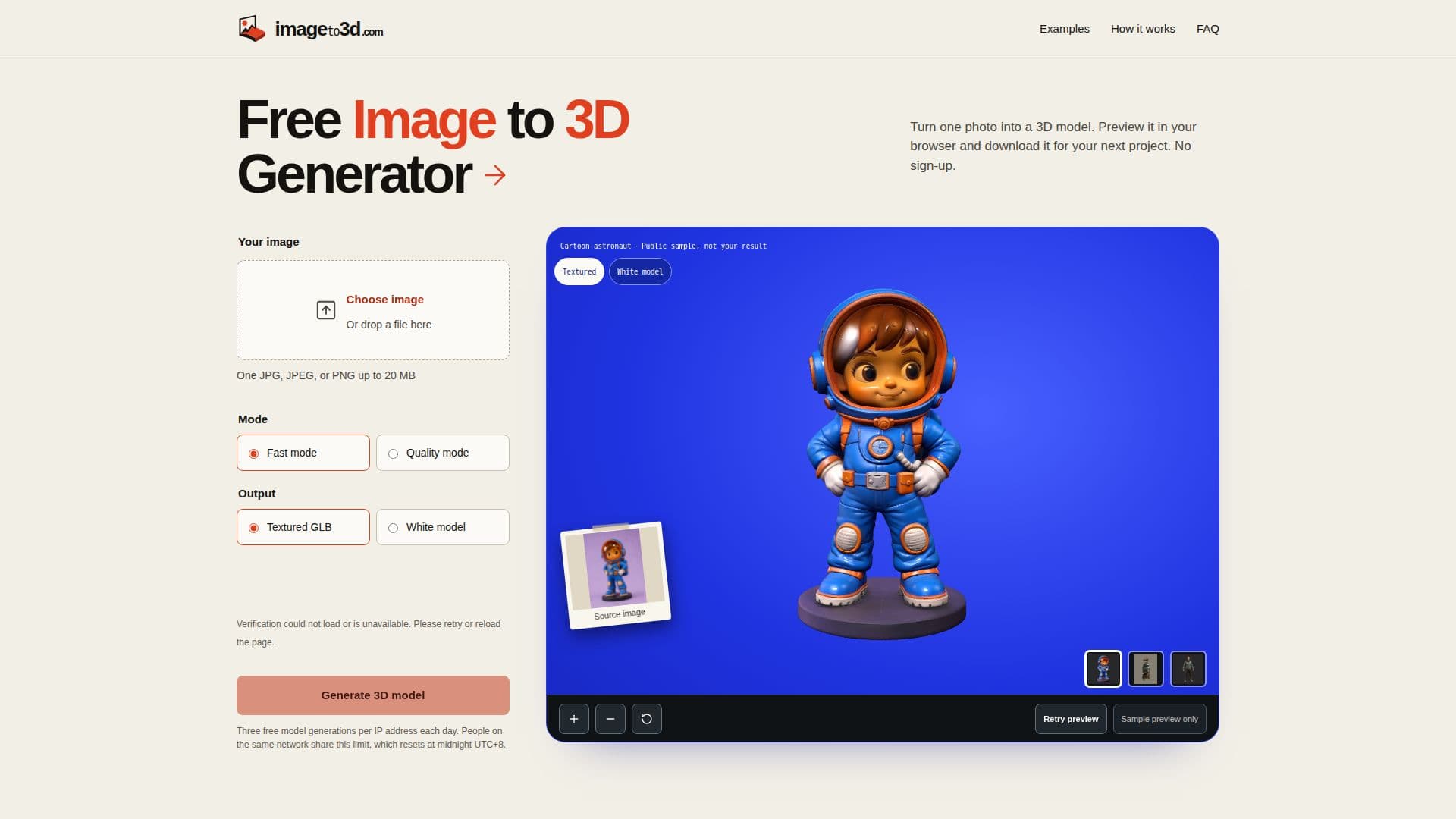
Image to 3D provides a straightforward solution for transforming 2D images into 3D models. This web-based tool allows users to upload a single JPG, JPEG, or PNG photo, up to 20 MB in size, and generate a corresponding 3D model without needing to sign up or install any software. The process is designed to be intuitive, enabling users to quickly convert their images and integrate the resulting 3D assets into various projects.
Read More
The platform offers two primary modes for generation: Fast mode and Quality mode. Fast mode is the default and is suitable for creating lower-polygon models, such as game props or characters, and for real-time applications. Quality mode, on the other hand, is designed for higher-precision surfaces, complex details, production close-ups, and preparing models for 3D printing. Users can also choose between a Textured GLB output, which includes color and texture maps derived from the original photo, and a White model, which provides geometry only without texture maps.
After generation, users can interactively preview their 3D model directly in the browser, rotating and zooming to inspect the shape and texture from any angle. The tool infers hidden sides of the object that were not visible in the original photograph, providing a plausible completion of the form. Models can be downloaded as GLB files, and if other formats like GLTF, FBX, USDZ, OBJ, STL, or 3MF are available for conversion, users can select them without needing to regenerate the model.
Image to 3D is particularly useful for applications such as game prop creation, 3D printing, and product visualization. For 3D printing, it's important to check the model's scale, watertightness, and wall thickness in a slicer before printing, as STL and 3MF files omit texture maps. The service offers three free model generations per IP address each day, with the limit resetting at midnight UTC+8. The website also provides guides on choosing export formats and understanding 3D model components like meshes, geometry, and textures.
- Category3D Model Generators
- Pricing ModelFreemium
- DeploymentCloud
- PlatformsWeb
Image to 3D's Core Features
Generate 3D models from single JPG, JPEG, or PNG photos
No sign-up required for free usage
In-browser 3D model preview with rotation and zoom
Download 3D models in GLB format
Choice between Fast mode and Quality mode for generation
Option for Textured GLB (geometry + texture maps) or White model (geometry only)
Supports image uploads up to 20 MB
Infers hidden surfaces of objects from a single image
Provides guidance on optimizing source images for better results
Offers conversion to other 3D formats like GLTF, FBX, USDZ, OBJ, STL, and 3MF
Daily limit of three free model generations per IP address
Suitable for game props, 3D printing, and product visualization
Interactive 3D sample available for demonstration
Resizes large images automatically before upload
How to use Image to 3D?
Upload Image: Select one JPG, JPEG, or PNG photo (up to 20 MB) from your device.
Choose Mode and Output: Pick between Fast mode and Quality mode, and select either Textured GLB or White model.
Generate Model: Initiate the generation process to convert your 2D image into a 3D model.
Preview Result: Rotate and zoom the generated 3D model directly in your browser to inspect it.
Download Model: Save the original GLB file or choose another available export format.
Image to 3D's Use Cases
- Game Prop Creation
- 3D Printing Miniatures
- Product Visualization
- Concept Art to 3D
- Architectural Visualization
- Digital Asset Creation
- Sketch to 3D Model
- Educational Content