Description
iGen3D is an advanced AI 3D asset generator designed to convert text prompts and reference images into production-ready 3D meshes with PBR materials. This tool simplifies the 3D modeling process, allowing users to create diverse 3D assets such as objects, characters, animals, and products without requiring extensive 3D modeling experience.
Read More
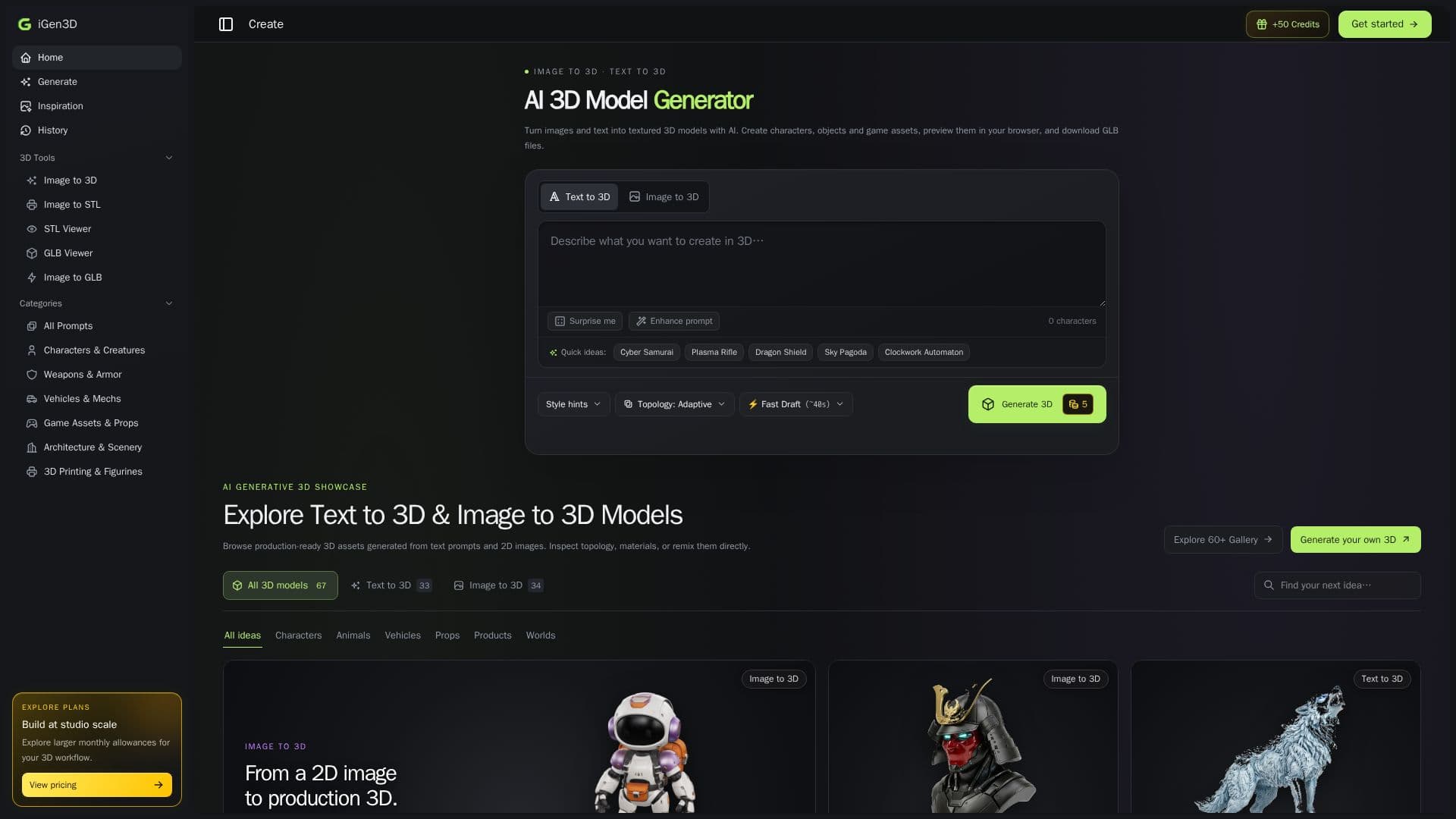
The platform offers two primary generation methods: Image to 3D and Text to 3D. For Image to 3D, users can upload JPG, PNG, or WebP images up to 10 MB, optionally adding a description to guide the AI's focus. For Text to 3D, users describe the desired shape, materials, and style of their model. The generation process is designed to be quick, with models often created in approximately 60 seconds, though actual time may vary based on service demand and input complexity.
Once a model is generated, users can inspect it instantly within their browser using an interactive 3D viewer, allowing for rotation and zooming to check silhouette, surface, and details. Models are downloadable as GLB files, which are compatible with various 3D software like Blender, and can be further refined for specific applications such as games, animations, or 3D printing. The platform also supports generating watertight STL files for 3D printing and textured GLB files for game development.
iGen3D provides a credit-based system for generations. New accounts receive 100 signup credits, with standard 3D generation costing 25 credits. Failed generations are automatically refunded. The platform offers different subscription plans—Starter, Pro, and Studio—each providing a monthly allowance of credits and additional features like high-priority queues, concurrent generations, private generations, 4K high-resolution textures, PBR maps, and commercial licenses. The Studio plan includes a dedicated compute cluster and early access to new AI engines, catering to high-volume production needs.
The tool is engineered for various applications, including games, WebGL, and 3D printing. It can reconstruct watertight 360° models from multiple camera angles and export clean, quad-dominant retopologized meshes suitable for production pipelines. iGen3D aims to be a starting point for creative workflows, enabling users to bring their imagination to life in three dimensions, from initial concept to final downloadable asset.
- Category3D Model Generators
- Pricing ModelFreemium
- DeploymentCloud
- PlatformsWeb
iGen3D's Core Features
Image to 3D generation from JPG, PNG, WebP images (up to 10 MB)
Text to 3D generation from descriptive prompts
Instant in-browser 3D preview and inspection
Downloadable GLB files for compatibility with 3D software
Generation of watertight STL files for 3D printing
Generation of textured GLB files for games and WebGL
Credit-based generation system with automatic refunds for failed jobs
Commercial license included with all plans
High-priority and top-priority queues for faster generation (Pro and Studio plans)
Concurrent generation capabilities (up to 10 with Studio plan)
Private generations (Pro and Studio plans)
4K high-resolution textures and PBR maps (Pro and Studio plans)
Batch generation and early access to new AI engines (Studio plan)
Dedicated customer support and priority pipeline (Studio plan)
No 3D modeling experience required to start
How to use iGen3D?
Describe or Show: Write a text prompt describing the shape, materials, and style, or upload a reference image (JPG, PNG, WebP up to 10 MB) for Image to 3D.
Guide the AI: Add a description to specify focus areas or important material/shape details, especially when using a reference image.
Generate Model: Initiate the generation process, observing progress in the workspace.
Inspect Result: Use the in-browser 3D viewer to rotate and zoom, checking the model's silhouette, surface, and details.
Download and Refine: Download the generated model as a GLB file and open it in 3D software like Blender for further refinement, rigging, or print preparation.
iGen3D's Use Cases
- Character Design
- Object Creation
- Game Asset Development
- 3D Printing
- Architectural Visualization
- Product Prototyping
- Concept Art to 3D
- Web 3D Content