Description
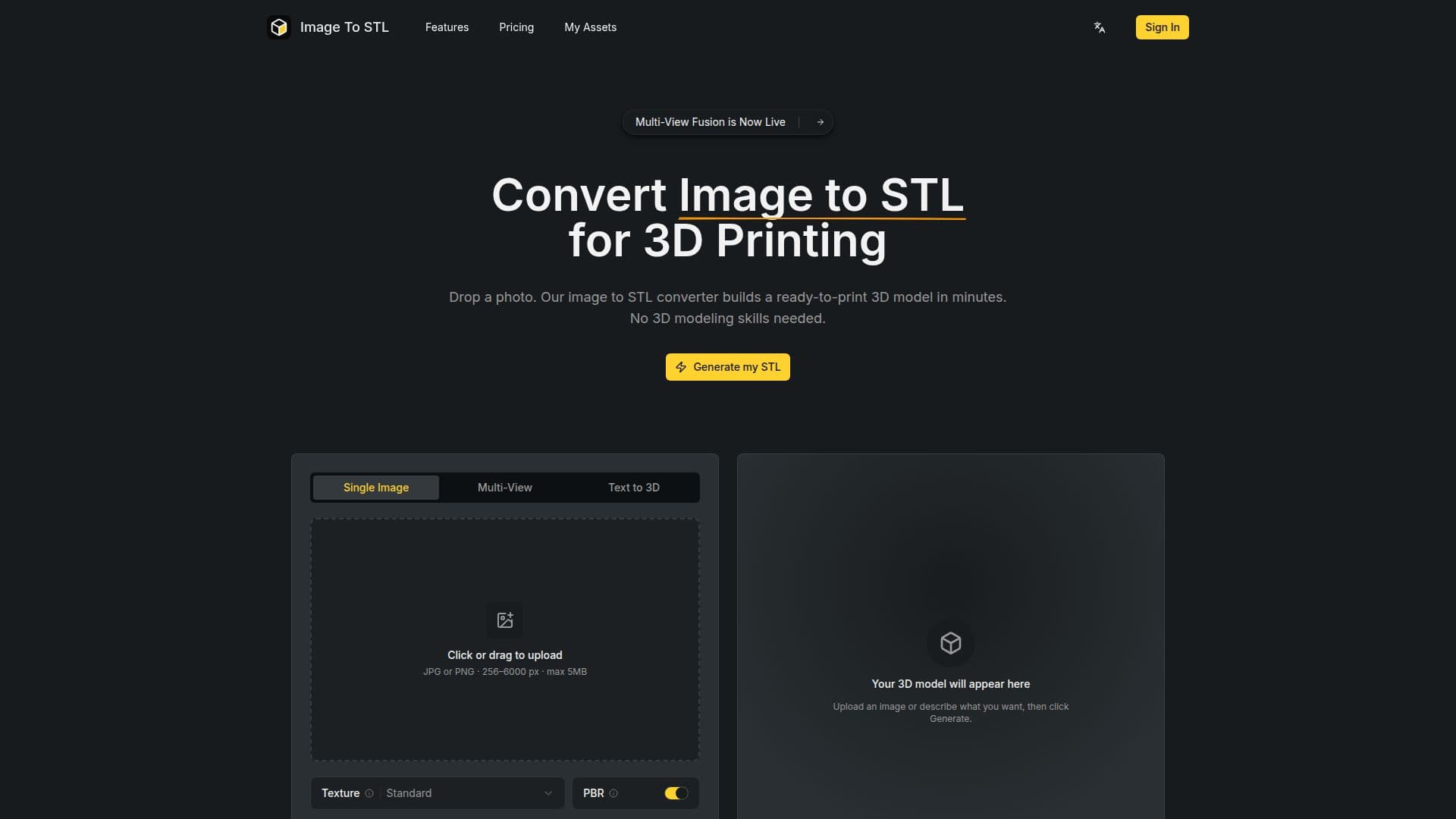
The Image to STL Converter is an online tool designed to transform 2D images into 3D printable STL files quickly and efficiently. Utilizing advanced AI technology, this converter allows users to upload JPG or PNG images and receive a ready-to-print 3D model in just minutes. This eliminates the need for extensive 3D modeling skills, making it accessible for everyone, from hobbyists to professionals.
Read More
To use the Image to STL Converter, simply drop a photo into the uploader. The tool can handle images ranging from 256 to 6000 pixels and up to 5MB in size. For more complex subjects, users can upload multiple angles of the same object, allowing the converter to create a more accurate 3D model. The process is straightforward: upload your image, optionally select a texture, preview the model in 3D, and download the final STL or GLB file.
One of the standout features of this converter is its commitment to detail. Unlike many other tools that produce blocky or simplified meshes, the Image to STL Converter outputs models with full detail by default, ensuring that contours and surface lines are preserved. Additionally, all uploads and generated files remain private, tied to the user's account, and are not shared publicly or used for training purposes.
The tool is particularly beneficial for various creators, including 3D printing hobbyists who want to quickly turn their ideas into physical objects, product designers needing rapid prototypes, and educators looking to provide tangible learning experiences. With paid plans offering full commercial rights, users can utilize their generated models for client work or products they sell. Overall, the Image to STL Converter streamlines the 3D modeling process, making it faster and more accessible than traditional methods.
- Category3D Model Generators
- Pricing ModelSubscription
- DeploymentWeb
- PlatformsBrowser
Image to STL Converter's Core Features
AI-powered conversion
Supports JPG and PNG formats
Multi-angle support
Full detail output by default
Private file handling
Commercial use rights on paid plans
In-browser 3D preview
Fast processing times
How to use Image to STL Converter?
Upload your image: Drag and drop a JPG or PNG file into the uploader.
Select texture (optional): Choose to add Standard or HD color texture for the 3D preview.
Preview in 3D: Use the in-browser viewer to inspect your model from different angles.
Download your STL: Save the finished STL or GLB file directly from your browser.
Image to STL Converter's Use Cases
- 3D Printing Hobbyists
- Product Designers
- Game Developers
- Educators
- Gift Creation