
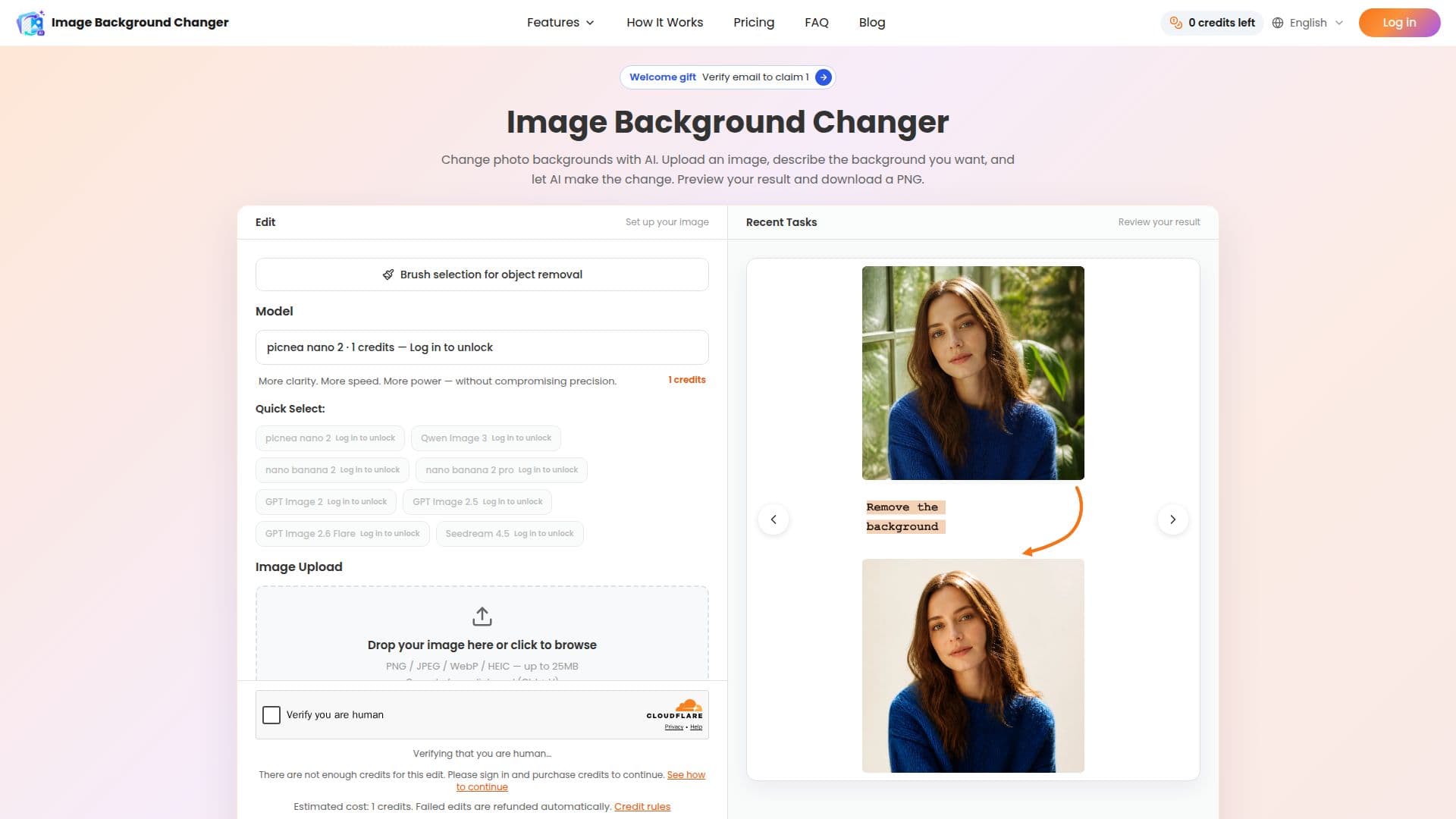
Description
Image Background Changer provides an intuitive online platform for AI-powered photo editing, enabling users to effortlessly modify image backgrounds, remove unwanted objects, and enhance photo quality. The service is designed to be accessible directly in a web browser, eliminating the need for desktop editing software installations.
Read More
Users begin by uploading an image in formats such as PNG, JPEG, WebP, or HEIC, with a maximum file size of 25MB. Once uploaded, they can describe the desired background change using natural language prompts. The AI then processes the request, applying edits to replace or remove backgrounds, or even restyle the entire image. For object removal, users can either describe the object via text prompt or use a brush selection tool to mark the area for the AI to reconstruct.
The platform also offers image enhancement capabilities, allowing users to upscale photos to 1K, 2K, or 4K resolution, depending on the selected AI model and account status. This feature is particularly useful for improving the clarity and detail of images for various applications. Additionally, users can adjust the visual style of their images by describing artistic directions like anime, oil painting, watercolor, or pixel art, providing a wide range of creative possibilities.
Image Background Changer is suitable for a diverse audience, including individuals creating product photos for e-commerce, social media managers preparing posts for platforms like Instagram and TikTok, and anyone looking to enhance personal photos or marketing assets. The service emphasizes transparency in its credit system and processing status, showing estimated costs before each edit and automatically refunding credits for failed tasks. While it supports a wide array of editing functions, the current version does not offer 8K output, multi-image batch processing, or team collaboration features.
- CategoryAI Photo Editors
- Pricing ModelFreemium
- DeploymentCloud
- PlatformsWeb
Image Background Changer's Core Features
AI Background Editing: Describe subject to keep and desired background
AI Object Removal: Describe object or use brush/rectangle selection
AI Restyling: Describe visual direction (e.g., anime, oil painting)
Image Enhancement: Upscale to 1K, 2K, or 4K resolution
Natural Language Prompts: Edit images using text descriptions
Online Preview: Review edited results before downloading
PNG Download: Save final images with transparency support
Multi-format Upload: Supports PNG, JPEG, WebP, HEIC up to 25MB
Credit-based System: Pay-per-edit with automatic refunds for failed tasks
Responsive Design: Works on desktop, tablet, and mobile browsers
Transparent Image Handling: Clear policies on data processing and retention
Subscription Plans: Starter, Pro, and Enterprise monthly options
One-time Credit Packs: Purchase credits as needed
No Watermarks: Edited results do not include watermarks
Email Support: Public support email available
How to use Image Background Changer?
Upload Image: Drag and drop, click to browse, or paste your photo (PNG, JPEG, WebP, HEIC up to 25MB).
Choose AI Tool: Select a preset for background, enhancement, or restyling, or enable brush selection for object removal.
Describe Changes: Use text prompts to describe the desired background, object to remove, or visual style.
Review Cost: Check the estimated credit cost for the edit before submission.
Process Image: Let the AI process your image based on your inputs.
Preview Result: View the edited image online to ensure satisfaction.
Download & Share: Download the final edited image as a PNG file.
Image Background Changer's Use Cases
- Product Photo Editing
- Social Media Content Creation
- Personal Photo Enhancement
- Marketing Asset Generation
- Image Background Replacement
- Object Removal from Photos
- Image Resolution Upscaling
- Artistic Image Restyling