
Description
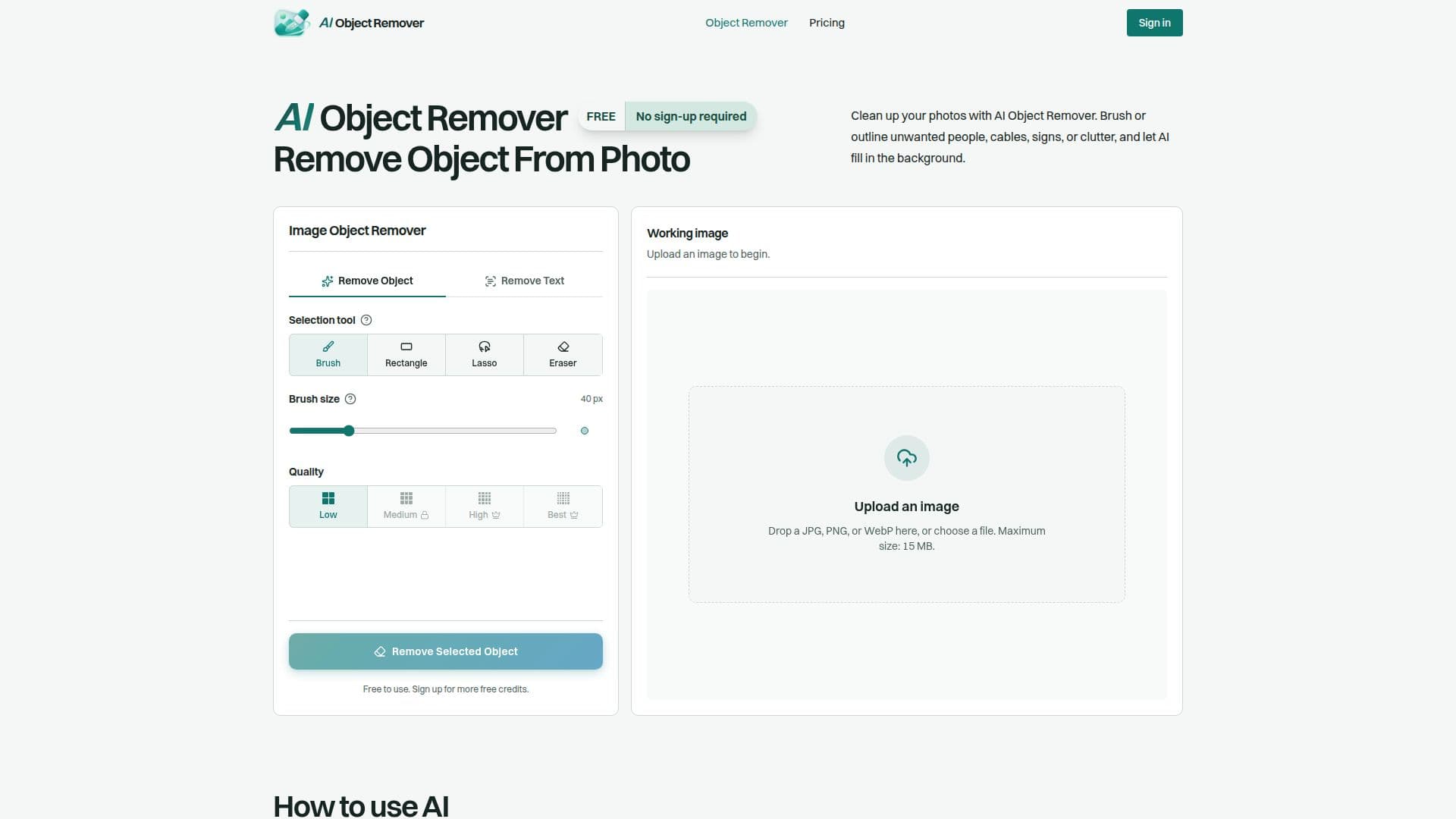
AI Object Remover provides an intuitive online platform for enhancing photos by seamlessly removing unwanted elements. Whether it's a photobomber, distracting clutter, power lines, or text, the tool allows users to precisely select areas for removal. The AI then intelligently reconstructs the background, ensuring a clean and natural-looking result.
Read More
The process is simple: users upload an image (JPG, PNG, or WebP up to 15 MB), then choose from selection tools like Brush, Rectangle, or Lasso to mark the unwanted content. An Eraser tool is available to refine selections. For text, a dedicated "Remove Text" mode automatically clears all detected labels or date stamps. After selection, users initiate the removal process, and the AI fills the marked area using surrounding image data.
A key feature is the "Compare" slider, enabling users to instantly view the edited image against the original, facilitating refinement. Users can continue editing from the latest result or reset to the original upload. The platform also offers tips for achieving cleaner results, such as using a narrow brush for intricate edges and ensuring all parts of a distraction (like shadows) are included in the selection.
AI Object Remover offers a free tier for initial use without an account, including two removals. Signing up provides free credits and access to Medium quality removal, while paid credit packs unlock High and Best quality options, along with features like private generation, watermark-free images, commercial use, and priority processing. Credits have a validity period, and various pack sizes are available to suit different usage needs.
- CategoryAI Photo Editors
- Pricing ModelFreemium
- DeploymentCloud
- PlatformsWeb
AI Object Remover's Core Features
Remove unwanted objects from photos
Erase people from images
Clear cables and power lines
Automatic text removal mode
Brush, Rectangle, and Lasso selection tools
Eraser tool for selection refinement
Compare edited image with original
Continue editing from latest result
Reset to original upload
Supports JPG, PNG, and WebP image formats
Maximum image size up to 15 MB
Multiple quality levels (Medium, High, Best)
Private generation for paid users
Watermark-free images for paid users
Commercial use included with credit packs
How to use AI Object Remover?
Upload Photo: Choose a JPG, PNG, or WebP image up to 15 MB, or drag it into the editor.
Mark What to Remove: Use Brush, Rectangle, or Lasso to select unwanted areas; use Eraser to refine.
Remove Object or Text: Select a quality level and click "Remove Selected Object" or switch to "Remove Text" mode.
Compare and Refine: Use the "Compare" slider to check the edit against the original, then continue editing or download.
AI Object Remover's Use Cases
- Remove Photobombers
- Clean Product Photos
- Enhance Landscape Photography
- Erase Date Stamps
- Tidy Up Room Photos
- Remove Unwanted Text
- Refine Social Media Content
- Prepare Listing Photos