Description
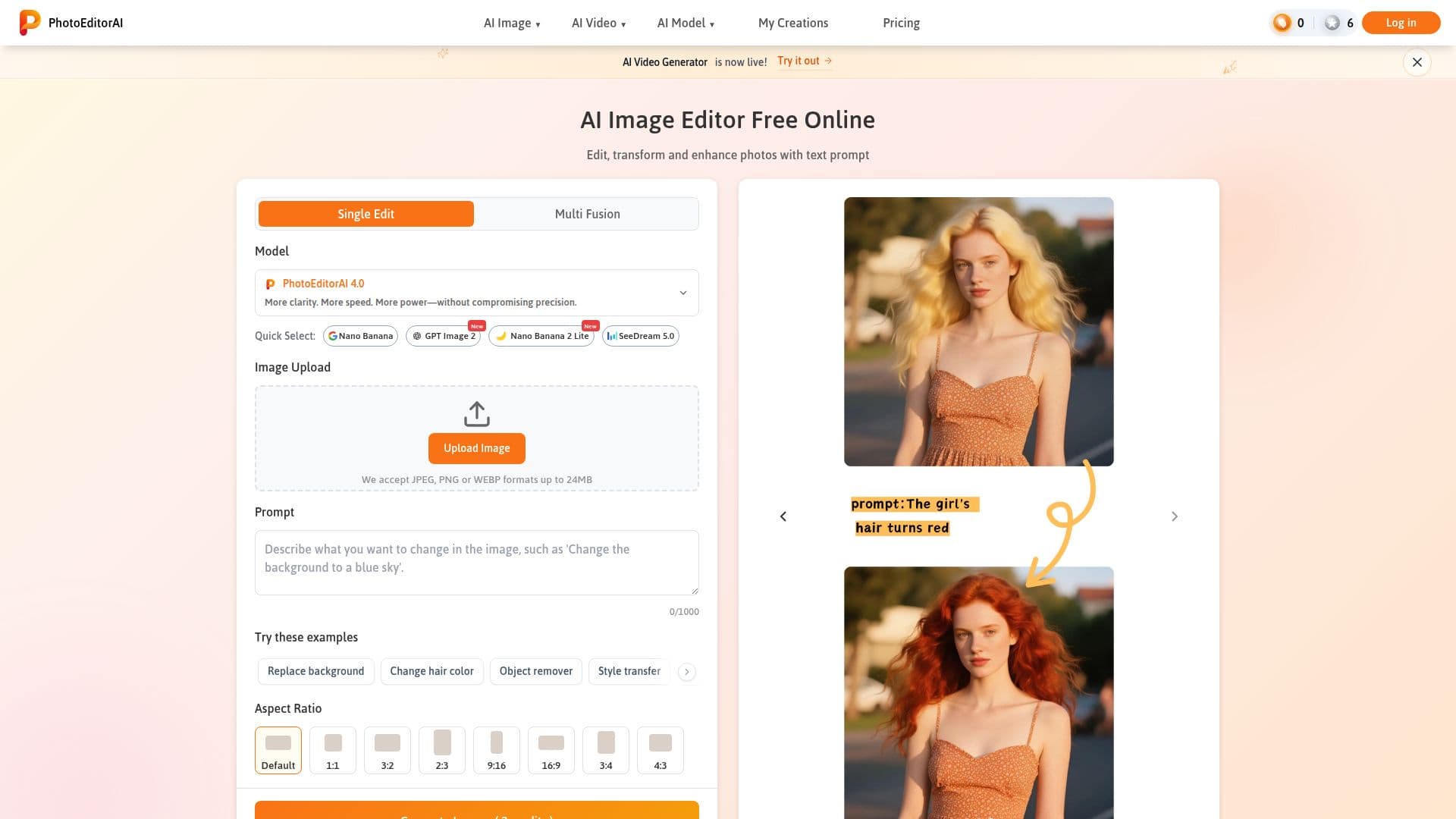
PhotoEditorAI is a versatile online photo editing tool that leverages advanced AI models to provide users with a comprehensive suite of editing capabilities. Designed for both professional and personal use, it allows users to edit, transform, and enhance photos using simple text prompts. The tool supports popular image formats such as JPEG, PNG, and WEBP, with a maximum file size of 24MB.
Read More
One of the standout features of PhotoEditorAI is its ability to maintain character consistency across different poses, outfits, or backgrounds, making it ideal for storytelling and branding projects. The tool also offers precision editing, allowing users to make detailed adjustments to specific areas of an image, such as eyes, skies, logos, and backgrounds, without altering the rest of the image. Additionally, users can upscale images for larger displays and sharpen details for professional use.
PhotoEditorAI also excels in typography integration, seamlessly blending text, captions, or watermarks into photos. This feature is particularly useful for creating high-impact social media and e-commerce visuals. The tool's style transfer capability allows users to upload a reference image and recreate their photo with matching colors, textures, and artistic tones, preserving important details.
Background replacement is another key feature, enabling users to easily replace or remove photo backgrounds to create the perfect scene for products, portraits, or social media posts. This functionality is especially beneficial for e-commerce and online stores, where professional sellers can enhance product listings by removing cluttered backgrounds and ensuring color accuracy.
PhotoEditorAI offers a freemium pricing model, with options to purchase credits for faster processing and superior quality. Users can choose from various credit packages, with prices decreasing as the number of credits increases. The tool is accessible directly from the browser, requiring no sign-up or registration, and ensures data security with end-to-end encryption during upload and processing.
- CategoryAI Photo Editors
- Pricing ModelFreemium
- DeploymentCloud
- PlatformsWeb
PhotoEditorAI's Core Features
Text prompt-based editing
Supports JPEG, PNG, WEBP formats
Character consistency maintenance
Precision editing for specific areas
Typography integration
Style transfer capabilities
Background replacement
Freemium pricing model
How to use PhotoEditorAI?
Select Model: Choose the best AI photo editor model for your project.
Upload Image: Upload your image in JPEG, PNG, or WEBP format.
Input Instructions: Describe your vision using simple text prompts.
Generate & Download: Click 'Generate' to transform and download your photo.
PhotoEditorAI's Use Cases
- E-commerce Enhancement
- Social Media Content
- Professional Marketing
- Photography Retouching
- Creative Design