Description
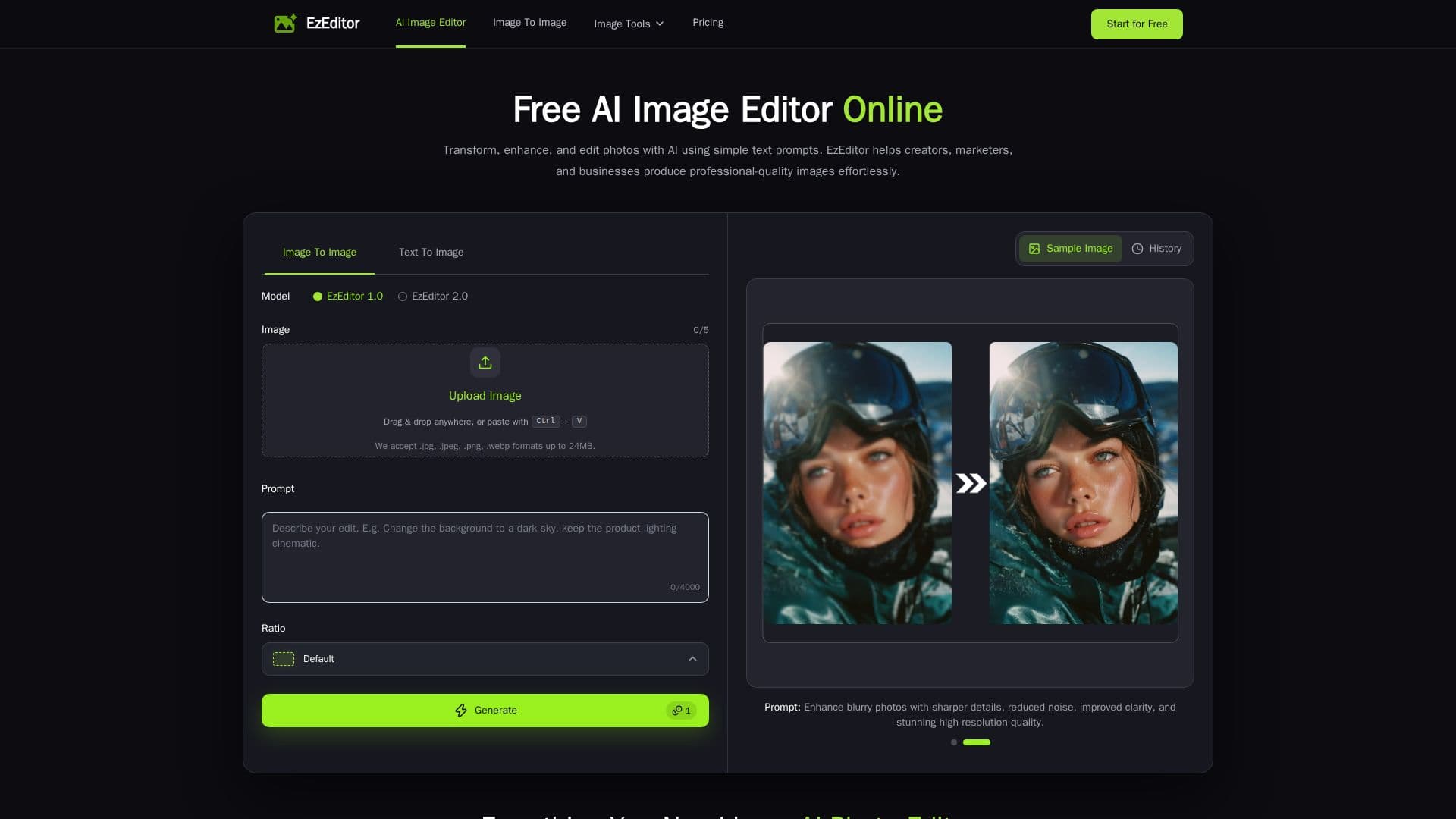
EzEditor is a free AI image editor designed to transform images quickly and effortlessly using text prompts. This innovative tool allows users to upload images in various formats, including JPG, PNG, and WEBP, and edit them without the need for complex software or manual adjustments.
Read More
The editing process is straightforward: users simply upload their images, describe the desired changes using natural language prompts, and select the output aspect ratio. EzEditor’s AI engine processes the images securely, ensuring that user privacy is prioritized throughout the editing session. The results are generated in high resolution, allowing for crisp details and vibrant colors, making them suitable for social media, e-commerce, and professional projects.
EzEditor features a multi-model AI engine that enables users to switch between different AI models to achieve the best results for various image styles and tasks. Users can apply style transfers, blend multiple visual elements, and create artistic transformations seamlessly. The tool also supports batch processing, allowing users to apply the same editing settings to multiple images at once, saving time on repetitive tasks.
With no sign-up required, EzEditor is accessible to anyone looking to enhance their images quickly. Users receive five free credits daily, which refresh automatically, enabling continuous editing without any cost. The platform is particularly beneficial for creators, designers, marketers, and anyone who needs to produce professional-quality images rapidly. EzEditor has received positive feedback from users who appreciate its efficiency and ease of use, making it a valuable addition to any creative workflow.
- CategoryAI Photo Editors
- Pricing ModelFreemium
- DeploymentCloud
- PlatformsWeb
EzEditor's Core Features
Multi-Model AI Engine
Style Transfer & Blending
Privacy Protection
Fast AI Generation
High-Resolution Output
Watermark-Free Downloads
Batch Processing
No Signup Required
How to use EzEditor?
Upload Your Image: Upload a JPG, PNG, WEBP, or JPEG image from your device to start editing.
Customize Your Edit: Describe your desired changes with a text prompt and choose the output aspect ratio.
Refine or Download: Generate your AI-edited image instantly or keep refining it with new prompts.
Start Editing: Begin your first AI-powered edit in under 30 seconds.
EzEditor's Use Cases
- E-commerce Product Photos
- Social Media Content
- Marketing Visuals
- Concept Art
- Graphic Design