Description
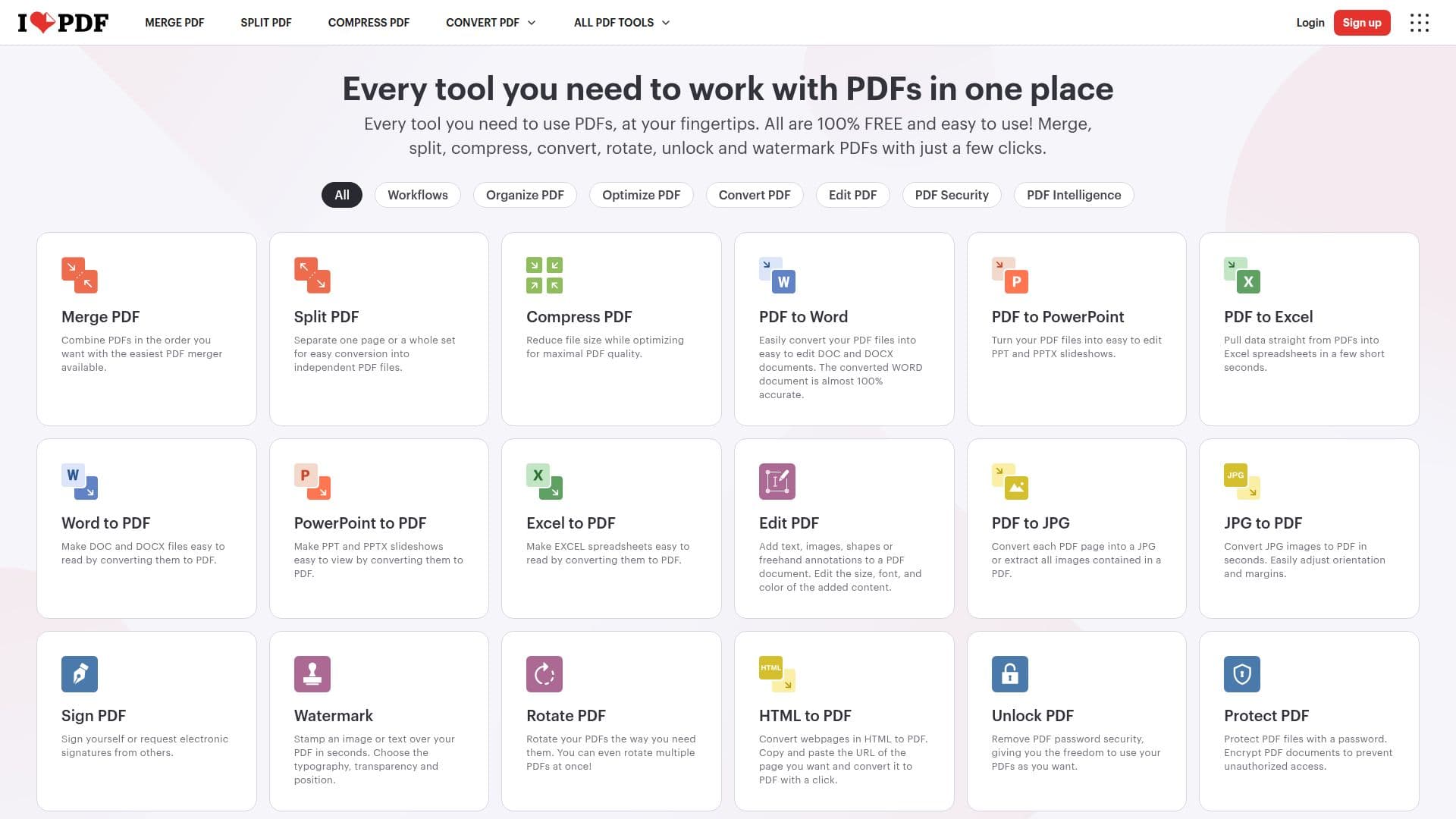
iLovePDF is an online platform designed to simplify the management of PDF files. Since its inception in 2010, iLovePDF has been providing users with a comprehensive suite of tools to handle PDFs with ease. The platform offers a wide range of functionalities, including merging, splitting, compressing, converting, and editing PDFs. Users can convert PDFs to Word, PowerPoint, Excel, and even image formats like JPG. Additionally, iLovePDF supports converting office documents back to PDF, ensuring seamless document handling.
The platform is known for its user-friendly interface, making it accessible even to those who are not tech-savvy. iLovePDF is available across multiple platforms, including web, mobile, and desktop, allowing users to work from anywhere. The service is integrated with cloud storage solutions like Google Drive and Dropbox, enabling easy file management and storage.
iLovePDF offers three types of accounts: Non-Registered, Registered, and Premium. The Premium account provides full access to all tools, unlimited document processing, and additional features such as digital signatures and workflows. The platform also supports batch processing, allowing users to handle multiple files simultaneously, thus saving time and effort.
Security is a top priority for iLovePDF, with features like password protection and encryption available to safeguard documents. The platform also offers tools for organizing, watermarking, and protecting PDFs. iLovePDF's AI-powered features, such as the AI Summarizer and Translate PDF, enhance document processing capabilities.
Overall, iLovePDF is a reliable and efficient solution for individuals and businesses looking to manage their PDF documents effectively. Its wide range of tools and features cater to various document management needs, making it a valuable resource for users worldwide.
iLovePDF's Core Features
Merge PDFs easily
Split PDFs into separate files
Compress PDFs to reduce file size
Convert PDFs to Word, PowerPoint, Excel
Edit PDFs by adding text and images
Sign PDFs electronically
Watermark PDFs with text or images
Rotate and organize PDF pages
Convert HTML to PDF
Unlock and protect PDFs with passwords
Repair damaged PDFs
Add page numbers to PDFs
OCR for scanned PDFs
Translate PDFs with AI
Create and manage workflows
How to use iLovePDF?
Access: Visit iLovePDF website
Select Tool: Choose the desired PDF tool
Upload: Add your PDF file
Process: Apply the selected action
Download: Save the processed file
iLovePDF's Use Cases
- Document Merging
- File Compression
- Format Conversion
- PDF Editing
- Digital Signing
- PDF Protection
- Batch Processing
- Workflow Automation
- OCR Scanning
- PDF Translation