Description
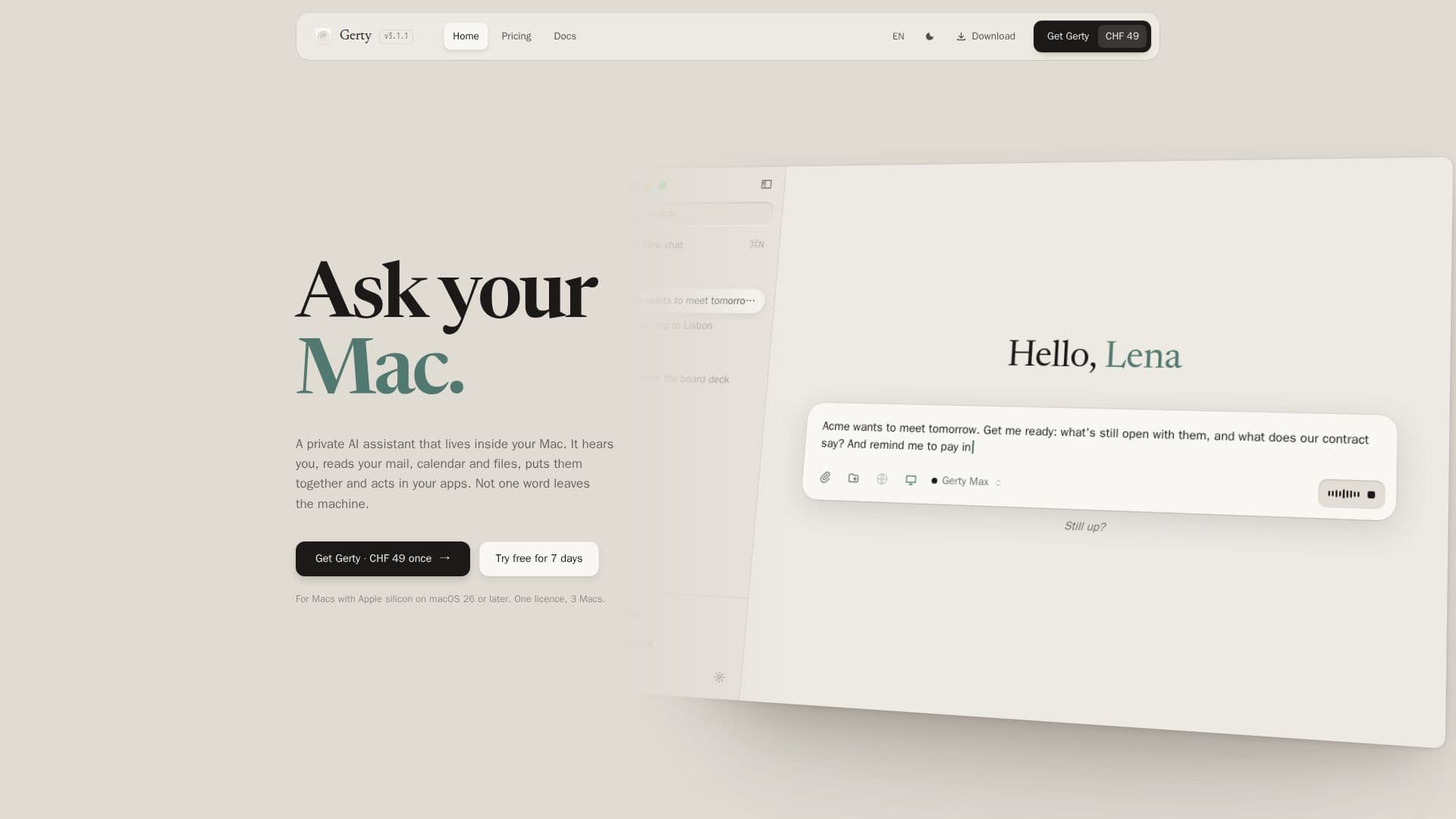
Gerty is a private AI assistant designed specifically for Mac users, offering a unique alternative to cloud-based AI solutions like ChatGPT. It operates entirely on Apple silicon, ensuring that all data and interactions remain on the user's device, thus prioritizing privacy and security. Gerty supports a range of open language models, including Gemma, Qwen, Llama, and Mistral, which are optimized to run efficiently on Macs with Apple silicon.
Read More
One of the standout features of Gerty is its ability to function offline, eliminating the need for an internet connection for most tasks. This includes chatting, managing documents, and using voice commands. The AI can answer questions by analyzing documents, including scans and photos, and it can modify PDFs while preserving their layout. Additionally, Gerty integrates seamlessly with native Mac applications such as Mail, Calendar, Reminders, Contacts, Notes, and Safari.
Gerty also offers a voice assistant feature that operates from the Mac's notch, supporting local neural voices in 31 languages. This allows users to interact with their Mac using voice commands, enhancing accessibility and convenience. Furthermore, Gerty provides a local API compatible with OpenAI and Anthropic, enabling developers to integrate AI capabilities into their coding tools.
The pricing model for Gerty is straightforward, with a one-time purchase fee of CHF 49. This includes a lifetime license with free updates, allowing users to install Gerty on up to three Macs simultaneously. A free 7-day trial is available, and users have a 14-day refund window after purchase.
Gerty is ideal for users who prioritize privacy and wish to keep their data secure on their own devices. It is particularly suitable for professionals handling confidential information, as it eliminates the risk of data being transferred to third-party servers. The tool is compatible with Macs running macOS 26 or newer and requires Apple silicon (M1 or later) to operate.
- CategoryAI Personal Assistants
- Pricing ModelOne-time fee
- DeploymentLocal
- PlatformsmacOS
Gerty's Core Features
Runs open language models locally
Works offline without cloud dependency
Integrates with Mac applications
Voice assistant with local neural voices
Local image generation
Local API for coding tools
One-time purchase fee
Lifetime license with free updates
How to use Gerty?
Install: Download and install Gerty on your Mac
Configure: Choose a model package that suits your needs
Use: Interact with Gerty through chat, voice, and document management
Optimize: Adjust settings for offline use and privacy preferences
Gerty's Use Cases
- Private Document Management
- Voice Assistance
- Offline AI Interaction
- Coding Tool Integration
- Confidential Data Handling