Description
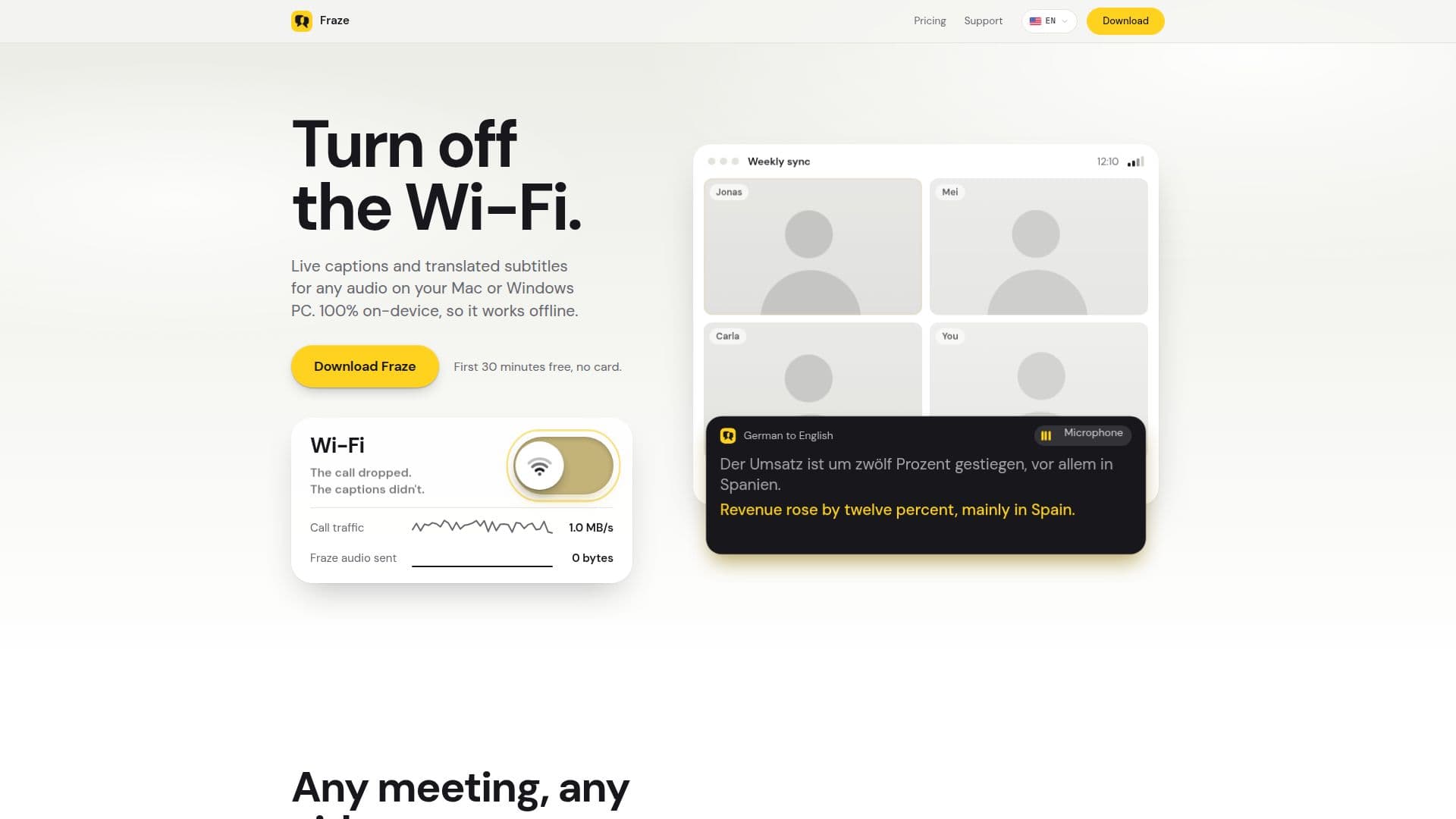
Fraze is a desktop application designed for Mac and Windows PCs that offers live transcription and translated subtitles for any audio playing on your computer. This includes popular communication platforms like Zoom, Microsoft Teams, and Google Meet, as well as videos and live streams. A key differentiator of Fraze is its commitment to privacy and offline functionality: all speech recognition and translation processes run entirely on your device. This means no audio data is ever sent to cloud services, ensuring your conversations and content remain private.
Read More
The application captures system audio or microphone input, displaying live captions with translated subtitles in a small, floating window that can overlay your calls or videos. This on-device processing allows Fraze to function even without an internet connection once the necessary language models are downloaded. For instance, the lifetime plan works offline indefinitely after activation, while the monthly plan operates offline for up to 30 days between plan checks.
Fraze supports transcription for 31 languages on both Mac and Windows, including 25 European languages (such as English, Spanish, German, French, Italian, Portuguese, Russian, and Ukrainian) along with Chinese (Mandarin), Japanese, Korean, Cantonese, Vietnamese, and Thai. Translation capabilities extend to approximately 50 languages, to or from English, with English acting as an intermediary when a direct translation pair is not available. The captions appear quickly, typically within half a second to a second after a speaker pauses, with translation adding only about a tenth of a second.
Unlike cloud-based solutions or features requiring specific premium licenses (like Microsoft Teams Premium or Copilot for live translation), Fraze operates independently. It does not join calls as a bot, nor does it require any host settings or paid plans within meeting applications. This makes it a private, local alternative to services like Otter.ai, keeping all transcripts on your computer. It also offers a solution for Windows 11 users to get live translated subtitles without needing a Copilot+ PC, provided their system meets the minimum requirements of an x64 PC with a 4-core AVX2 CPU and 8 GB of RAM.
Fraze offers a free trial of 30 minutes on each computer without requiring an account or credit card. After the trial, users can choose between a one-time purchase of $29.99 for lifetime access or a monthly subscription of $2.99. Both paid plans offer unlimited usage, with no per-minute charges or hidden tiers. An optional account allows a purchased plan to be used across multiple computers, but it never accesses your audio or transcripts. Refunds are available within 14 days of purchase for both plans.
- CategoryAI Transcription Tools
- Pricing ModelFreemium
- DeploymentOn-Device
- PlatformsmacOS, Windows
Fraze's Core Features
Live transcription for any audio on Mac or Windows PC
Live translated subtitles for any audio
100% on-device processing for speech recognition and translation
Works offline after initial language model download
Compatible with Zoom, Microsoft Teams, Google Meet, videos, and streams
No bot joins calls; operates by listening to system audio or microphone
Supports transcription of 31 languages
Translates between approximately 50 languages (to/from English)
Small, floating caption window for overlaying calls or videos
No per-minute charges on paid plans; unlimited usage
Free 30-minute trial without account or credit card
Optional account for multi-computer plan management
Refundable within 14 days of purchase
Privacy-focused: audio and transcripts never leave your computer
How to use Fraze?
Download and Install: Get Fraze from getfraze.app, Microsoft Store, or Apple App Store for your Mac or Windows PC.
Start Free Trial: Launch the application; the first 30 minutes of transcription and translation are free, no account or card needed.
Choose Audio Source: Select whether Fraze should listen to your system audio (for calls, videos, streams) or your microphone.
Select Languages: Pick the language being spoken and the language you want for subtitles. Fraze will download necessary models once.
View Captions: A small window will display live captions and translated subtitles, which can float over your active application.
Purchase Plan (Optional): After the free trial, choose a lifetime or monthly plan for unlimited usage directly within the app or on the website.
Fraze's Use Cases
- Live Meeting Translation
- Video & Stream Subtitles
- Offline Language Support
- Private Note-Taking
- Cross-Language Communication
- Educational Content Access
- Accessibility for Hearing Impaired
- Windows 11 Live Captions Alternative