Description
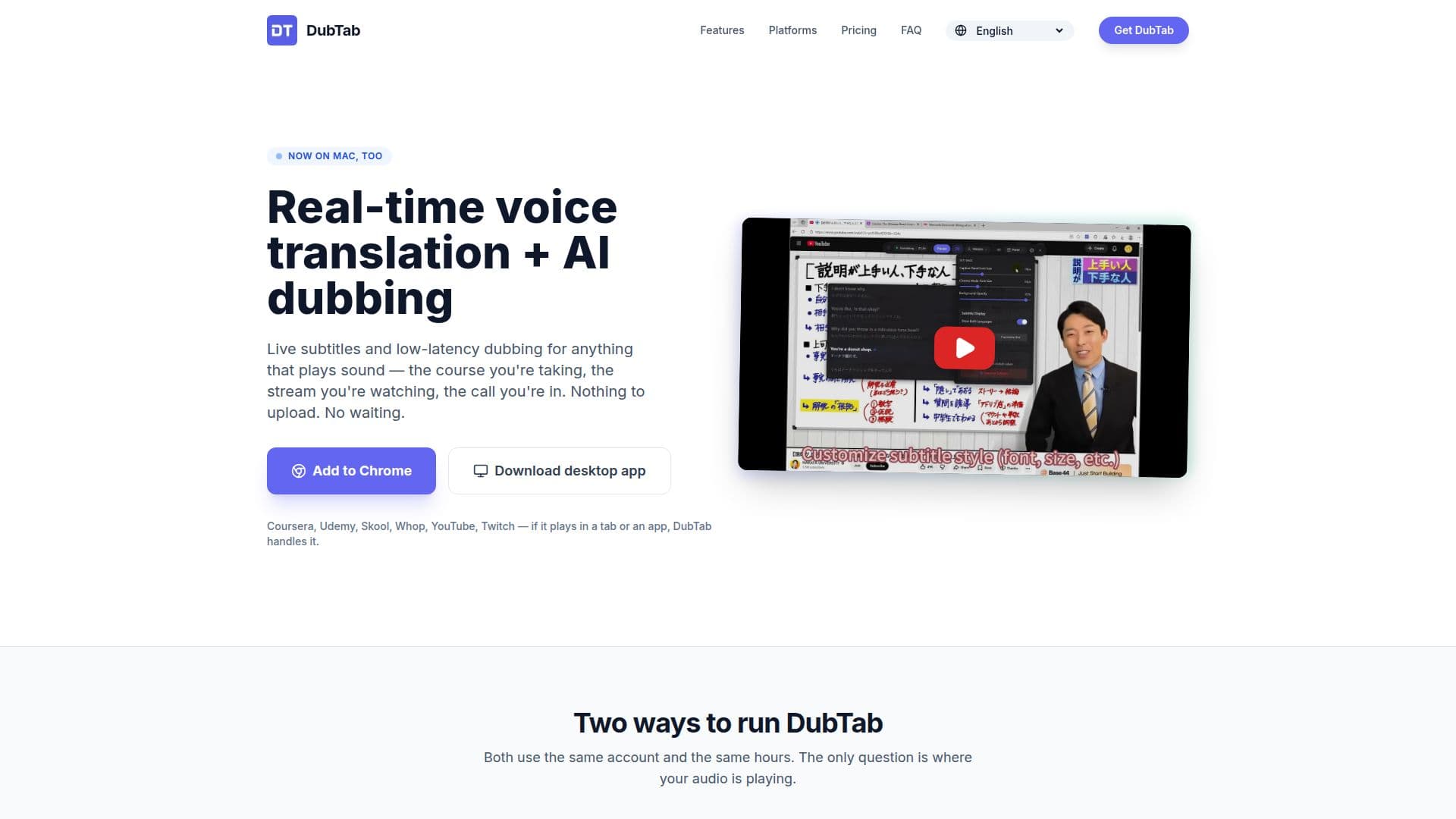
DubTab is a versatile tool designed to provide real-time voice translation and AI dubbing for various audio and video content. It works seamlessly on platforms like YouTube, Zoom, and any browser-based audio source, offering live subtitles and optional bilingual captions. The tool is available as a browser extension for Chrome and Edge, and as a desktop app for Windows 11 and macOS 14.2 or later. This flexibility allows users to translate content whether it plays in a browser tab or a standalone application.
Read More
DubTab supports over 60 languages for transcription and translation, with AI dubbing voices available for major languages such as English, Chinese, Japanese, Korean, Spanish, French, and German. The translation process is fast, with a latency of about 0.5 seconds, making it suitable for live streams, meetings, and real-time conversations. Users can choose between seeing both the original and translated text or just the translation, which is particularly useful for language learners.
Privacy is a key feature of DubTab. It does not record or store the original audio, microphone input, or system audio by default. Users can opt to save the translated AI voice, which is stored privately in their history for replay or deletion. The tool offers a freemium pricing model, with a free trial providing 15 minutes of usage and 3 AI credits. Paid plans offer additional hours and AI credits, with options for individual and team use.
DubTab is ideal for learners, professionals, and anyone needing to overcome language barriers in real-time. It is particularly beneficial for those attending online courses, watching international live streams, or participating in global meetings. The tool's ability to provide instant translations without the need for manual uploads or pre-existing subtitles sets it apart from other translation solutions.
- CategoryAI Subtitles & Dubbing
- Pricing ModelFreemium
- DeploymentBrowser extension, Desktop app
- PlatformsChrome, Edge, Windows, macOS
DubTab's Core Features
Real-time voice translation
AI dubbing for videos and calls
Live subtitles and bilingual captions
Supports over 60 languages
Browser extension for Chrome and Edge
Desktop app for Windows 11 and macOS 14.2+
Privacy controls with no audio recording
Freemium pricing model with paid plans
How to use DubTab?
Install DubTab: Choose the browser extension or desktop app
Select Audio Source: Point DubTab at the tab or app playing audio
Start Translation: Pick languages and voice for dubbing
Manage Usage: Monitor translation hours and AI credits
DubTab's Use Cases
- Online Courses
- Live Streams
- Global Meetings
- Language Learning
- Video Content