ToolPotion
AI Advisor
Submit a Tool (Free)

ScribeCrate Live

AI AppsAI Transcription Tools#134Open Source · Docker (CPU, NVIDIA GPU)

ScribeCrate Live is an open-source, self-hosted real-time transcription server that converts live microphone audio and audio streams into text. It also offers speech-to-English translation using Whisper models. The platform provides private, local processing with API key authentication, supporting both CPU and NVIDIA GPU deployments via Docker. It's ideal for building live captions and applications requiring progressive text.

Visit Website
Share
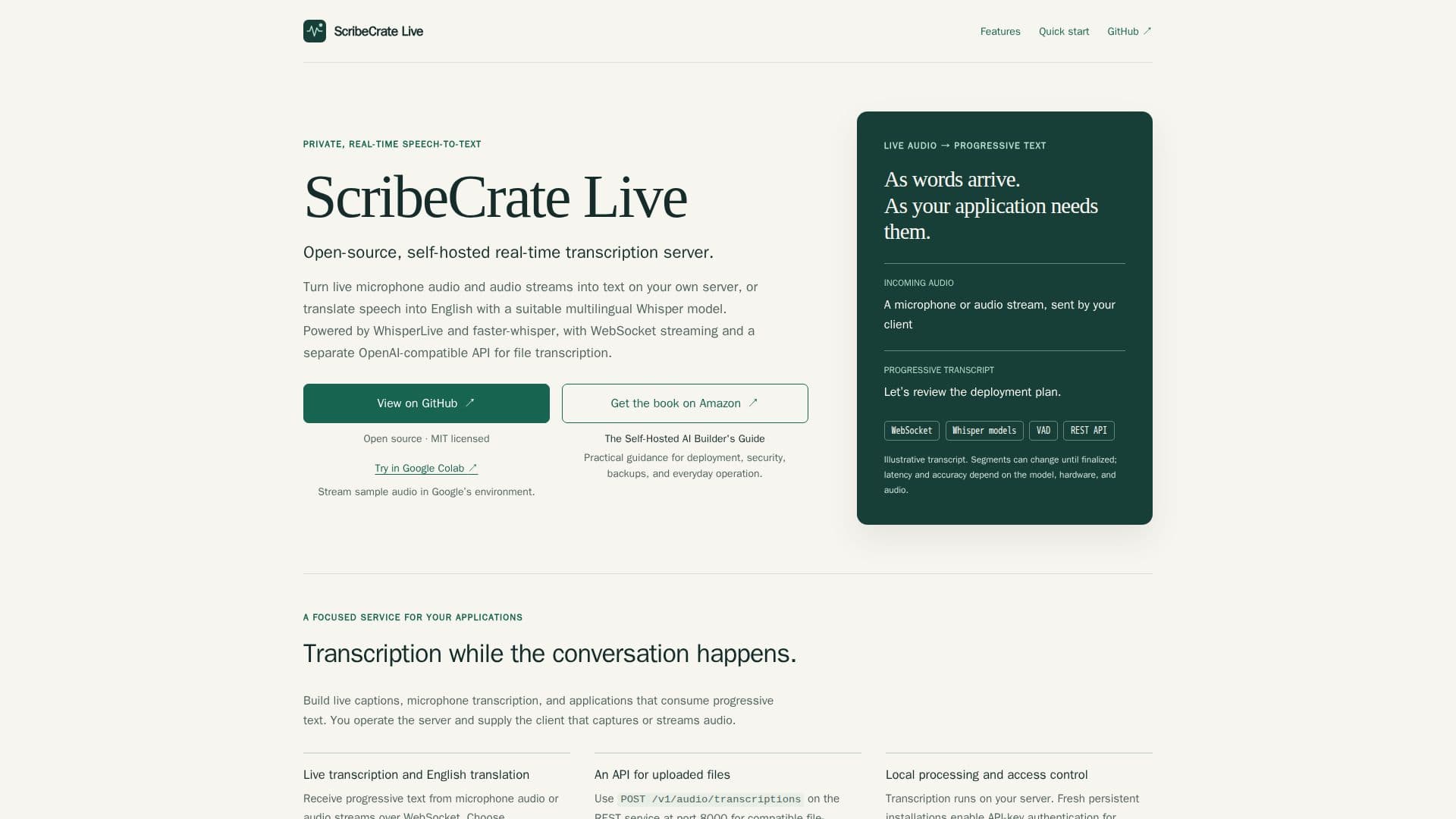
ScribeCrate Live screenshot

ScribeCrate Live is a robust, open-source solution designed for private, real-time speech-to-text transcription and speech-to-English translation. It allows users to deploy and operate a transcription server on their own hardware, ensuring data privacy and control. The system is powered by WhisperLive and faster-whisper, leveraging advanced Whisper models for high accuracy and efficiency.

Read More

The core functionality revolves around processing live microphone audio and various audio streams, converting them into progressive text segments as words are spoken. This real-time capability is delivered over WebSocket, making it suitable for applications that require immediate text output, such as live captioning or interactive voice interfaces. For speech-to-English translation, users can select a suitable multilingual Whisper model and configure the task accordingly.

Beyond live streaming, ScribeCrate Live also provides an OpenAI-compatible REST API for transcribing uploaded audio files. This dual approach caters to different input flows, offering flexibility for developers integrating transcription services into their applications. The server runs locally, with fresh persistent installations generating and storing API keys for secure authentication, ensuring that transcription processes remain private and under user control.

Deployment is streamlined through Docker, supporting both CPU (amd64 and arm64 architectures) and NVIDIA GPU acceleration with a dedicated CUDA image. Users can choose from various Whisper models, with larger models offering higher accuracy but requiring more memory and processing power. Voice Activity Detection (VAD) is included to intelligently skip silent periods, optimizing resource usage. For offline operation, models can be pre-cached, and the system can be configured to run without internet access for model downloads.

ScribeCrate Live is part of a larger ecosystem, including the Self-Hosted AI Stack, allowing users to integrate it with other local AI tools for chat, document processing, and more. The project is open source under the MIT License, meaning users are responsible for their own hardware or cloud hosting costs. It emphasizes user control over data and processing, making it a strong choice for privacy-conscious developers and organizations.

  • CategoryAI Transcription Tools
  • Pricing ModelOpen Source
  • DeploymentSelf-Hosted
  • PlatformsDocker (CPU, NVIDIA GPU)

  • Real-time speech-to-text transcription

  • Speech-to-English translation

  • WebSocket streaming for live audio

  • OpenAI-compatible REST API for file transcription

  • Self-hosted deployment for privacy and control

  • Supports various Whisper models

  • Voice Activity Detection (VAD) to skip silence

  • CPU (amd64, arm64) and NVIDIA GPU (CUDA) support

  • Docker deployment for easy setup

  • Persistent model cache for offline operation

  • API key authentication for secure access

  • Open-source under MIT License

  • Integrates with Self-Hosted AI Stack

  • Progressive text output as words arrive

  • Client setup documentation available on GitHub

  1. Prepare Host: Ensure a supported Linux host with Docker and sufficient memory for your chosen Whisper model.

  2. Start Server: Deploy ScribeCrate Live using Docker, connecting live audio or testing with a recording.

  3. Retrieve API Key: For persistent installations, retrieve the generated API key for authenticated access.

  4. Connect Client: Use a compatible WebSocket client for live microphone input or the REST API for file transcription.

  5. Configure Task: Set `translate=True` in the Python client or `"task": "translate"` in WebSocket handshake for speech-to-English translation.

  6. Select Model: Choose a suitable multilingual Whisper model (e.g., base, small, medium, large-v3) for translation tasks.

  7. Test Transcription: Replace `audio.mp3` with your file and run the provided REST request for an authenticated test.

  • Live Captioning
  • Microphone Transcription
  • Speech-to-English Translation
  • Audio File Transcription
  • Building Voice Applications
  • Private Transcription Services
  • Self-Hosted AI Stack Integration

From ScribeCrate

ScribeCrate Live Reviews

Loading...

Popular AI Tools Like ScribeCrate Live

ScribeCrate is an open-source, self-hosted transcription API that allows users to transcribe audio, generate subtitles, and translate speech into English on their own hardware. It…

AI Transcription Tools
View Tool

Open-source, self-hosted transcription API that allows users to transcribe audio, generate subtitles, and translate speech into English on their own hardware. It…ScribeCrate is an open-source, self-hosted transcription API that allows users to transcribe audio, generate subtitles, and translate speech into English on their own hardware. It…

AI Transcription Tools
See the Top 250 AI Apps

TrueScribe

AI Apps

TrueScribe transforms audio and video recordings into text on your local machine. It supports transcription, translation, and speaker identification on Windows and Linux, ensuring…

AI Transcription Tools
View Tool

AI Apps

Transforms audio and video recordings into text on your local machine. It supports transcription, translation, and speaker identification on Windows and Linux, ensuring…TrueScribe transforms audio and video recordings into text on your local machine. It supports transcription, translation, and speaker identification on Windows and Linux, ensuring…

AI Transcription Tools
See the Top 250 AI Apps

Whisper Web is a browser-based speech-to-text tool powered by OpenAI's Whisper model that transcribes 100+ languages locally and privately, with no data leaving your device and no…

AI Transcription Tools

Ranked #49 in AI Transcription Tools

View Tool

Browser-based speech-to-text tool powered by OpenAI's Whisper model that transcribes 100+ languages locally and privately, with no data leaving your device and no…Whisper Web is a browser-based speech-to-text tool powered by OpenAI's Whisper model that transcribes 100+ languages locally and privately, with no data leaving your device and no…

AI Transcription Tools
Ranked #49 in AI Transcription Tools

SpeakCrate

AI Apps

SpeakCrate is an open-source, self-hosted text-to-speech API powered by Kokoro. It allows users to generate multilingual speech on their own hardware, offering a private and…

Text to Speech
View Tool

AI Apps

Open-source, self-hosted text-to-speech API powered by Kokoro. It allows users to generate multilingual speech on their own hardware, offering a private and…SpeakCrate is an open-source, self-hosted text-to-speech API powered by Kokoro. It allows users to generate multilingual speech on their own hardware, offering a private and…

Text to Speech
See the Top 250 AI Apps

WhisperTranscribe uses advanced Whisper AI models to provide highly accurate audio and video transcriptions in over 55 languages. It enables users to chat with their audio,…

AI Transcription Tools

Ranked #42 for Journalists

View Tool

Uses advanced Whisper AI models to provide highly accurate audio and video transcriptions in over 55 languages. It enables users to chat with their audio,…WhisperTranscribe uses advanced Whisper AI models to provide highly accurate audio and video transcriptions in over 55 languages. It enables users to chat with their audio,…

AI Transcription Tools
Ranked #42 for Journalists

Spokenly is a voice-to-text dictation app for macOS, Windows, Linux, and iOS. It offers free offline transcription using local models and supports over 100 languages. Users can…

AI Transcription Tools

Ranked #64 in AI Transcription Tools

View Tool

Voice-to-text dictation app for macOS, Windows, Linux, and iOS. It offers free offline transcription using local models and supports over 100 languages. Users can…Spokenly is a voice-to-text dictation app for macOS, Windows, Linux, and iOS. It offers free offline transcription using local models and supports over 100 languages. Users can…

AI Transcription Tools
Ranked #64 in AI Transcription Tools

Convert speech to text with Scribe, the most accurate model available. Transcribe in 99 languages, auto-generate captions, edit transcripts, and align audio with video for various…

AI Transcription Tools
View Tool

Convert speech to text with Scribe, the most accurate model available. Transcribe in 99 languages, auto-generate captions, edit transcripts, and align audio with video for various…

AI Transcription Tools
See the Top 250 AI Apps

Lemonfox.ai offers an affordable Speech-To-Text API that transcribes audio files within seconds. It supports over 100 languages and includes speaker recognition, ensuring high…

AI Transcription Tools
View Tool

Offers an affordable Speech-To-Text API that transcribes audio files within seconds. It supports over 100 languages and includes speaker recognition, ensuring high…Lemonfox.ai offers an affordable Speech-To-Text API that transcribes audio files within seconds. It supports over 100 languages and includes speaker recognition, ensuring high…

AI Transcription Tools
See the Top 250 AI Apps
1 of 8