
Description
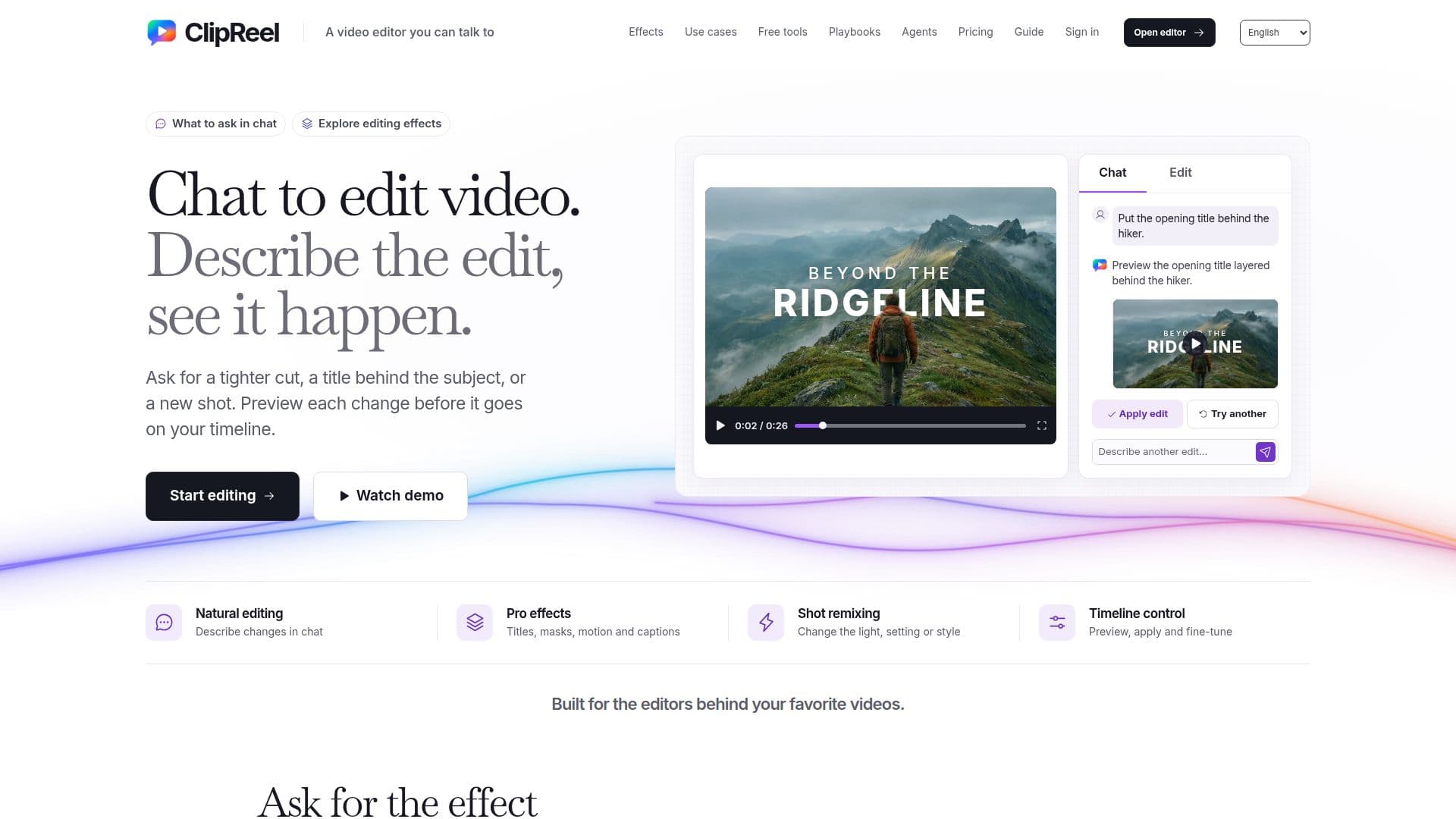
ClipReel offers an innovative approach to video editing, allowing users to manipulate footage through natural language chat commands. This platform simplifies complex editing tasks, making them accessible by simply describing the desired change. Users can import their existing footage and instruct the chat interface to perform various edits, such as trimming, adding titles, applying effects, or even remixing shots.
Read More
The core functionality revolves around a chat-based interaction where users can ask for specific alterations like "Trim the first two seconds and add a closing title" or "Reframe this sequence to 9:16." Each proposed edit can be previewed before being applied to the timeline, giving users precise control over the final output. The timeline also allows for fine-tuning of applied effects, frame timing, and caption styling through an Inspector panel.
Key capabilities include making timeline edits, animating captions from SRT/VTT files or typed text, and remixing shots to change lighting, setting, or style. ClipReel can also generate new shots based on prompts and insert them into existing videos. Advanced features like putting text behind moving subjects, tracking labels on objects, speed ramps, masks, and split screens are also available through chat commands.
ClipReel supports various video types, including short-form videos for platforms like Reels, TikTok, and Shorts, interviews and podcasts, and product/brand videos. It offers free tools that work without an account, allowing users to try editing with sample projects or their own clips. For saving projects and accessing more features, users can create an account and subscribe to one of the tiered plans: Starter, Creator, or Studio. These plans offer different allowances for chat edits and video credits, with options to purchase additional credit packs.
Projects can be saved online, including the timeline, source media, and chat history, enabling users to continue editing across different devices. ClipReel exports videos in 1080p without watermarks, supporting MP4 and WebM formats. The platform emphasizes user privacy, detailing how uploaded footage and chat messages are used for processing edits and storing cloud projects.
- CategoryAI Video Editors
- Pricing ModelFreemium
- DeploymentCloud
- PlatformsWeb
ClipReel's Core Features
Chat-based video editing with natural language commands
Timeline editing for precise adjustments
Animated captions from SRT/VTT files or text input
Shot remixing to change lighting, setting, or style
Generation and insertion of new video shots
Text placement behind moving subjects
Tracked labels for following moving objects
Speed ramps for dynamic slow-motion effects
Masks to reveal shots through shapes or text
Split screen for displaying multiple angles
Vertical video reframing for social media platforms
Removal of silence and long pauses from speech
Cloud project saving and cross-device access
1080p MP4/WebM export without watermarks
Free tools available without account registration
How to use ClipReel?
Import Footage: Open the editor and import your video clips or start with a sample project.
Describe Edits in Chat: Select a shot on the timeline and type your desired changes into the chat panel.
Preview Changes: Review the proposed edit in the preview window before committing to it.
Apply Edits: Click "Apply changes" to add the edit to your timeline.
Fine-Tune on Timeline: Adjust frame timing, type, and effects using the Inspector panel.
Export Video: Choose "Export video" to render your final cut in 720p or 1080p.
ClipReel's Use Cases
- Short-Form Video Creation
- Interview and Podcast Editing
- Product and Brand Videos
- Social Media Content
- Creative Visual Effects
- Shot Enhancement and Remixing
- New Footage Generation