Description
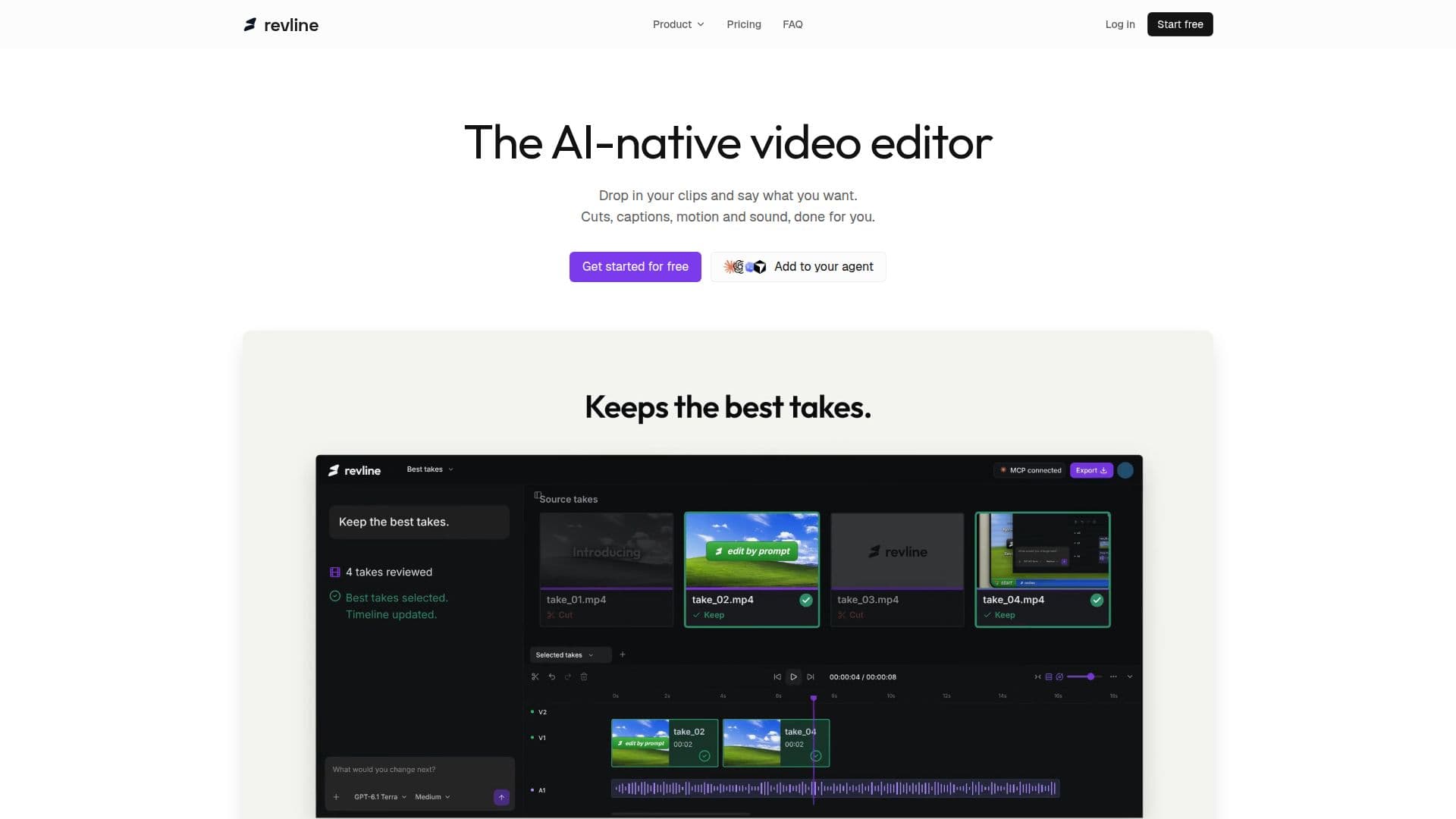
Revline is an innovative AI video editor that transforms the video editing process by allowing users to interact with it conversationally. Instead of manually manipulating a timeline, users upload raw footage and describe their desired edits using natural language prompts. The AI agent then automatically handles tasks such as making cuts, generating captions, reframing shots for different aspect ratios, and applying motion design.
Read More
This tool is specifically designed for creators, podcasters, marketers, and teams who regularly publish video content but prefer to avoid the complexities of traditional video editing timelines. It supports a wide range of video types, including podcast clips, vlogs, product demonstrations, tutorials, advertisements, talking-head videos, and social media shorts. If content has been filmed, Revline aims to assist in its editing.
A key differentiator of Revline is its prompt-based editing system. Users articulate their vision, and the AI executes the initial edits. Users can then review the results and refine them through further conversational commands. While the AI performs the heavy lifting, every change is applied to a real timeline, giving users the flexibility to manually trim, move, duplicate, or delete clips and undo any modifications if desired.
Revline supports common video, audio, and image file formats, and also allows importing directly from YouTube links. It can handle long recordings, making it suitable for extensive raw footage. For branding consistency, users can request specific brand fonts and colors within the conversation, enabling the AI to style captions and titles accordingly using its built-in font options and chosen color palettes.
Regarding privacy, user projects are secured within their accounts, requiring sign-in for access. Footage is used solely for preparing edits and exports. Revline utilizes various AI providers like OpenAI, Google Gemini, Anthropic, Deepgram, fal, and ElevenLabs to perform editing operations, with explicit user permission requested in the iPhone app before the first edit or import. Users can withdraw this permission at any time, though it will prevent future third-party processing.
Revline operates on a single pricing plan of $39 USD per month, which includes MCP access and 1080p exports, following a 3-day free trial. There is no free plan beyond the trial period. The service also offers features like text behind subjects, tracked labels, speed ramps, masks, split-screen layouts, animated captions, AI trims, animated subtitles, text effects, background removal, and export options in 9:16, 1:1, and 16:9 aspect ratios, with unlimited projects and 50 GB of storage.
- CategoryAI Video Editors
- Pricing ModelSubscription
- DeploymentCloud
- PlatformsWeb
Revline AI Video Editor's Core Features
Conversational video editing via prompts
Automated video cuts and trims
Automatic caption generation and styling
Video reframing for different aspect ratios (9:16, 1:1, 16:9)
Motion design capabilities
Reference video recreation
Manual timeline editing access
Support for common video, audio, and image file uploads
YouTube link import functionality
Brand font and color styling for captions and titles
Text behind subject effect
Tracked labels and stickers
Speed ramps for slow-motion effects
Masking with shapes, text, or spotlights
Split-screen layouts (two-up, three-up, stacked)
Animated subtitles and text effects
Background removal
1080p export without watermark
Unlimited projects
50 GB storage
How to use Revline AI Video Editor?
Upload Footage: Import raw video, audio, or image files, or provide a YouTube link.
Describe Edits: Use conversational prompts to tell the AI what changes you want to make.
Review & Refine: Examine the AI-generated edits and provide further instructions to refine the video.
Manual Adjustments: Access the timeline to make manual trims, moves, or deletions as needed.
Style & Export: Apply brand fonts and colors, then export your finished video in desired aspect ratios and 1080p resolution.
Revline AI Video Editor's Use Cases
- Podcast Clip Creation
- Product Demo Videos
- Social Media Shorts
- Tutorial & Vlog Editing
- Advertising Video Production
- Talking-Head Video Enhancement
- YouTube Content Editing
- Brand Consistent Video