
Description
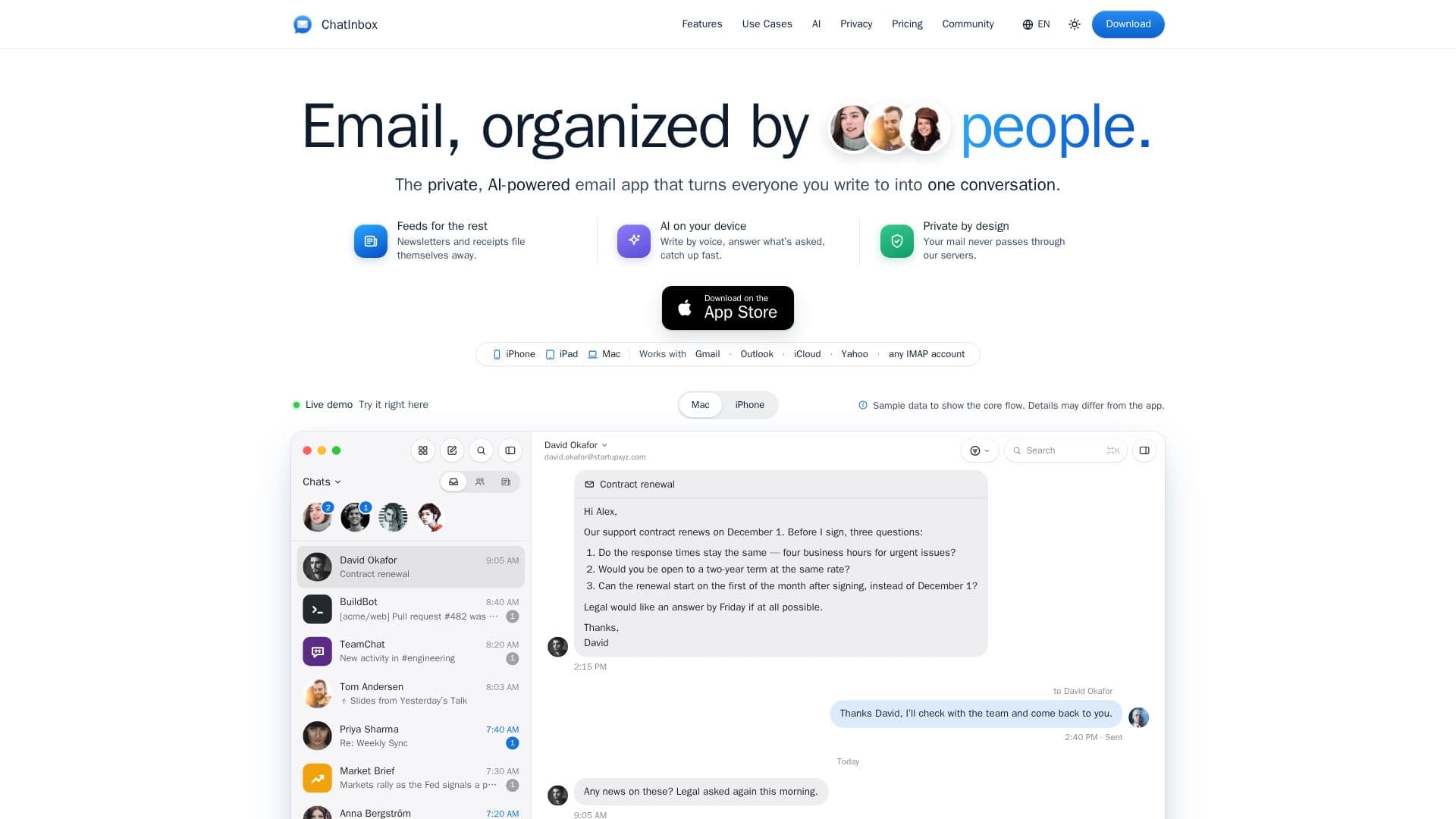
ChatInbox is a private, AI-powered email application designed for iPhone, iPad, and Mac, fundamentally changing how users interact with their email. It prioritizes communication by organizing mail around people, turning every interaction into a seamless, chat-style conversation. This innovative approach ensures that important exchanges with contacts are never buried under promotional content or notifications.
Read More
The application intelligently separates newsletters, receipts, and other automated messages into distinct "Feeds." This automatic categorization eliminates the need for manual rules or sorting, allowing users to focus on personal and professional correspondence. Users can easily switch between a chat-like "Messages" view and a traditional "Threads" view with full email cards, adapting to their preferred reading style.
Privacy is a core tenet of ChatInbox. The app connects directly to your email provider (supporting Gmail, Outlook, iCloud, Yahoo, and any IMAP account), meaning your mail never passes through ChatInbox's servers. This architecture ensures that the developers cannot read your emails. Furthermore, tracking pixels are automatically removed from emails before they are opened, enhancing user privacy and preventing unwanted data collection.
ChatInbox leverages on-device AI, powered by Apple Intelligence, for various smart features. This includes writing emails by voice, answering specific questions asked in a conversation, quickly catching up on long threads, and translating emails in place. For longer or more complex AI requests, Private Cloud Compute is used only if explicitly chosen by the user, with no data saved there, reinforcing the commitment to privacy.
The app is free to download and use with one email account, offering all core features. A Premium subscription unlocks unlimited accounts, full mail history, advanced filters, custom notifications, and email templates, with a yearly plan starting with a 7-day free trial. A Lifetime purchase option is also available. ChatInbox provides native applications for iPhone, iPad, and Mac, with a single purchase covering all three devices, and ensures snoozes, tags, and templates sync across devices via iCloud. It can be used alongside other mail apps like Apple Mail, as it works with the same accounts and keeps mail with your provider.
- CategoryAI Email Assistants
- Pricing ModelFreemium
- DeploymentCloud
- PlatformsiPhone, iPad, Mac
ChatInbox's Core Features
Email organized by people into chat-style conversations
Automatic filing of newsletters and receipts into Feeds
On-device AI for email composition, summarization, and translation
Direct connection to email providers (Gmail, Outlook, iCloud, Yahoo, IMAP)
No mail passes through ChatInbox servers for enhanced privacy
Removal of tracking pixels from emails
Support for iPhone, iPad, and Mac with native apps
One purchase covers all three Apple devices
Snooze conversations to return when needed
Triage feature to quickly manage today's mail
Search functionality including words inside PDF attachments
Translate emails in place on your device
Customizable notifications and email templates (Premium)
Multiple email accounts and profiles (Premium)
Full mail history and advanced filters (Premium)
How to use ChatInbox?
Download and Install: Get ChatInbox from the App Store on your iPhone, iPad, or Mac.
Add Email Account: Sign in with your existing Gmail, Outlook, iCloud, Yahoo, or IMAP account.
Manage Conversations: View emails organized by people in chat-style conversations or traditional threads.
Utilize Feeds: Let newsletters, receipts, and notifications automatically file into separate Feeds.
Use AI Features: Employ on-device AI to write emails by voice, answer questions, or translate messages.
Triage Daily Mail: Use the Triage feature to quickly sort and plan actions for today's emails.
Enhance Privacy: Benefit from automatic tracking pixel removal and direct connection to your mail provider.
ChatInbox's Use Cases
- Daily Email Workflow
- Personal CRM
- Client Replies
- Work and Home Email Management
- Private Mail Handling
- Family and School Communications
- Microsoft 365 Account Syncing
- Voice-to-Text Email Composition
- Email Translation
- Attachment Search