
Description
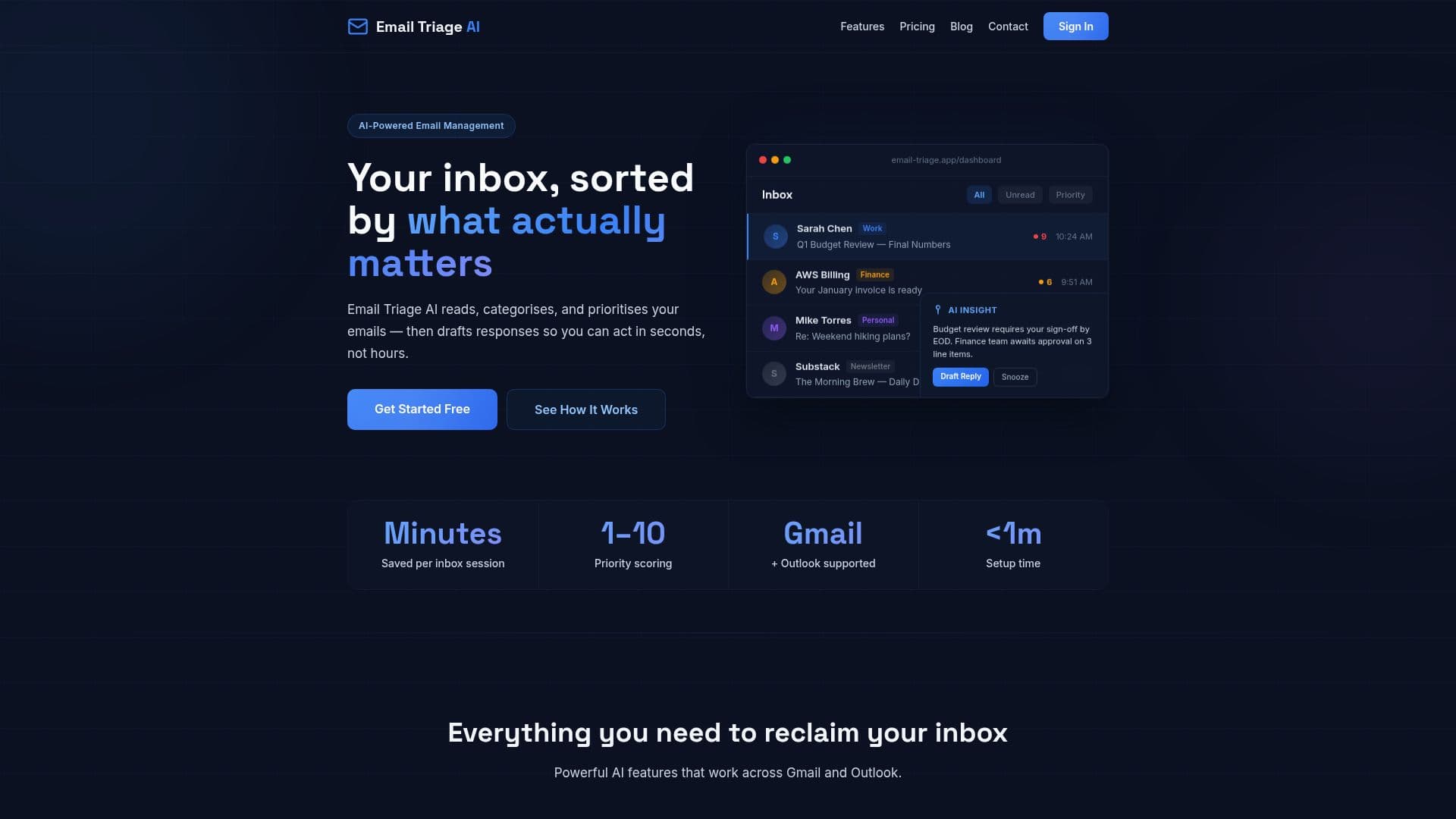
Email Triage AI is a web application designed to streamline your email management process by integrating with Gmail and Outlook. It uses artificial intelligence to read incoming emails, categorize them into meaningful groups such as work, personal, and newsletters, and assign a priority score from 1 to 10. This scoring system helps users quickly identify which emails require immediate attention.
Read More
The application also generates draft responses for emails that need replies, allowing users to review and send them with minimal effort. This feature is particularly useful for maintaining a consistent tone and style in communications. Email Triage AI supports multiple accounts, enabling users to manage all their emails from a unified inbox.
Setting up Email Triage AI is straightforward, requiring only a minute to connect via secure OAuth authentication. It respects user privacy by not selling or sharing email content with third parties. Users can also opt to bring their own Anthropic API key, which offers a discount on the Pro plan.
Pricing for Email Triage AI includes a free tier that allows for the triage of 25 emails per month on a single mailbox. The Pro plan, priced at $39 per month, offers unlimited mailboxes and up to 3,000 emails triaged monthly. A team plan is available for organizations needing shared categories and admin controls.
Email Triage AI is ideal for professionals and teams who need to manage large volumes of emails efficiently. It offers features like snooze, auto-archive, AI summaries, and translation, enhancing productivity and focus.
- CategoryAI Email Assistants
- Pricing ModelFreemium
- DeploymentCloud
- PlatformsWeb
Email Triage AI's Core Features
AI email categorization
Priority scoring from 1 to 10
Draft response generation
Gmail and Outlook integration
Multi-account support
Snooze and auto-archive
AI summary and translation
Inbox health insights
How to use Email Triage AI?
Connect: Sign in with Google or Microsoft account
AI Sorts: Emails are categorized and prioritized
Review: Check AI-generated drafts
Send: Edit and send replies as needed
Email Triage AI's Use Cases
- Inbox Management
- Draft Responses
- Multi-Account Support
- Email Categorization
- Priority Scoring