
Description
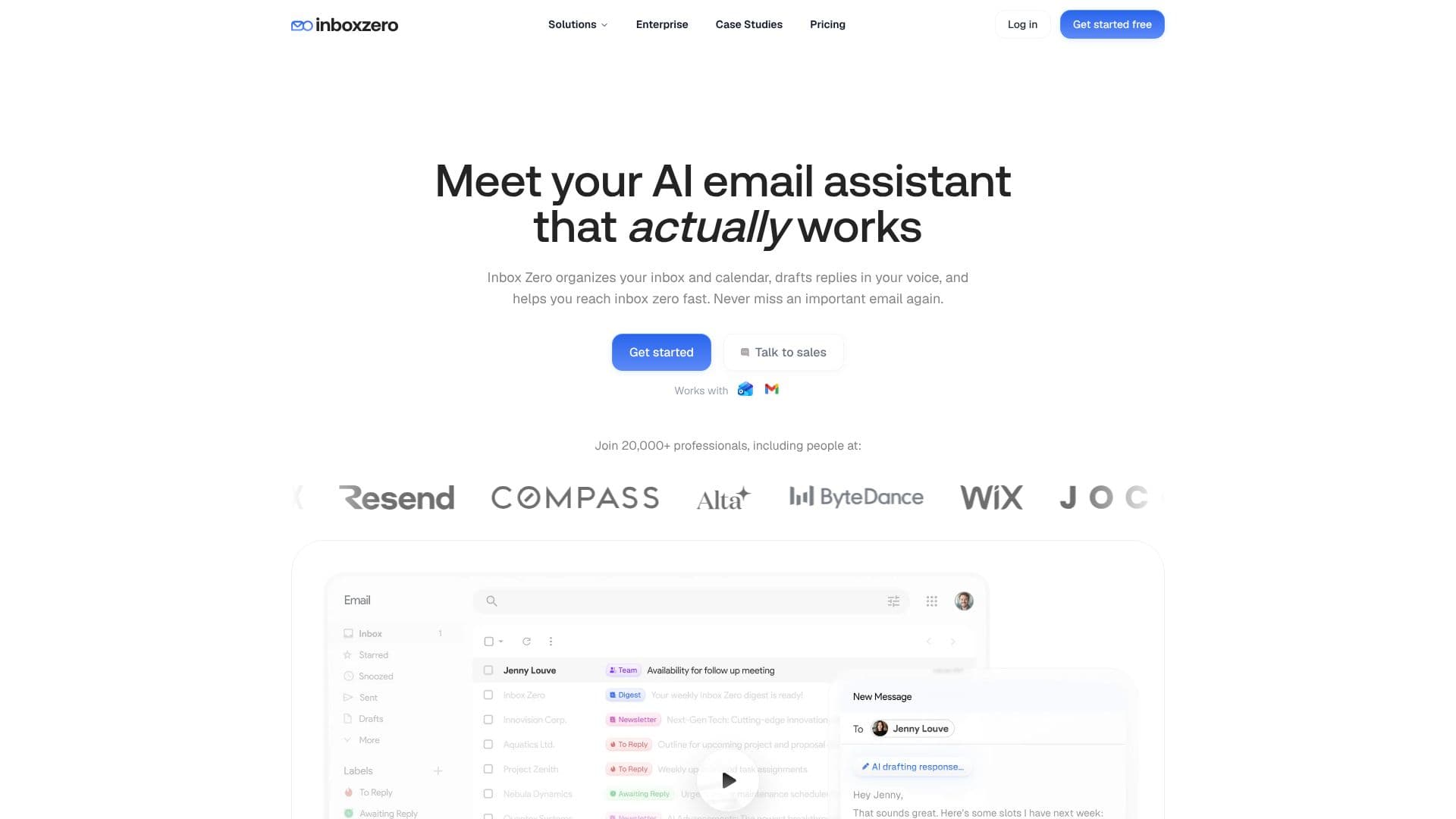
Inbox Zero acts as your personal AI email assistant, streamlining your inbox and calendar management to help you reach inbox zero efficiently. The tool automatically organizes your emails, categorizing them into smart groups like Newsletters, To Reply, Marketing, and more, ensuring you never miss an important message.
Read More
One of its core functionalities is drafting replies in your unique tone. When an email requires a response, Inbox Zero provides pre-written drafts based on your email history and calendar, ready for your review and sending. This significantly reduces the time spent composing emails.
The platform integrates seamlessly with your workflow, allowing you to manage your inbox from various applications including Slack and Telegram, in addition to a web interface. Setup is designed to be quick, often requiring just a few minutes to connect your Google or Microsoft email account.
Beyond organization and drafting, Inbox Zero offers tools to clean up your inbox, such as a bulk unsubscribe feature for unwanted emails. It also automatically files email attachments like PDFs and receipts into designated Google Drive or OneDrive folders. For those interested in understanding their email habits, the tool provides email analytics, showing who emails you most and what content clogs your inbox.
Privacy and security are emphasized, with Inbox Zero being SOC 2 Compliant and open-source, allowing users to self-host for maximum control. It offers flexible plans for individuals, power users, and teams, with a 7-day free trial available for all tiers. The AI assistant connects to your calendar and CRM to ensure drafted emails are contextually relevant to your schedule and customer data.
Inbox Zero is built for professionals, entrepreneurs, executives, and teams who are overwhelmed by email volume and seek to reclaim their time. Its customizable nature, configurable in plain English, allows users to tailor the AI to their specific workflow, making email management more efficient and less time-consuming.
- CategoryAI Email Assistants
- Pricing ModelTiered
- DeploymentCloud
- PlatformsWeb
Inbox Zero's Core Features
Automated email labeling and categorization
AI-powered pre-drafted replies in user's tone
Bulk unsubscribe from unwanted emails
Automatic filing of email attachments to cloud storage
Email analytics for inbox insights
Integration with Slack and Telegram for inbox management
Calendar and CRM integration for context-aware drafting
Open-source and privacy-focused design
SOC 2 Compliant security
Customizable rules and configurations in plain English
Support for Gmail and Microsoft Outlook accounts
How to use Inbox Zero?
Connect your email: Link your Gmail or Outlook account in two clicks.
Organize your inbox: Let the AI automatically categorize emails or set up custom categories.
Draft replies: Review and send pre-drafted responses generated in your voice.
Clean up subscriptions: Use the bulk unsubscribe feature for unwanted newsletters.
Manage attachments: Ensure important files are automatically saved to your cloud storage.
Analyze your inbox: Utilize email analytics to understand your communication patterns.
Work from anywhere: Manage your inbox via Slack, Telegram, or the web.
Inbox Zero's Use Cases
- Inbox Organization
- Email Response Drafting
- Unwanted Email Management
- Attachment Management
- Email Workflow Automation
- Productivity Enhancement
- Team Email Coordination