Description
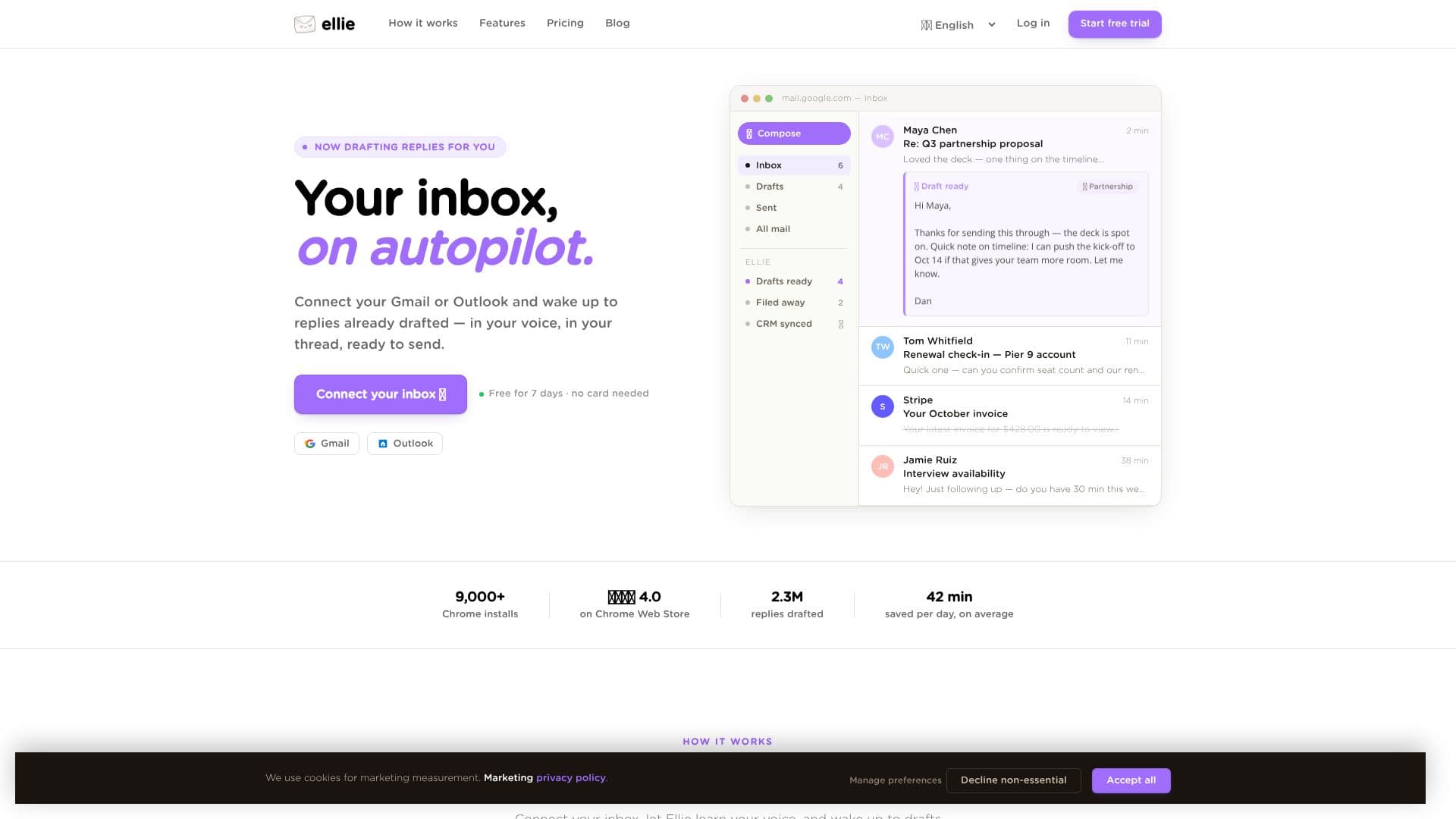
Ellie transforms your email workflow by automating the drafting of replies, allowing you to manage your inbox on autopilot. By connecting to your Gmail or Outlook account, Ellie learns your distinct writing style, tone, and common sign-offs from your sent emails. It then uses this knowledge to draft replies within your existing threads, ensuring they sound authentically like you.
Read More
Each morning, you'll find a set of drafted replies ready in your drafts folder. The process is designed to be seamless: Ellie reads your emails overnight, identifies those requiring a response, and crafts drafts without requiring any prompts from you. You can then quickly review, make minor edits if necessary, and hit send, reclaiming significant time previously spent on email correspondence. This approach helps overcome reply anxiety and assists individuals for whom writing in English or other languages may not come easily.
Ellie goes beyond just mimicking your voice. For businesses, it can integrate with knowledge bases, websites, and CRMs to incorporate factual information into replies. By pointing Ellie to your company's help center, pricing pages, or CRM data, it can pull relevant details like renewal dates, plan tiers, or order numbers, ensuring accuracy and providing the right links. This structured data integration ensures that replies are not only in your voice but also factually correct and contextually relevant, citing the source field for verification before sending.
The tool is built to integrate directly into your existing email client, whether it's Gmail or Outlook. Drafts appear within the familiar interface, meaning no new applications or workflows to learn. This native integration ensures you retain all your existing shortcuts, filters, and search functionalities. Ellie is available as a browser extension and a native Outlook desktop add-in, offering flexibility in how you access its capabilities. A 7-day free trial is available with no credit card required, allowing users to experience the benefits firsthand.
- CategoryAI Email Assistants
- Pricing ModelSubscription
- DeploymentCloud, Browser extension
- PlatformsGmail, Outlook
Ellie AI Email Assistant's Core Features
AI-powered email drafting in your voice
Connects directly with Gmail and Outlook
Learns user's writing style from sent emails
Drafts replies overnight for review
Integrates with knowledge bases and CRMs for factual accuracy
Pulls live data from connected systems for specific details
Works within existing email client interface
Available as a browser extension and Outlook desktop add-in
7-day free trial with no credit card required
Customizable roles for different email types
Re-indexes website content weekly
Cites source fields for data lookups
How to use Ellie AI Email Assistant?
Connect your inbox: Link your Gmail or Outlook account with a single click.
Ellie learns your voice: The AI analyzes your sent emails to understand your tone and style.
Wake up to drafts: Ellie drafts replies overnight and places them in your inbox's drafts folder.
Review and send: Skim, tweak if needed, and send your drafted emails.
Integrate knowledge: Connect your CRM, help docs, or website for factual accuracy.
Assign roles: Configure different knowledge bases and tones for specific email types.
Ellie AI Email Assistant's Use Cases
- Automated Email Replies
- Time Saving
- Inbox Management
- Personalized Communication
- Business Communication
- Overcoming Reply Anxiety
- Accessibility Tool