
Description
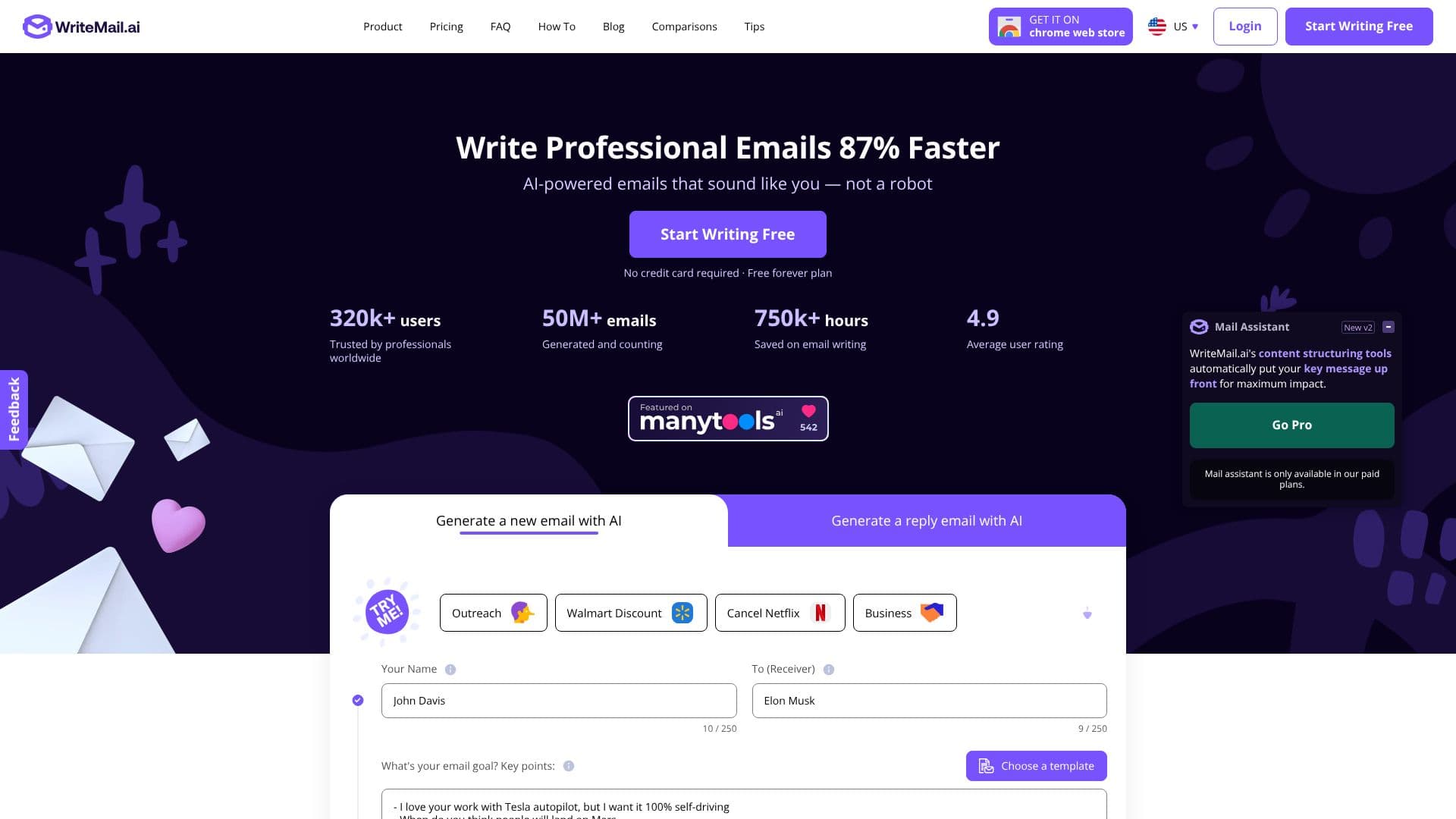
WriteMail.ai offers an advanced AI email writer designed to streamline communication and boost productivity for professionals. The tool empowers users to compose emails significantly faster, with claims of up to 87% time savings. By inputting key points, users can generate complete, polished emails that are tailored to their specific needs and intended audience.
Read More
This AI email writer focuses on enhancing email effectiveness through various features. It allows users to select different 'Write As' styles and utilize a tone selector to match the message's mood to the situation, whether for professional or casual contexts. The tool ensures emails are clear and specific, aiming to reduce the time receivers spend deciphering vague messages. WriteMail.ai also helps craft persuasive emails, increasing the likelihood of compliance with requests.
Key capabilities include generating effective follow-up emails, which can potentially increase response rates by 250%. Personalization features are integrated to improve click-through rates by 14% and conversions by 10%. The AI structures content to make key points stand out, recognizing that recipients often read only a fraction of an email. For international communication, a tone analyzer aids in ensuring clarity across cultures and avoiding misinterpretations, especially when writing to non-native English speakers.
WriteMail.ai also addresses the nuances of email tone, promoting politeness and respect. It helps choose words and phrasing carefully, ensuring relevance and avoiding wasted reader time. A length feature keeps messages concise and impactful. The tool can generate polite reminder emails, facilitating follow-ups without being pushy, and clearly articulates tasks or goals. It tailors language to the recipient's age and cultural background to build rapport and ensures the email's intent is crystal clear.
Additional features include crafting perfect introductions, analyzing sarcasm to ensure humor is conveyed as intended, and generating professional, discreet messages for confidential topics. The tone analyzer helps maintain a professional appearance by managing exclamation point usage. For professional emails, an emoji feature suggests appropriate usage, and consistent formatting with standard fonts and sizes is maintained. The Mail Assistant can prompt users to create effective email signatures, and a name verification feature reduces sending errors. A preview feature ensures emails look perfect before sending, and appropriate greetings are selected based on the relationship with the recipient. Quick response templates and content structuring tools are also available to put key messages upfront for maximum impact. The summarization feature creates concise messages, and a history feature allows revisiting and refining messages for emotionally charged topics. The style switcher helps nail the right tone for any situation, and punctuation analysis ensures judicious use of exclamation points. A language simplification AI feature ensures messages are clear and easy to understand by avoiding jargon.
The target audience includes professionals, teams, executives, and entrepreneurs who want to improve their email communication efficiency and effectiveness. The value proposition lies in saving time, reducing stress, improving clarity, increasing response rates, and maintaining a professional image through AI-powered assistance.
- CategoryAI Email Assistants
- Pricing ModelFreemium
- DeploymentCloud
- PlatformsWeb, Chrome Extension
WriteMail.ai's Core Features
AI-powered email generation from key points
Write emails up to 87% faster
Personalization features to improve click-through and conversion rates
Tone and style customization (professional, casual, friendly, etc.)
Clarity enhancement for non-native English speakers
Follow-up email generation with potential response rate increase
Content structuring to highlight key messages
Multilingual support for over 30 languages
No signup required for initial use
Privacy-focused with local storage of options
Gmail integration via Chrome extension
Tone analysis for appropriate communication
Summarization feature for concise messages
Emoji usage suggestions for professional contexts
How to use WriteMail.ai?
Input key points: Describe your email's goal and main points.
Select options: Choose tone, style, length, and language.
Generate email: Let the AI craft a polished draft.
Review and edit: Make any necessary manual adjustments.
Send email: Use the one-click send feature to your default client.
WriteMail.ai's Use Cases
- Faster Email Drafting
- Improved Response Rates
- Personalized Communication
- Cross-Cultural Clarity
- Professional Tone Management
- Concise Messaging
- Efficient Follow-ups
- Multilingual Emails