
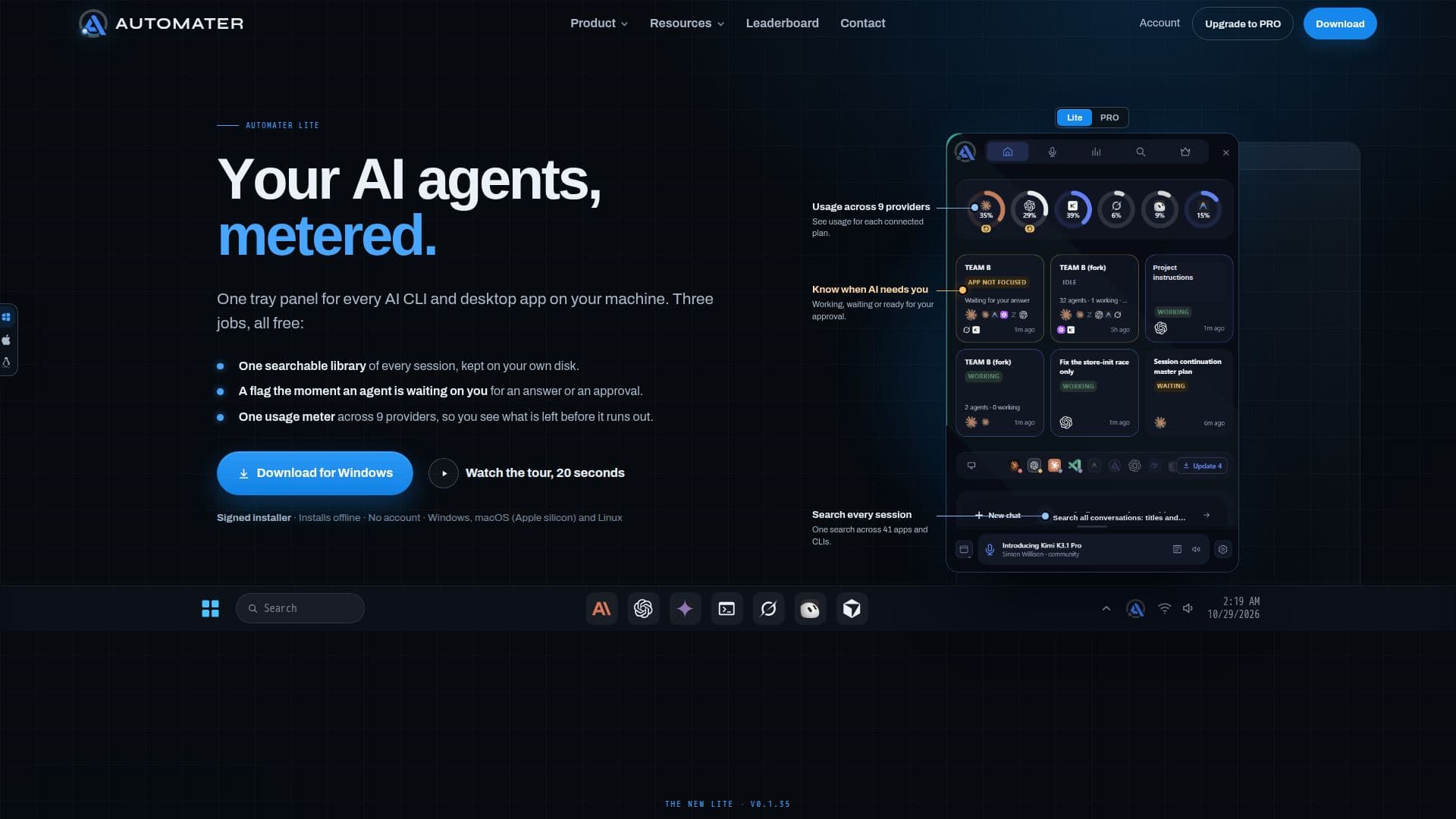
Description
Automater Lite serves as a free desktop sidekick designed to streamline interactions with all your AI agents and command-line interface (CLI) tools. It consolidates various functionalities into a single tray panel, making it easier to manage and monitor your AI-driven tasks. The core features of Automater Lite include a comprehensive, searchable library of every AI session, a "Needs You" flag that alerts you when an agent is awaiting your input, and a unified usage meter that tracks consumption across nine different AI providers.
Read More
This application runs entirely on your local machine, ensuring that session content and data remain private and on your disk. It reads session files from 41 different AI apps and CLIs, supporting 45 session formats, including popular tools like Claude Code, Codex, Cursor, Gemini, Grok, and Copilot. The local library remains searchable even if you stop using the PRO version, and "Needs You" flags are never gated.
Automater Lite offers flexible deployment options, running on Windows x64, macOS on Apple silicon, and Linux x86_64 (as an AppImage or .deb). Updates are delivered via signed installers and are minisign-verified, with an option to disable auto-updates. The tool also includes local voice dictation, allowing you to speak prompts into any window, and provides spoken status updates.
For users seeking advanced capabilities, Automater PRO is available as a separate yearly upgrade. PRO adds features such as chat and computer control directly from the tray, managed sessions with inline replies, Fleet and Integration Health monitoring, built-in tools like a terminal and file browser, pop-out mini-apps, and metered cloud voice. However, all features available in Automater Lite remain free forever, ensuring a robust base experience without any cost or sign-up requirement.
- CategoryProductivity
- Pricing ModelFreemium
- DeploymentDesktop app
- PlatformsWindows, macOS, Linux
Automater Lite's Core Features
Searchable library of every AI session
"Needs You" flags for agent attention
Unified usage meter across 9 AI providers
Supports 45 session formats from 41 AI apps and CLIs
Local data storage for privacy
One-click resume into supported CLIs
Local voice dictation into any window
Spoken status updates
Signed installer for secure installation
Minisign-verified updates
Option to disable auto-updates
Windows x64, macOS (Apple silicon), and Linux x86_64 support
Free forever base functionality
No sign-up or account required
Multiple panel display modes: tray, pinned, auto-hide, plain window
How to use Automater Lite?
Install Automater Lite: Download and run the signed installer for your operating system.
Launch the application: Click the tray icon to bring up the panel or pin it to your desktop.
Monitor AI agents: View all your AI agent sessions, usage, and "Needs You" flags in one place.
Search sessions: Use the searchable library to find past interactions with your AI tools.
Interact with agents: Dictate prompts using local voice or resume sessions directly into their CLIs.
Manage settings: Adjust privacy settings, including anonymous usage statistics and auto-updates.
Automater Lite's Use Cases
- Centralized AI Session Management
- Agent Attention Monitoring
- Unified AI Usage Tracking
- Local Session Archiving
- Voice-Activated Prompting
- Cross-Platform AI Workflow
- Developer Workflow Enhancement
- Privacy-Focused AI Interaction