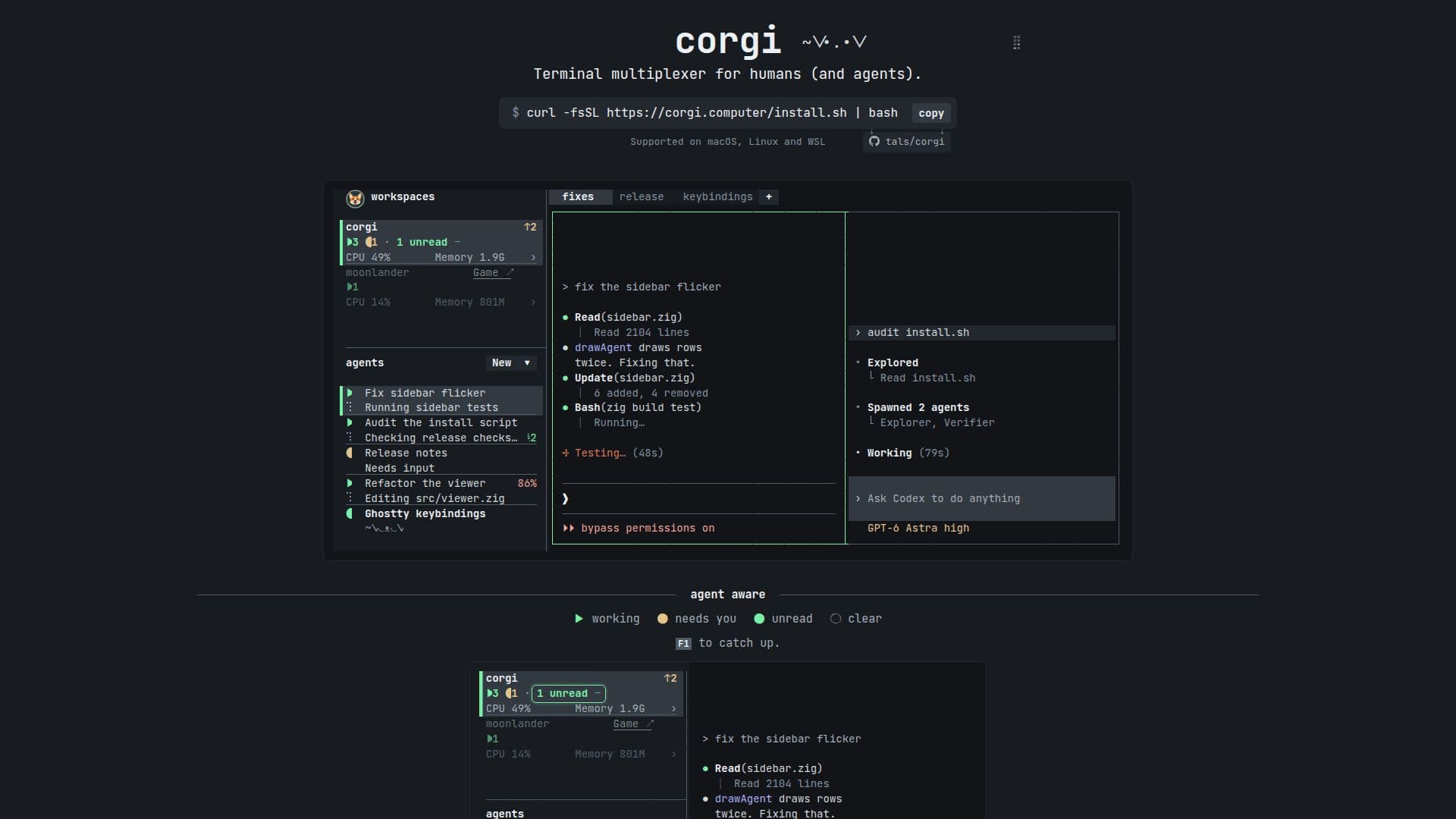
Description
Corgi is designed to assist agents in managing their tasks and workflows effectively. It offers real-time activity tracking, allowing users to monitor what each agent is doing and who requires attention. The tool supports seamless integration with existing accounts, ensuring that users can utilize all their resources without switching platforms.
Read More
Corgi organizes workspaces automatically, providing a clear view of every file and change made. This feature is particularly beneficial for teams working on collaborative projects, as it ensures transparency and accountability. The tool also supports live resource usage monitoring per workspace, enabling users to optimize their processes efficiently.
One of the standout features of Corgi is its compatibility with modern terminals. Users can paste images directly, even over SSH, making it a convenient choice for remote work. The tool is hackable, allowing users to drive it from any terminal and customize it according to their needs.
Corgi is ideal for tech-savvy users who require a robust tool to manage multiple agents and processes. Its ability to keep agents and processes running in the background, similar to tmux, ensures that work continues uninterrupted. The tool's user-friendly interface, combined with its powerful features, makes it a valuable asset for teams looking to enhance their productivity.
- CategoryAI Agent Builders
- Pricing ModelOpen source
- DeploymentCloud
- PlatformsWeb
Corgi's Core Features
Real-time activity tracking
Workspace organization
Integration with existing accounts
Live resource usage monitoring
Modern terminal compatibility
Background process management
Image pasting over SSH
Customizable and hackable
How to use Corgi?
Configure: Set up your workspaces and agents
Use: Monitor activities and manage tasks
Optimize: Utilize resource usage insights
Customize: Drive Corgi from any terminal
Corgi's Use Cases
- Task Management
- Workspace Organization
- Remote Collaboration
- Resource Monitoring
- Customization