Description
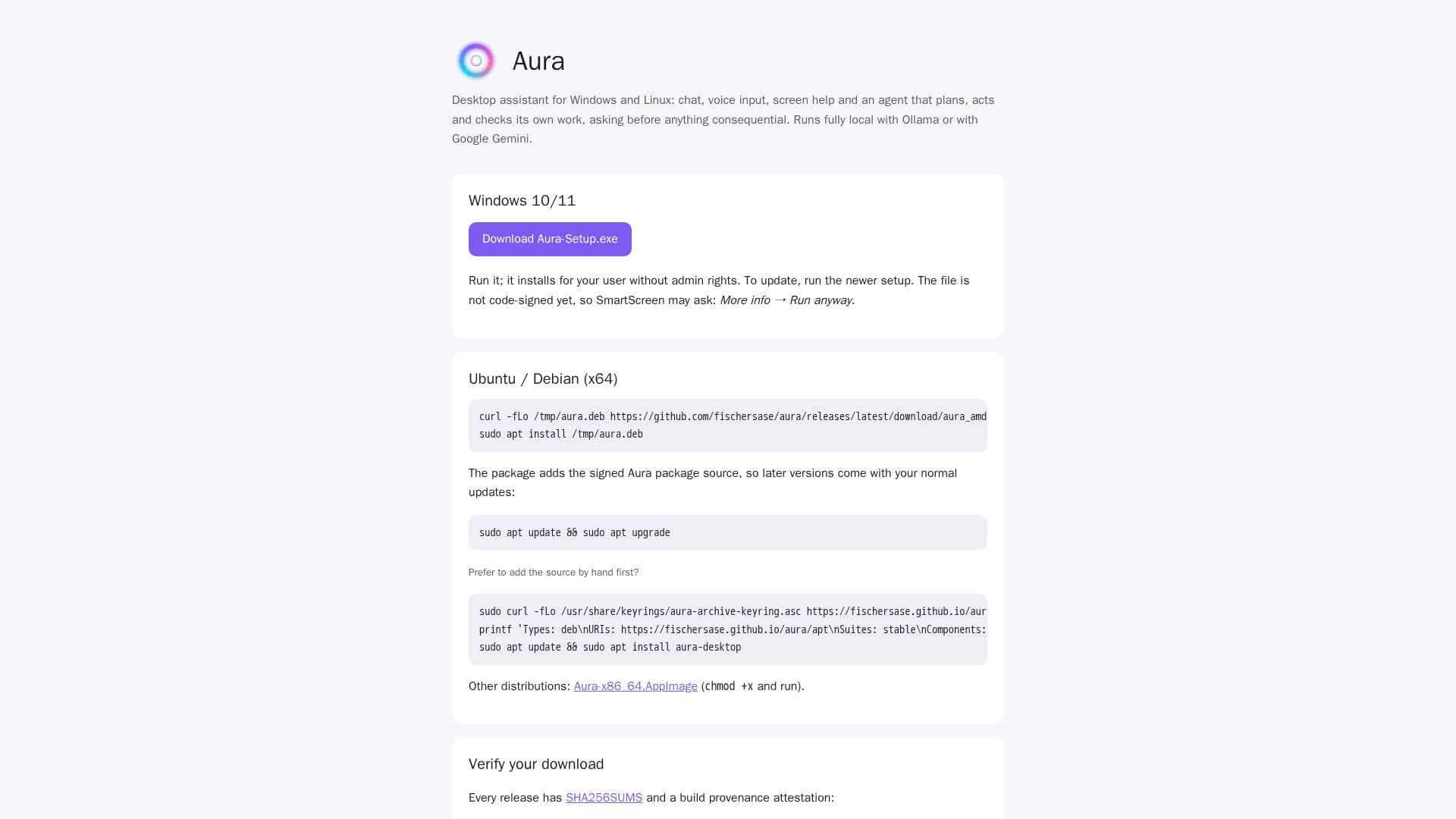
Aura Desktop Assistant is designed to enhance productivity on Windows and Linux platforms. It integrates chat, voice input, and screen assistance, making it a versatile tool for users seeking a comprehensive desktop assistant. Aura operates with local models such as Ollama and Google Gemini, ensuring that user data remains private and secure.
Read More
The assistant is capable of planning, acting, and verifying its tasks, always seeking user confirmation before executing significant actions. This feature ensures that users maintain control over their interactions with the assistant. Aura's installation process is straightforward, requiring no administrative rights, which simplifies deployment across various systems.
For Windows users, Aura supports Windows 10 and 11, while Linux users can install it on Ubuntu or Debian systems. The package management system ensures that updates are seamlessly integrated into the user's existing setup. Additionally, Aura provides SHA256SUMS and build provenance attestations for verifying downloads, enhancing security and trust.
Developers and users interested in contributing or accessing the source code can find it on GitHub, where Aura is available under the MIT License. This open-source approach encourages community involvement and continuous improvement of the assistant.
- CategoryAI Personal Assistants
- Pricing ModelOpen source
- DeploymentSelf-hosted
- PlatformsWindows, Linux
Aura Desktop Assistant's Core Features
Chat functionality
Voice input support
Screen assistance
Local model operation
User confirmation for actions
Windows and Linux compatibility
Open-source under MIT License
Easy installation without admin rights
How to use Aura Desktop Assistant?
Install: Download and run the setup file
Configure: Set up preferences and models
Use: Interact via chat and voice
Update: Run newer setup for updates
Aura Desktop Assistant's Use Cases
- Personal Assistant
- Voice Commands
- Screen Assistance
- Local Data Processing
- Open-Source Development