Description
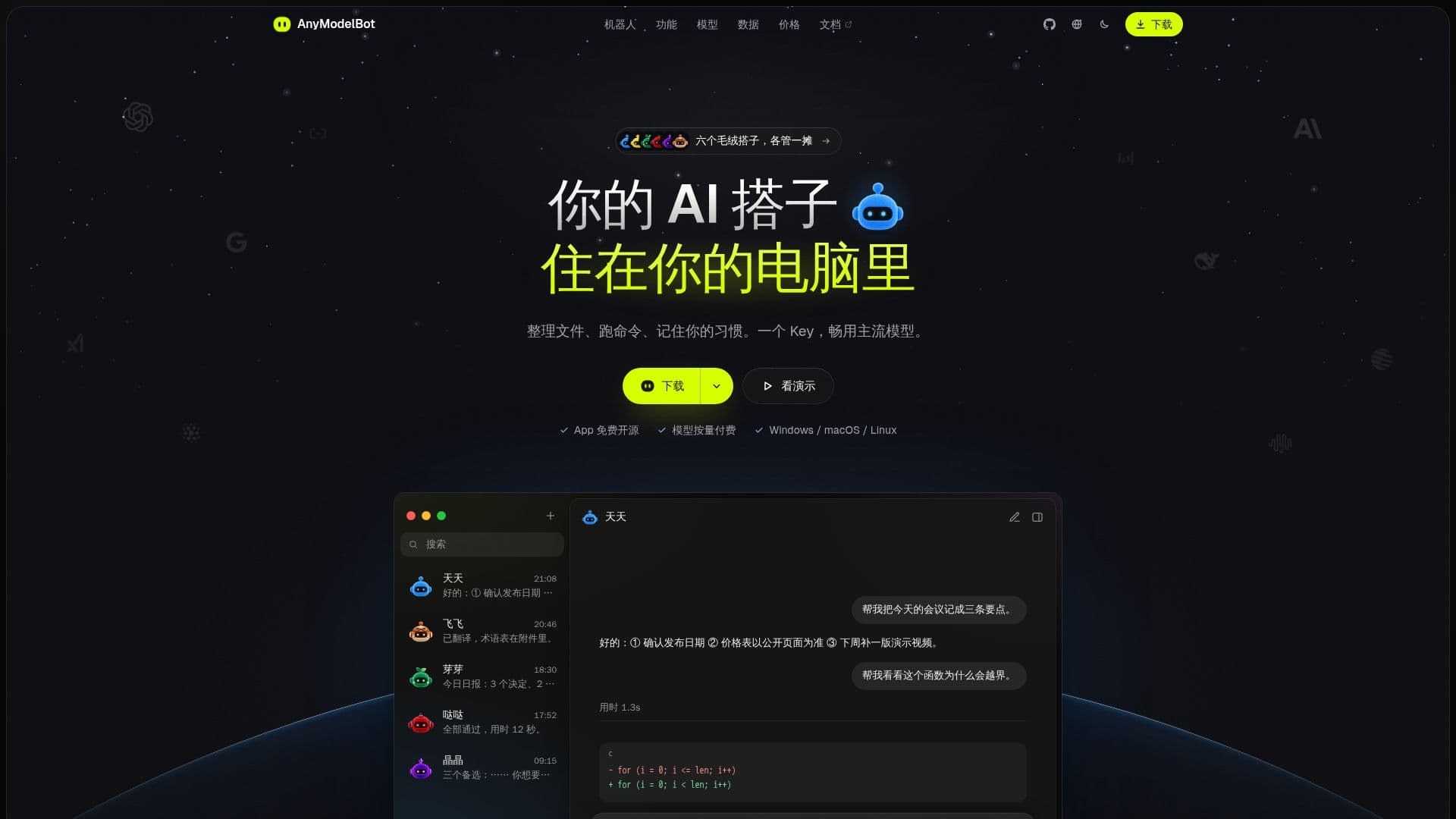
AnyModelBot is an open-source, locally runnable AI assistant designed to provide a private and flexible alternative to cloud-based AI agents such as Grok Bot, OpenAI dots, and Claude Duet. Unlike its counterparts, AnyModelBot runs directly on your personal computer or server, ensuring that all your conversations, memories, files, and API keys remain securely on your device. This architecture prioritizes user privacy and data control, as no personal data is uploaded to AnyModelBot's servers.
Read More
The application itself is free to use and open-source under the MIT license, allowing for transparency and community auditing. Users only pay for the AI model usage through Modelflare, an OpenAI-compatible AI API gateway. This pay-per-use model means there are no monthly subscriptions or tiered plans for AnyModelBot itself, offering flexibility and cost efficiency. Modelflare provides access to a wide range of leading AI models, including those from GPT, Claude, Gemini, Grok, and others, without locking users into a single provider's ecosystem.
AnyModelBot functions as a persistent personal AI agent, working in the background and only seeking user input when decisions are required. It supports various platforms, including Windows, macOS, Linux, and Docker for 24/7 operation. For mobile access, users can interact with the bot via WeChat or Feishu, maintaining a consistent experience and shared memory across devices. The bot can perform a variety of tasks, from organizing files and running commands to remembering user habits and assisting with creative writing, coding, and translation.
Key capabilities include computer operation (macOS Beta), allowing the bot to interact with your screen, open applications, read/write files, and run commands within a restricted and visible environment. It features a multi-layered long-term memory system (robot, group, team) stored as Markdown files on your hard drive, with automatic refusal to store sensitive information like passwords. The platform also supports image and video generation, offers configurable permissions, and provides clear usage tracking and cost limits for each robot.
While AnyModelBot is locally run, it requires an internet connection to access models via Modelflare, as it does not support local models. Security measures include restricted actions for computer operations, whitelisting, and options for user confirmation on interface-altering actions. Telemetry for computer operation drivers and automatic updates for certain components are disabled to further enhance privacy. Users can choose between international and China mainland optimized Modelflare routes.
- CategoryAI Personal Assistants
- Pricing ModelFree App, Pay-per-use Models
- DeploymentDesktop, Docker
- PlatformsWindows, macOS, Linux
AnyModelBot's Core Features
Locally Run AI Assistant
Open-Source (MIT License)
Pay-Per-Use Model Billing via Modelflare
Data Stored on User's Device
Supports Multiple AI Models (GPT, Claude, Gemini, Grok)
Cross-Platform Compatibility (Windows, macOS, Linux, Docker)
Mobile Access via WeChat and Feishu
Computer Operation Capabilities (macOS Beta)
Long-Term Memory System (Markdown Files)
Sensitive Information Auto-Rejection in Memory
Image and Video Generation
Configurable Robot Permissions
Usage Tracking and Cost Limits
International and China Mainland Optimized Routes
No Telemetry for Computer Operation Driver
How to use AnyModelBot?
Download and Install: Download the installation package for your system (Windows, macOS, Linux) or use a Docker command for server deployment.
Log in to Modelflare: On first launch, log in to Modelflare via your browser; Docker/remote deployments can use an API Key.
Select Default Model: After connecting, choose a default AI model from your available Modelflare account models.
Create a New Robot: Create a new robot, assign a character, name it, or start from a template, each with its own persona, model, and workspace.
Start Chatting and Change Models: Begin conversations, receive real-time responses, and switch models anytime by clicking the input box.
Enable Computer Operations: Allow the robot to read/write files and run commands; operations outside its workspace require your approval.
Access via Chat Apps: Connect to the same robot and memory via WeChat or Feishu on your mobile device.
AnyModelBot's Use Cases
- File Organization
- Meeting Summarization
- Code Debugging
- Document Translation
- Daily Reporting
- Task Automation
- Creative Writing
- Script Execution
- Information Retrieval
- Long-Term Memory